Verification
4-20 Chapter 4: Configuration 98-139768-A
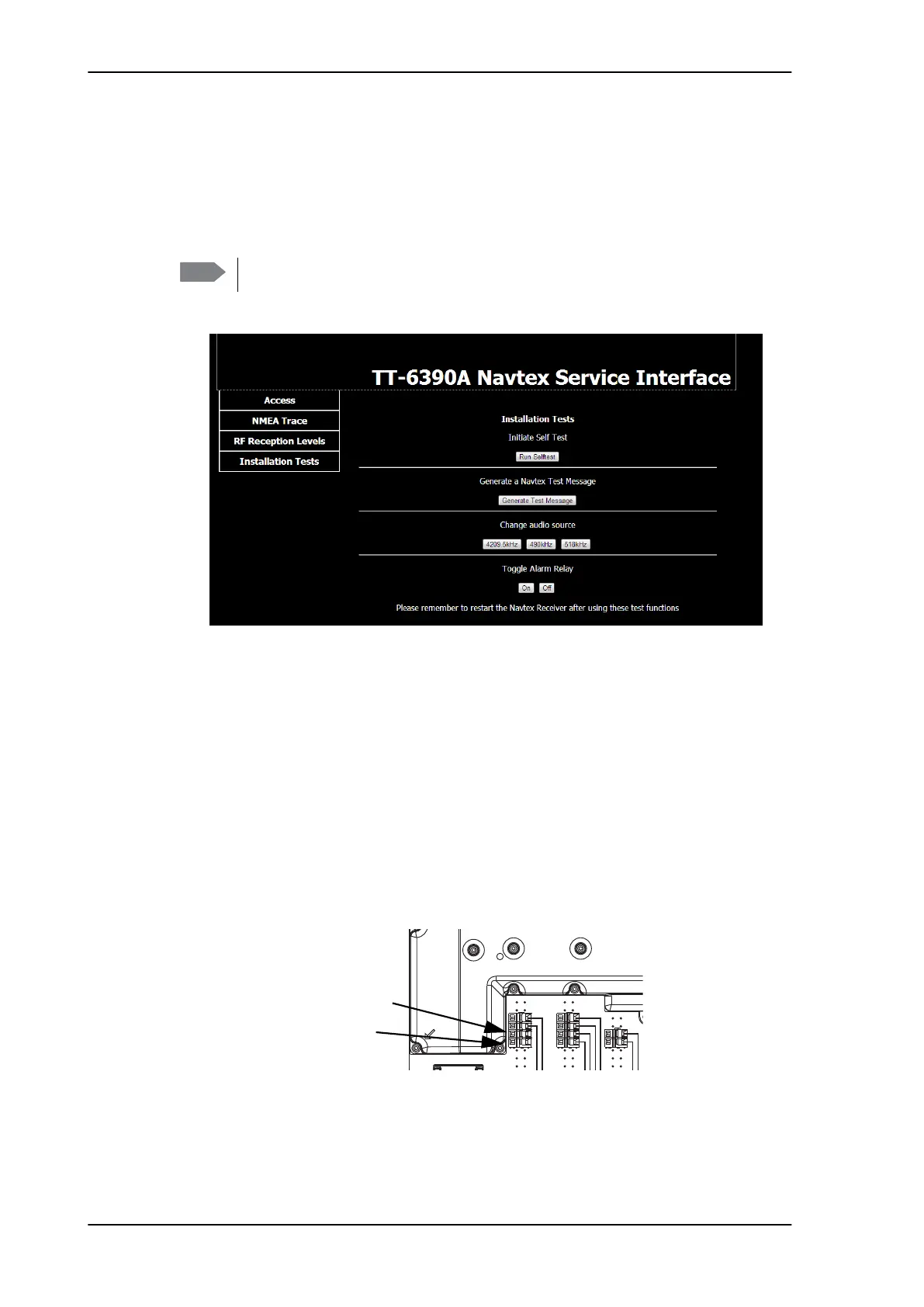
4.4.4 Installation Tests
To run the available installation tests, do as follows:
1. Access the log-in page of the Service Interface, see Using a PC and an Internet browser
on page 4-4.
2. Click Installation tests.
• Click the button Run Self Test to run a Self Test of the SAILOR 6390 Navtex
Receiver.
• Click the button Generate Test Message to generate a Navtex test message. It is
displayed in the SAILOR 6004 Control Panel.
• Change audio source: The demodulated signal (1700 Hz +/-85 Hz) received on
518 kHz is always present for debug on connector J9. If a receiver is not performing
as expected, change the debug audio source to that receiver
(490 kHz/518 kHz/4209.5 kHz) and listen for e.g. a constant tone, indicating a
spurious on that receiver channel. The presence of a constant tone can then be
compared to the RF reception level measurements (see 4.4.3).
Note that changing the audio source is not saved to memory. After reboot the
518 kHz channel is always selected.
• To toggle the Alarm Relay click On and Off to check the connected alarm system.
Note
Do not log in to the Service Interface! The installation tests can be run separately.
Figure 4-20: Tests for verifying the installation
Figure 4-21: Checking the audio source, spring-loaded terminal J9
J9
Rx audio
GND



 To Next Page