Configuration with the Service Interface
98-139768-A Chapter 4: Configuration 4-13
4444
Configuration
Network ID (Multicast Settings)
When configuring the SAILOR 6390 Navtex Receiver you can set its network ID on the
SAILOR 6004 Control Panel. Make sure that the SAILOR 6390 Navtex Receiver and the
SAILOR 6004 Control Panel are connected to the same network.
Both IDs are visible in the display of the SAILOR 6004 Control Panel in the Navtex app in
the section Settings > Connection. The SAILOR 6390 Navtex Receiver ID is visible in the
top bar of all Navtex screens of the SAILOR 6004 Control Panel.
You can change the IDs in two ways:
• Using the Navtex app, Settings > Connection, see the user manual for more detailed
instructions.
• Using the Service Interface, General Settings, System Function ID.
See Configuring the installation on page 4-6 to learn how to set up the SAILOR 6390
Navtex Receiver using the Service Interface.
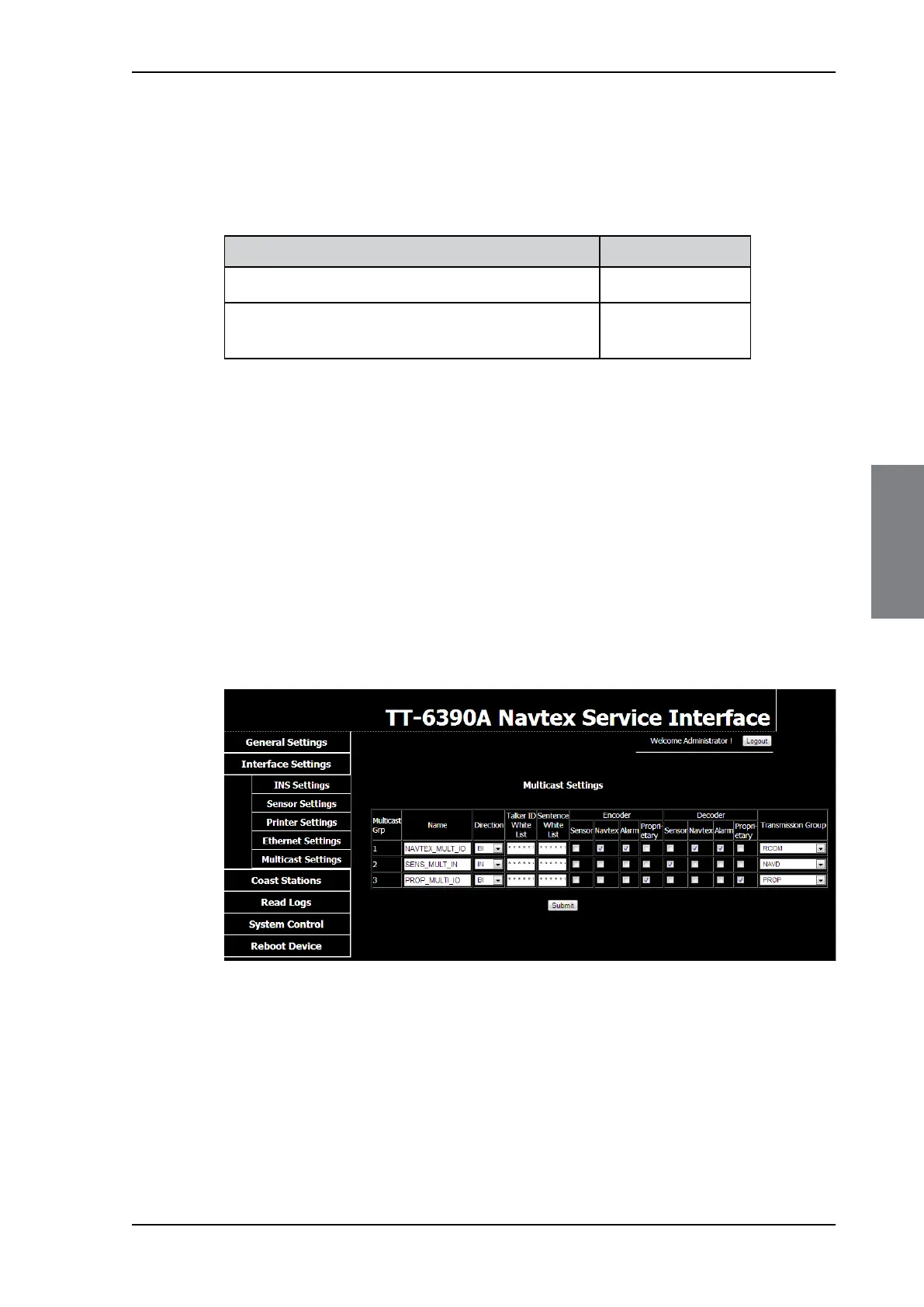
Set the Multicast Settings as shown in the figure below to make connection to the SAILOR
6004 Control panel.
Unit Default network ID
SAILOR 6390 Navtex Receiver (default) CR0001
SAILOR 6004 Control Panel (must be set if more than
one SAILOR 6390 Navtex Receiver is connected)
II0001
Table 4-5: ID for SAILOR 6390 Navtex Receiver and SAILOR 6004 Control Panel
Figure 4-12: Service Interface: Interface Settings – Multicast Settings (default)



 To Next Page