20
Pairing the iT500 System Units for the First Time
Once the iT500 Thermostat and the iT500RX Receiver are physically installed, the two units need to be ‘paired’.
Pairing allows the two devices to recognise each other and to communicate wirelessly.
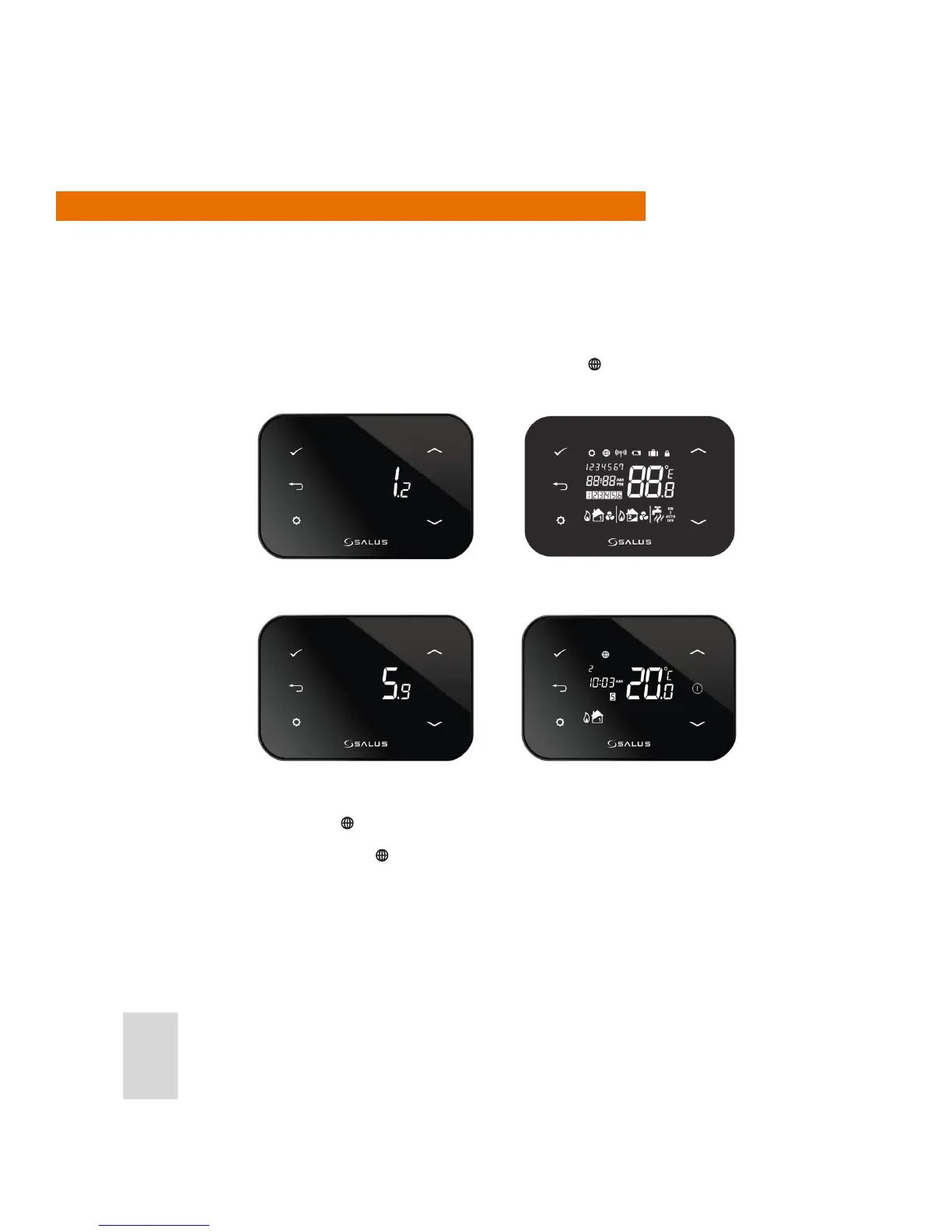
When powering on the iT500TR Thermostat for the rst time, the Thermostat will go through the sequence
of screens shown below and automatically try and pair by searching for the strongest signal from an iTG500
Gateway.
The units attempt to pair for 10 minutes and during this time, the
icon will ash. Pairing should take
approximately 20 seconds.
If the pairing is successful, the
icon is turned on all the time.
If the pairing fails or times out, the
icon will disappear and the system will retry later.
OTA (Over the Air) Software
Revision Number
All Display Icons
iT500 Software Revision
Number
Home Screen



 To Next Page