66
OTHER INFORMATION
Low Battery Indication
The iT500 Thermostat is battery powered. The system monitors the battery voltage and provides a 2-stage
low battery warning system.
When the 1st stage low voltage is reached, the
icon is displayed.
When the 2nd stage low voltage is reached, the
icon starts to ash.
Change the batteries as soon as possible.
Battery Installation or Replacement
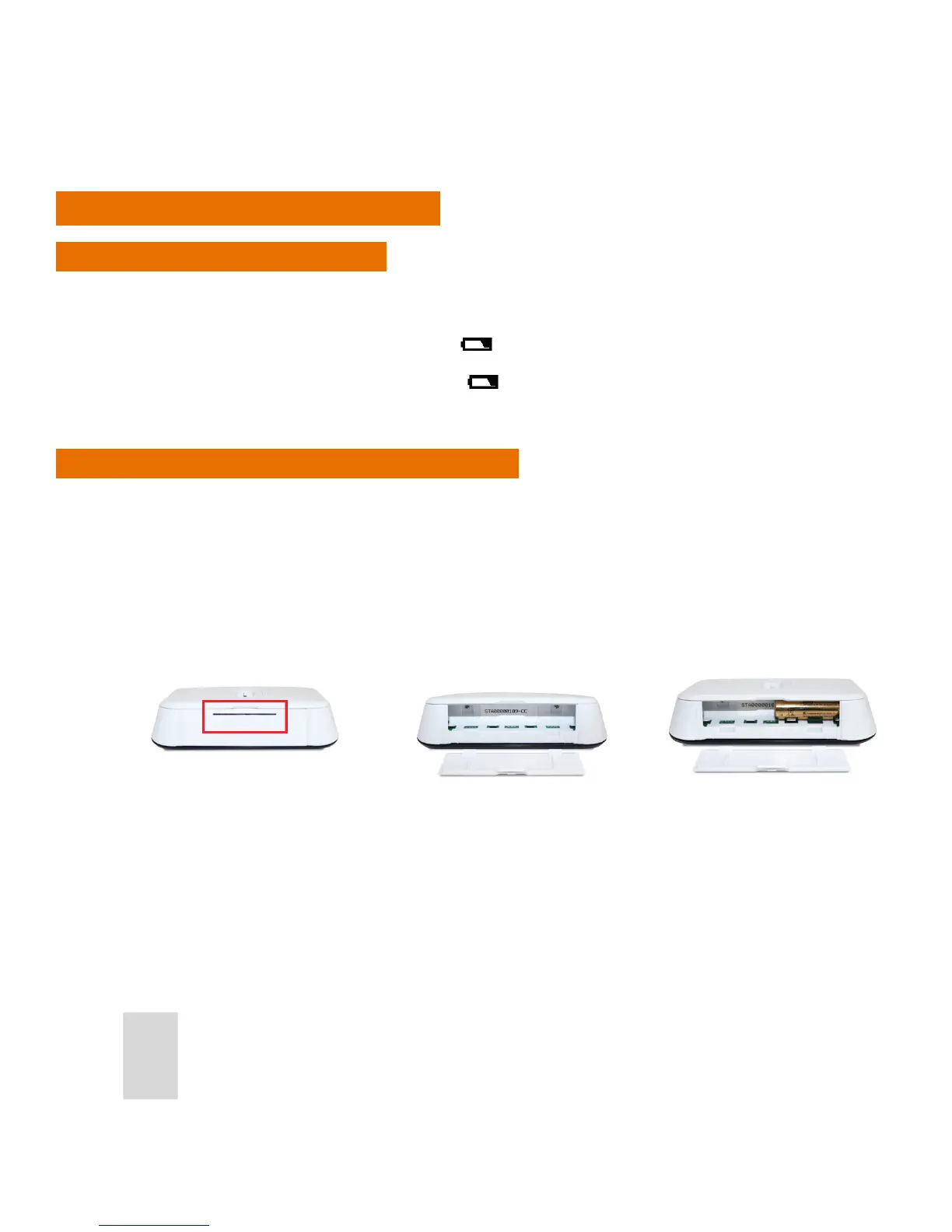
1. To install or replace the batteries in the iT500 Thermostat, remove the battery cover from the base of the
iT500 Thermostat.
Note: Dispose of replaced batteries at a suitable recycling facility.
2. With the unit face down, insert the rst battery supplied into the right hand side of the base of the iT500
Thermostat.



 To Next Page