22
Installing an iT300TX Temperature Sensor Transmitter (optional)
The iT300TX Temperature Sensor Transmitter is purchased separately. It is only used if your system supports
two central heating zones. The unit is portable and should be located in the area of your home heated by the
Zone 2 radiators.
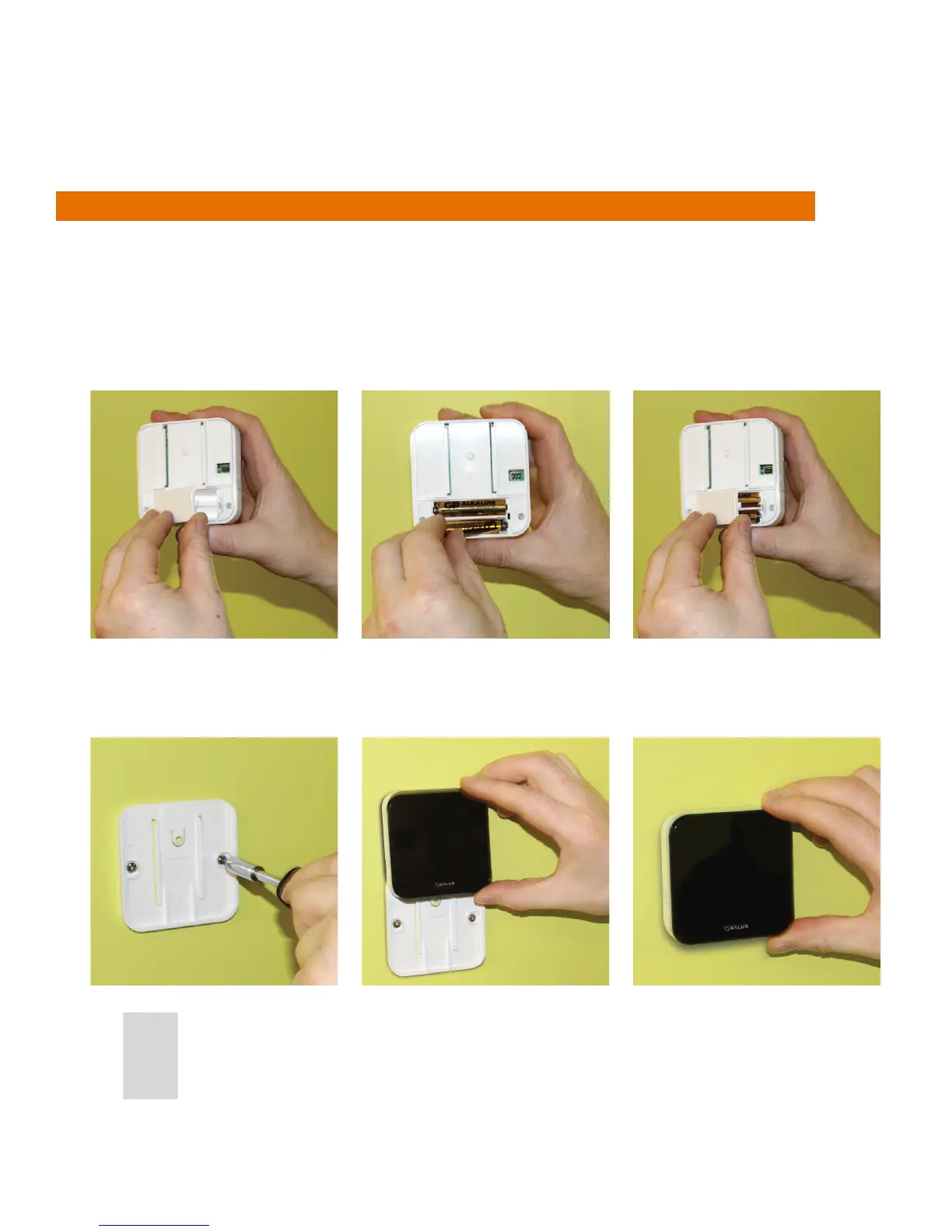
1. Remove the battery cover on the back of the iT300TX.
2. Insert the 2x AAA batteries supplied into the iT300TX.
3. Replace the battery cover.
4. Attach the wall mounting bracket to a suitable wall using the ttings supplied.
5. Align the grooves on the back of the iT300TX and slide onto the bracket.
6. Once in place, ensure the unit is securely seated on the bracket.



 To Next Page