21
Installing the iTG500 Gateway
Connecting to your Router
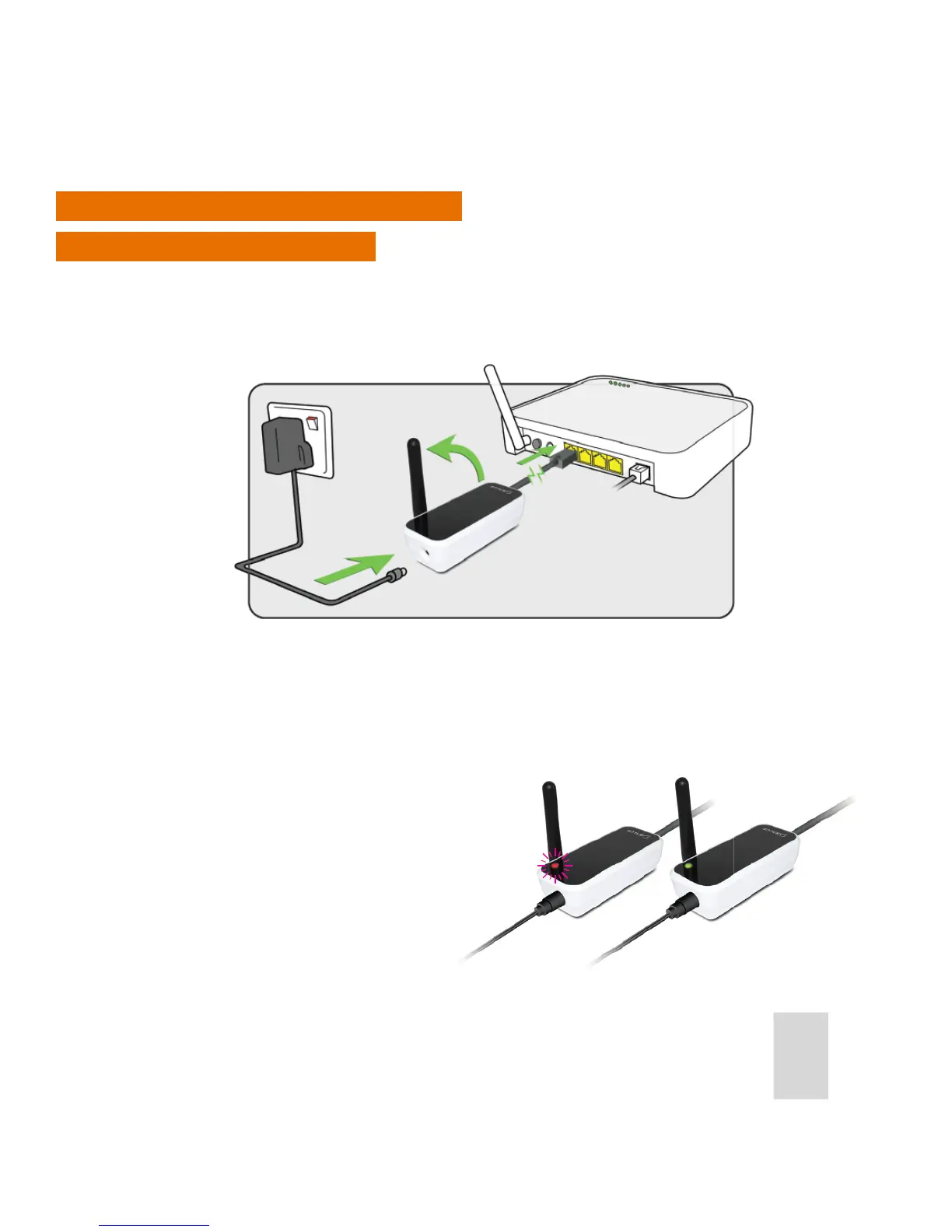
Using an RJ45 cable, connect the Gateway to your router (connected to the internet), connect the supplied
power cable to the Gateway and plug it into the 230V power supply. When all the connections are completed,
turn on the power supply. This is the rst step in enabling you to control your central heating from outside of
your home using your mobile phone or a remote computer.
The light on the router will ash red when it is rst connected and setting up. When connected to the SALUS
Controls Server it will display a constant green light.
Note: Check that your router is allowing the gateway access to both incoming and outgoing connections.
See your router’s operation manual for details on security and TCP/UDP port settings.
1. The gateway requires a xed IP address.
2. You require port 80 and 2165 UDP open.
3. Estimated use per month is 20mb.



 To Next Page