77
Using MDC
3
3 Using MDC
z Configuring Preferences for Holiday Management
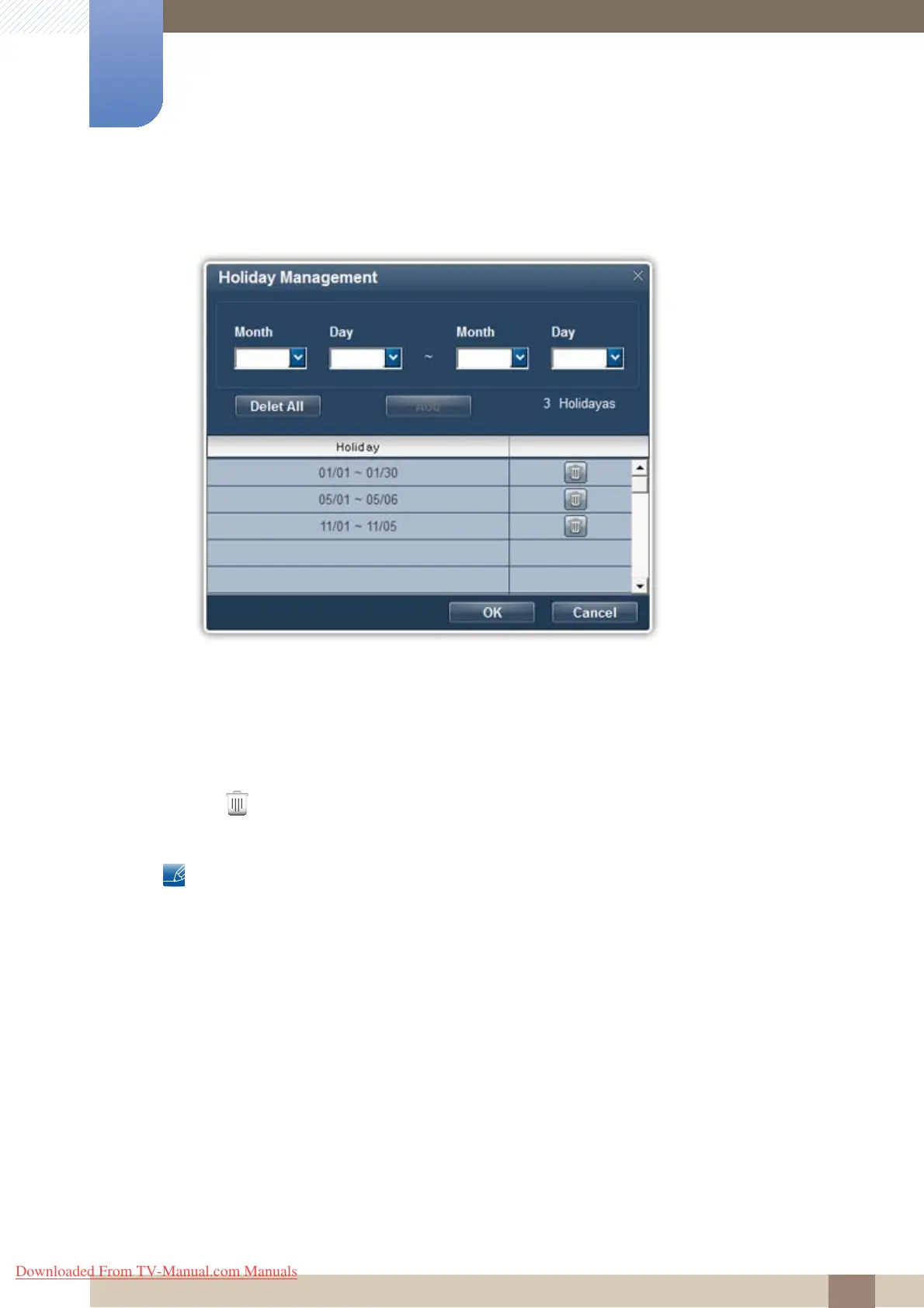
Holiday Management can be used to set the display not to turn on by the Timer on specified dates.
1 Specify the dates.
2 Delete All
Delete all the holiday schedules.
3 Add
Add a holiday schedule (dates).
4
Delete a holiday schedule.
z Changes will only be applied to displays that are powered on.
z Holiday Management can be enabled or disabled in the Timer settings.
z If Source is set to TV in On Time settings, only the displays that have the TV function will power on.
z If Source is set to MagicInfo in On Time settings, only the displays that have the MagicInfo function
will power on.
z Magicinfo only functions on products that have the MagicInfo function.
z TV mode is only available on products that have the TV function.
Downloaded From TV-Manual.com Manuals







 To Next Page