76
Using MDC
3
3 Using MDC
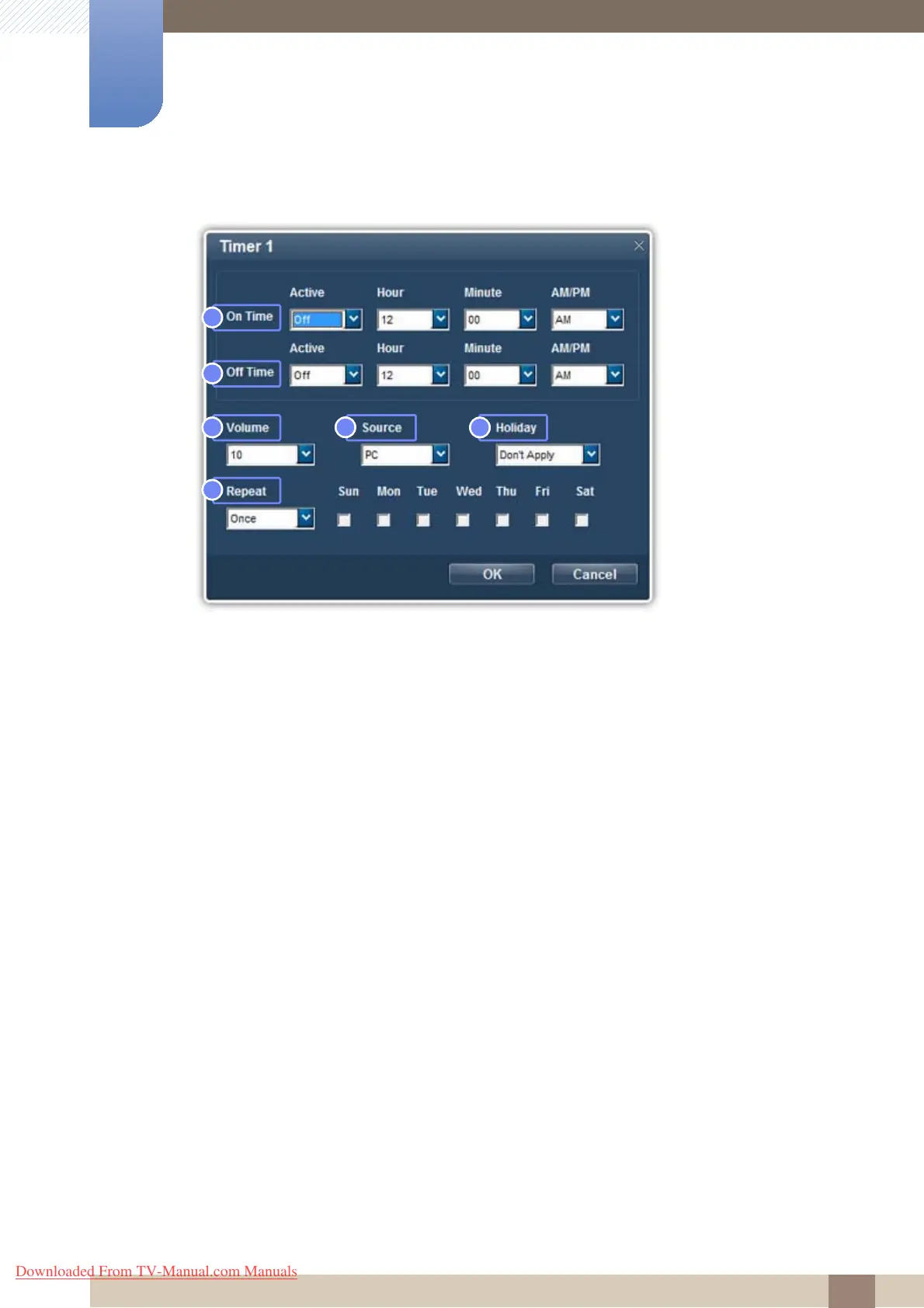
z Setting Timer1, Timer2 and Timer3
1 On Time
Automatically turn on the selected display at a specified time.
2 Off Time
Automatically turn off the selected display at a specified time.
3 Volume
Specify the volume for the display that will turn on by On Time.
4 Source
Specify the input source for the display that will turn on by On Time.
5 Holiday
Select whether to apply Holiday Management settings to the Timer.
6 Repeat
Specify the interval to activate the Timer.
Once : Activate the timer only one time.
EveryDay : Activate the timer every day.
Mon~Fri : Activate the timer from Monday through Friday.
Mon~Sat : Activate the timer from Monday through Saturday.
Sat~Sun : Activate the timer on Saturdays and Sundays.
Manual : Customize days of the week.
Downloaded From TV-Manual.com Manuals







 To Next Page