84
Using MDC
3
3 Using MDC
Audio
To view the settings for each connected display, select a display one at a time. Selecting all displays by
clicking All+Select will display the default values.
Changing any setting in this menu will automatically switch the mode to Custom.
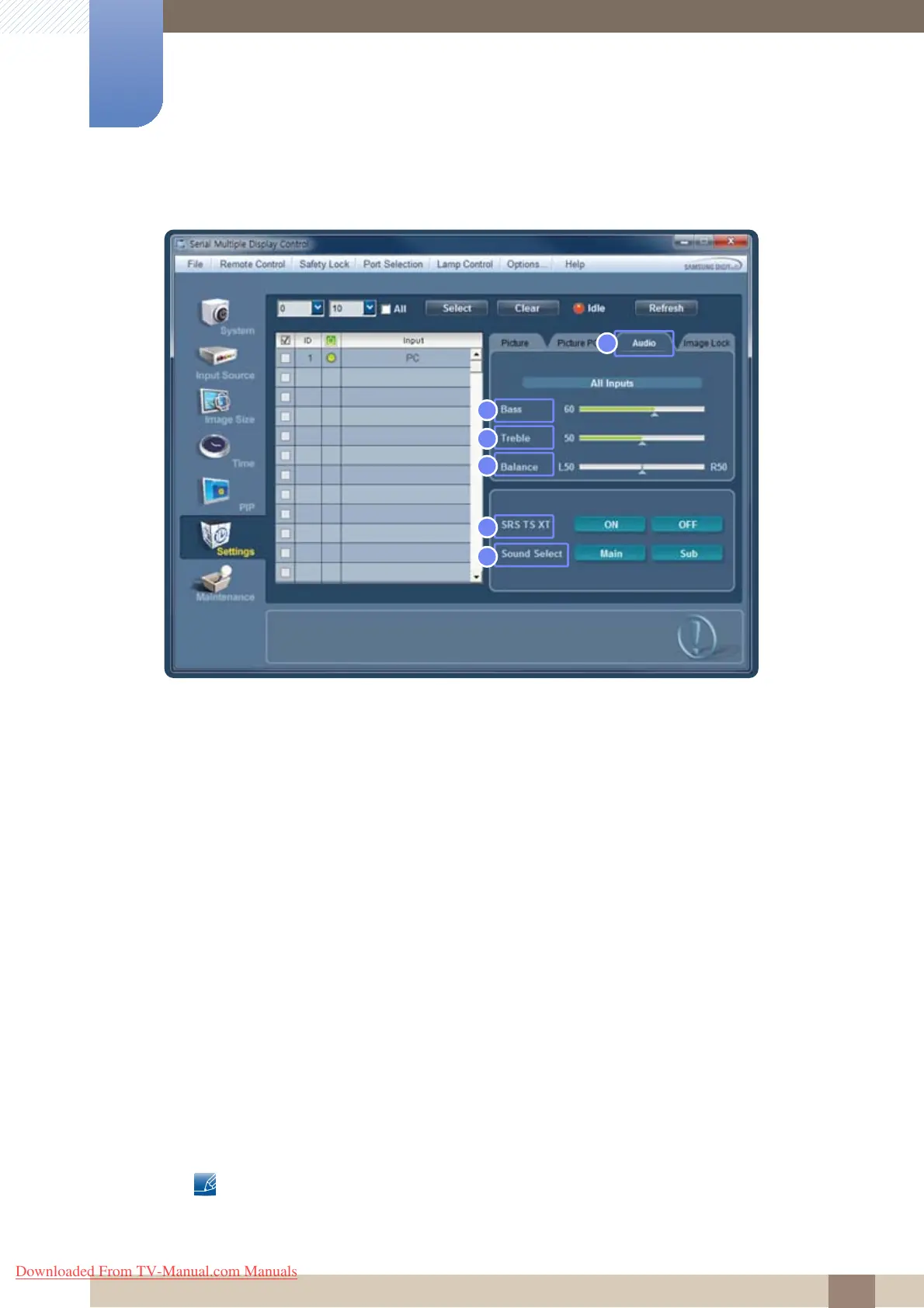
1 Audio
Change the audio preferences.
2 Bass
Adjust the bass for the selected display.
3 Treble
Adjust the treble for the selected display.
4 Balance
Adjust the volume of the left and right speakers for the selected display.
5 SRS TS XT
Enable or disable the SRS TS XT function for the selected display.
SRS TS XT allows you to enjoy the grand and vivid sound quality of 5.1-channel speakers using two
speakers.
6 Sound Select
Not available on this product.
Select the sound for the main screen or sub-screen in PIP mode.
5
6
2
1
3
4
Downloaded From TV-Manual.com Manuals







 To Next Page