two-speakers.
TruSurround
delivers
a
compelling,
virtual
surround
sound
experience
through
any
two-speaker
playback
system,
including
internal
television
speakers.
It
is
fully
compatible
with
all
multi
channel
formats.
I.
::::~~o~n:h;:
raUp~~:~e:~::
t~:nology
that
solves
the
problem
of
playing
5.1
multichannel
content
over
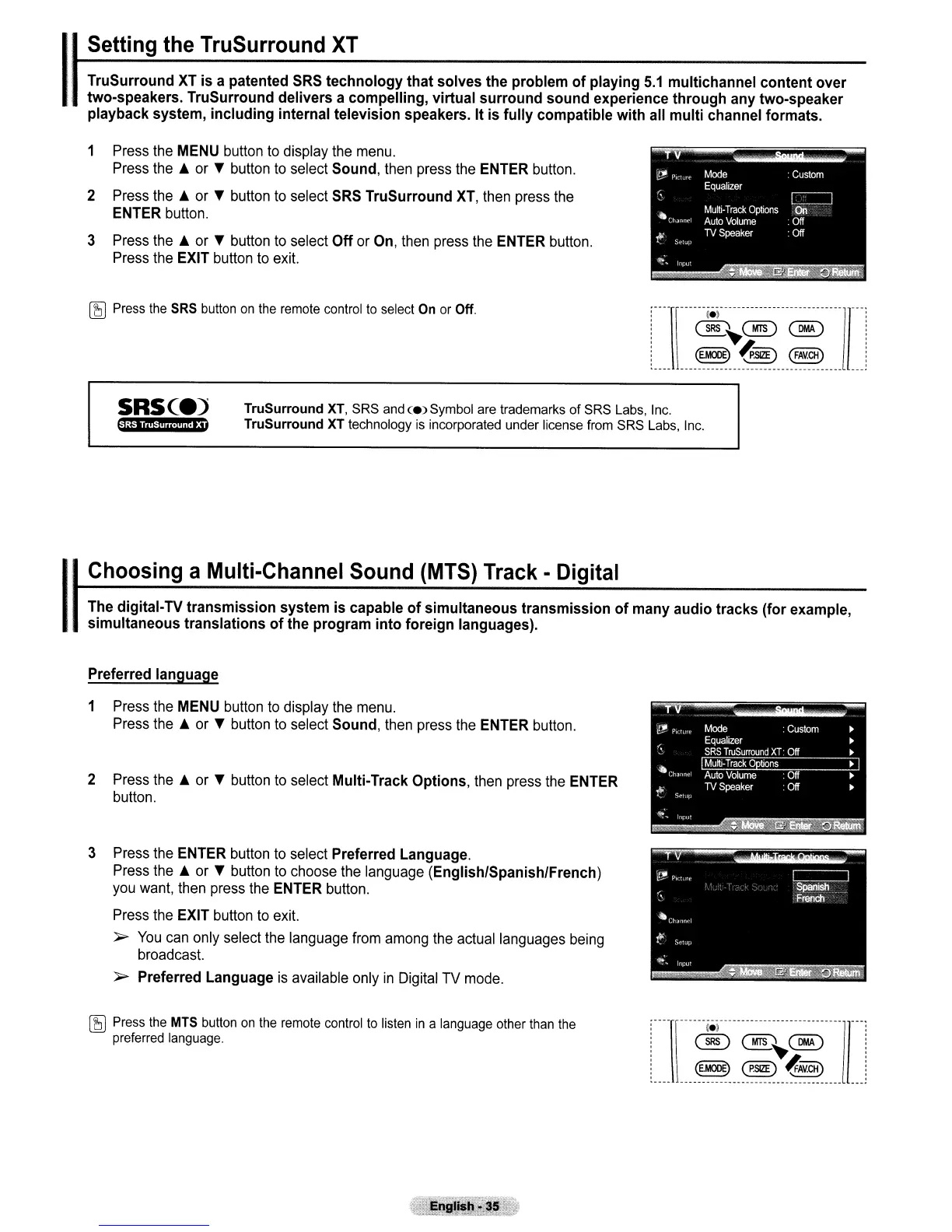
1 Press the MENU button to display the menu.
Press the A or T button to select
Sound,
then press the ENTER button.
2 Press the A or T button to select SRS
TruSurround
XT, then press the
ENTER button.
3 Press the A or T button to select
Off
or On, then press the ENTER button.
Press the EXIT button to exit.
~
Press
the
SRS
button
on
the
remote
control
to
select
On
or
Off.
te)
(SRS~@)
~
(E.MOllE)
~'SiZE)
(FAV.CH)
SRse.)
SRS TruSurround
XT
TruSurround
XT,
SRS
and
<e)
Symbol
are
trademarks of
SRS
Labs,
Inc.
TruSurround
XT
technology
is
incorporated under license
from
SRS
Labs,
Inc.
1
Choosing
a
Multi-Channel
Sound
(MTS)
Track
-
Digital
The
digital-
TV
transmission
system
is
capable
of
simultaneous
transmission
of
many
audio
tracks
(for
example,
simultaneous
translations
of
the
program
into
foreign
languages).
Preferred
language
1 Press the MENU button to display the menu.
Press the A or T button to select
Sound,
then press the ENTER button.
2 Press the A or T button to select
Multi-Track
Options,
then press the ENTER
button.
3 Press the ENTER button to select
Preferred
Language.
Press the A or T button to choose the language
(English/Spanish/French)
you want, then press the ENTER button.
Press the EXIT button to exit.
~
You
can only select the language from among the actual languages being
broadcast.
~
Preferred
Language
is
available only
in
Digital TV mode.
~
Press
the
MTS
button
on
the
remote
control
to
listen
in
a
language
other
than
the
preferred
language.
----\------iel----------------------------
---
®(MTS~~
(E.MOllE)
(p.5IZE)
~i§HJ
----
------------------------------------.



 To Next Page