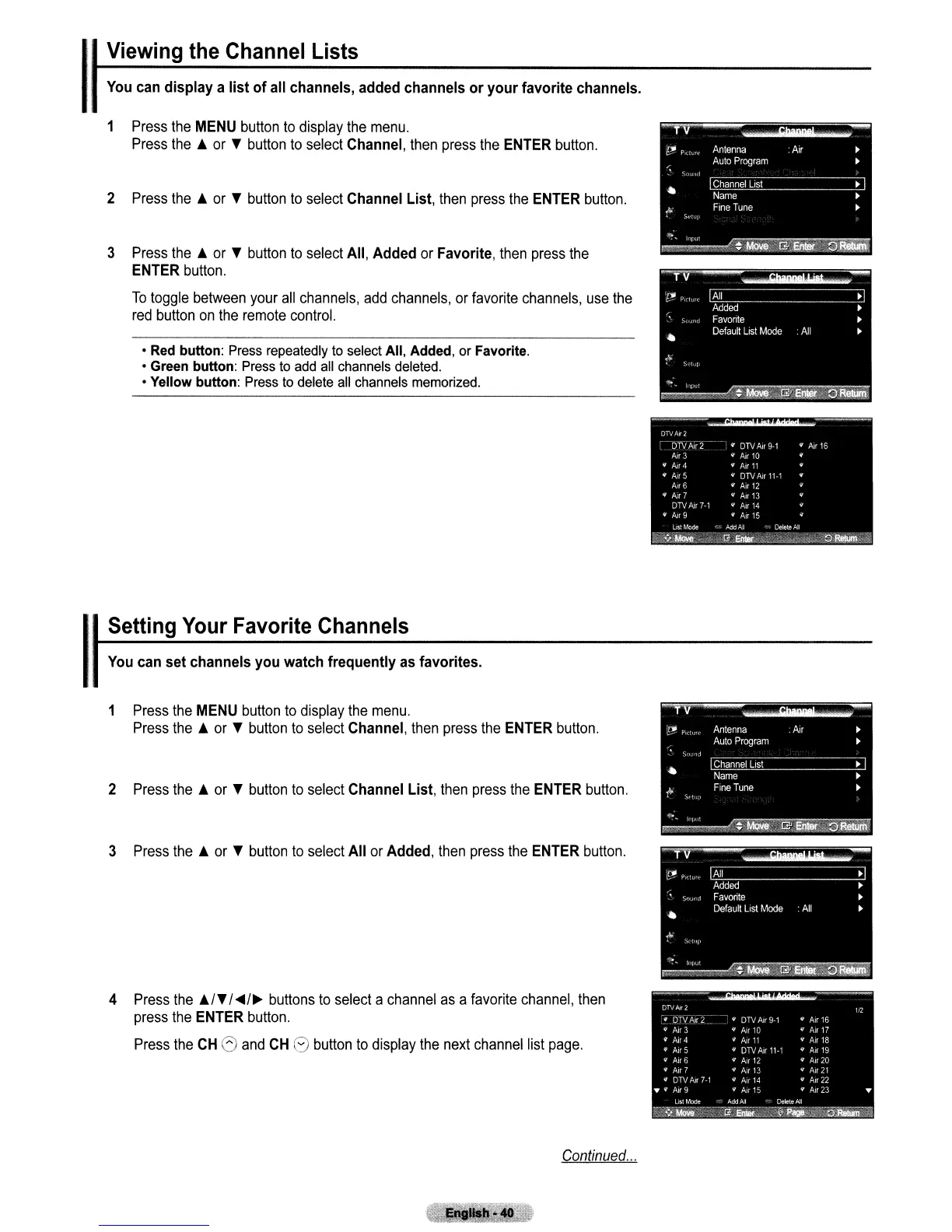
You
can display a list
of
all channels, added channels
or
your
favorite channels.
IViewing the Channel Lists
1
Press
the
MENU
button
to
display
the
menu.
Press
the
j.
or
T
button
to
select
Channel,
then
press
the
ENTER
button.
2
Press
the
j.
or
T
button
to
select
Channel List,
then
press
the
ENTER
button.
3
Press
the
j.
or
T
button
to
select
All, Added
or
Favorite,
then
press
the
ENTER
button.
To
toggle
between
your
all
channels,
add
channels,
or
favorite
channels,
use
the
red
button
on
the
remote
control.
• Red button: Press repeatedly to select All, Added, or Favorite.
• Green button: Press to add all channels deleted.
• Yellow button: Press to delete all channels memorized.
ISetting Your Favorite Channels
1
Press
the
MENU
button
to
display
the
menu.
Press
the
j.
or
T
button
to
select
Channel,
then
press
the
ENTER
button.
2
Press
the
j.
or
T
button
to
select
Channel List,
then
press
the
ENTER
button.
3
Press
the
j.
or
T
button
to
select
All or Added,
then
press
the
ENTER
button.
4
Press
the
j.!T
!
..
!~
buttons
to
select
a
channel
as
a
favorite
channel,
then
press
the
ENTER
button.
Press
the
CH
Sand
CH
G
button
to
display
the
next
channel
list
page.
Continued
...



 To Next Page