18
For further information, visit videotron.com/terminal-support.
MAIN MENU AND SHoRTCUT MENU
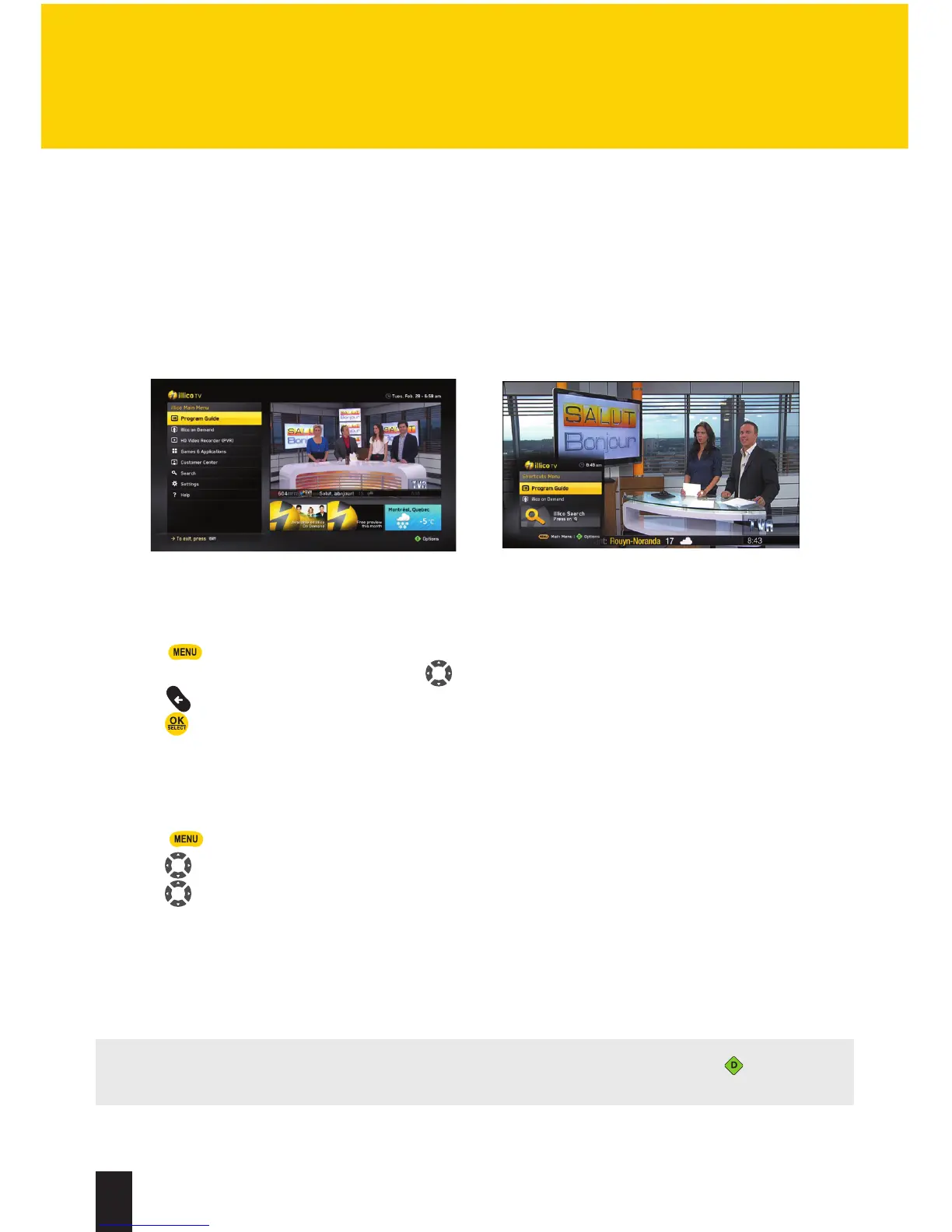
The main menu gives you access to all available illico TV new generation features, like the
Program Guide, illico On Demand, settings, the search function, widgets, and much more!
ACCESS THE MENU
1. Press to go to themain menu.
2. Browse the menu or the widgets using . When you browse illico TV menus, you can always
press to return to the previous screen.
3. Press to confirm your choice.
ACTIVATE AND pERSoNALIZE THE SHoRTCUT MENU
illico TV new generation also offers a Shortcut Menu that lets you choose the shortcuts you want.
1. Press .
2. Using , select Settings, thenApplication Preferences.
3. Using , select Shortcut Menu.
4. In the drop-down menu, select Activate or Disable the Shortcut Menu, then customize it by
choosing the shortcuts you want.
Main Menu Shortcut Menu
NOTE: You can customize the Shortcut Menu from the main menu by pressing . Please
note that the Program Guide and illico On Demand cannot be removed from this menu.
HOW TO USE ILLICO TV
NEW GENERATION


 To Next Page