19
For further information, visit videotron.com/terminal-support.
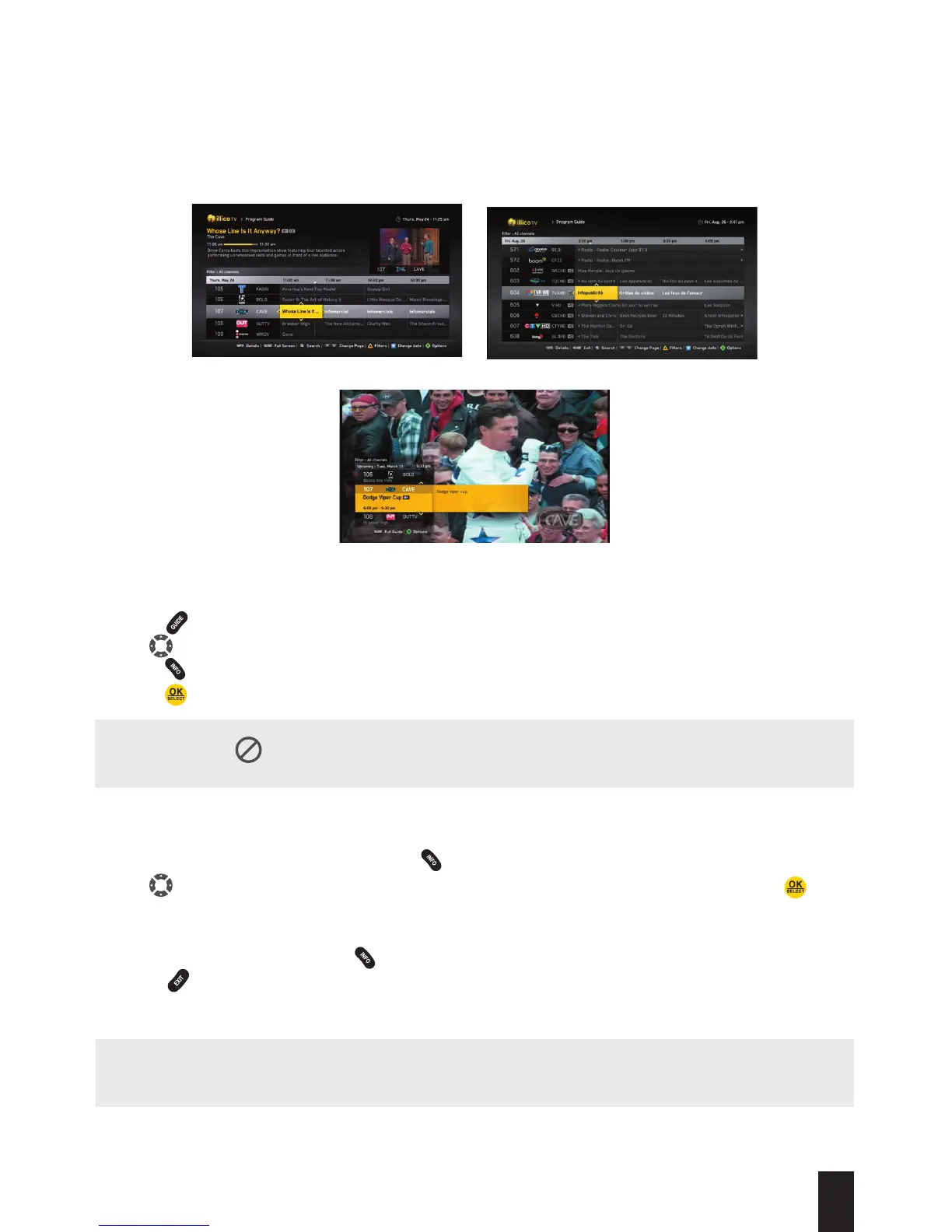
INTERACTIVE pRoGRAM GUIDE
The Interactive Program Guide lists the shows that are being broadcasted at that time and
those to come over the next 15 days.
Complete Guide Full Screen Mode
Miniguide
How To USE THE pRoGRAM GUIDE
1. Press to display the complete Guide (press it again to see it in full-screen mode).
2. Use to browse the Program Guide.
3. Press to get more information on the selected schedule.
4. Press to go to the selected channel.
How To USE THE MINIGUIDE
1. While you are watching content, press .
2. Use to go from one channel to the next and from one schedule to another. Press to go
to the selected channel.
3. If you hover the cursor over a show in the Miniguide, a description will automatically pop up.
If this does not happen, press .
4. Press to exit.
NOTE: You can modify the automatic display of information relating to a show in the Miniguide.
Under Settings in the main menu, select Application Preferences.
NOTE: When the
icon is displayed to the left of the Program Guide, it means that you are
not subscribed to this channel.


 To Next Page