3
For further information, visit videotron.com/terminal-support.
SET-UP
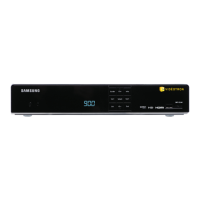
CoNGRATULATIoNS oN yoUR pURCHASE of THIS HD TERMINAL oR
HD pVR, yoUR GATEwAy To THE ILLICo TV NEw GENERATIoN ExpERIENCE.
Now you can:
• Enjoy a new, customized TV experience that’s faster, more powerful and easier to use
• Easily manage your recordings with the HD PVR
• Gain access to a personalized interactive 15-day Program Guide
• Use handy apps like the Miniguide and a variety of widgets (i.e. weather forecasts, lottery
results, illico news, etc.)
• Fully immerse yourself in the HD experience thanks to exceptional image quality and menus
adapted to HD TVs
• Benefit from a Dolby Digital 5.1™ output, for unbeatable sound adapted to home theatre systems
• Gain exclusive access to illico On Demand, which offers thousands of movies and shows,
2,000 of which you can watch for free
• Watch illico TV online at illicoweb.tv or on your Videotron mobile phone


 To Next Page