24
For further information, visit videotron.com/terminal-support.
HOW TO RENT A MOVIE OR A TV SHOW
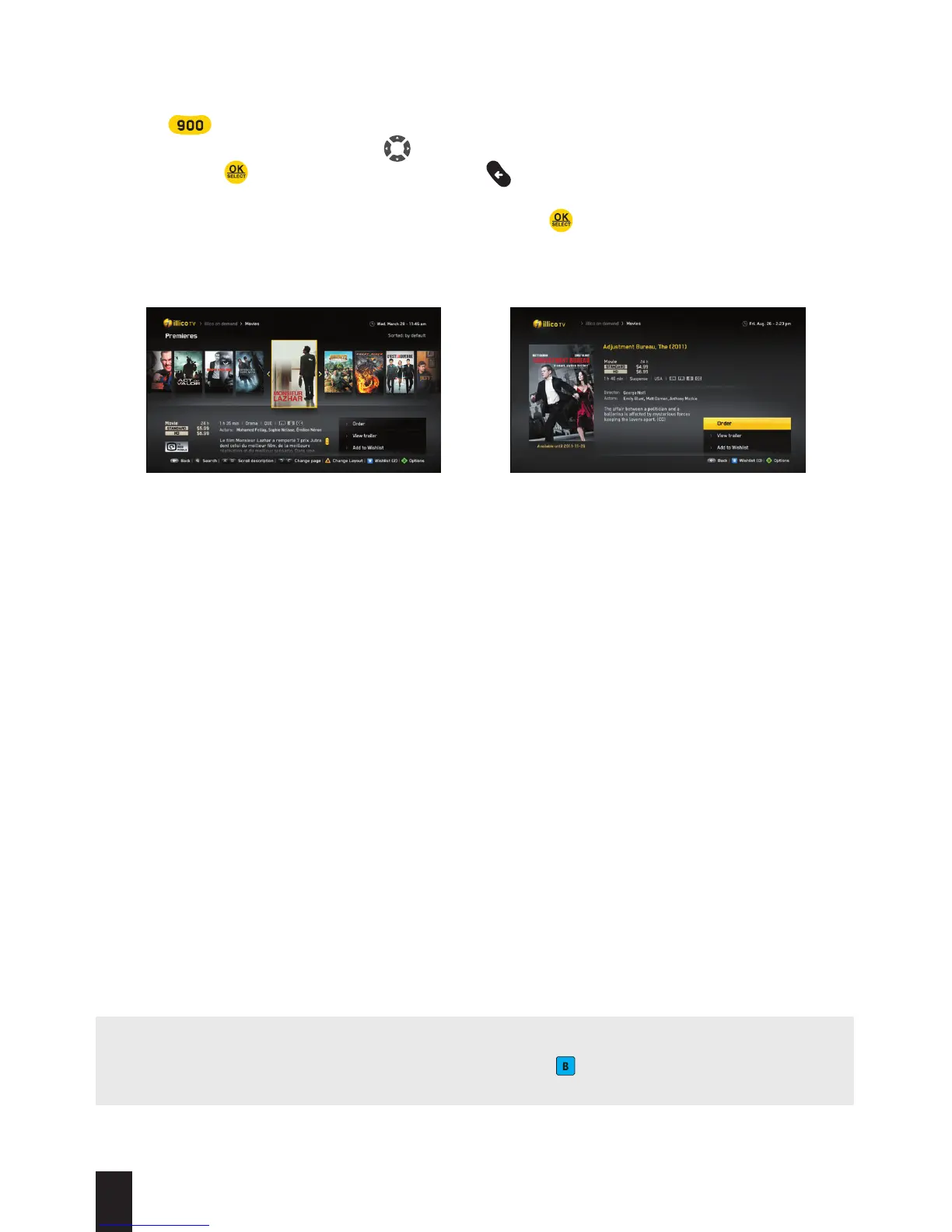
1. Press to go to illico On Demand.
2. Browse through the menus using and choose the category or the content that you’d like
to see. Press for each selection and press to return to the previous screen.
3. When you have selected content, you can choose between the following three options: Order,
Watch the Trailer or Add to My Selection. Then, press .
4. When you are ordering content, a window will pop up on-screen asking you to choose the
language in which you would like to view the content (FR / EN) and the viewing mode
(HD or SD). If an option is unavailable, it will be shaded. You will need your PIN to confirm
your order. If you did not create a PIN when you set up your terminal, a window will pop up
prompting you to create an Administrator PIN.
5. The ordered title will be available for the period indicated on-screen and can be accessed
from the Resume Viewing Content menu.
6. If you have any questions relating to Parental Control, please refer to the next page.
Automatic display Information regarding content
NOTE: My Selection is a list of titles that you may want to watch at a later time and that you
can add to as you browse the list of content by pressing . To view this list, select
My Selection in the illico On Demand main menu.


 To Next Page