22
For further information, visit videotron.com/terminal-support.
wIDGETS
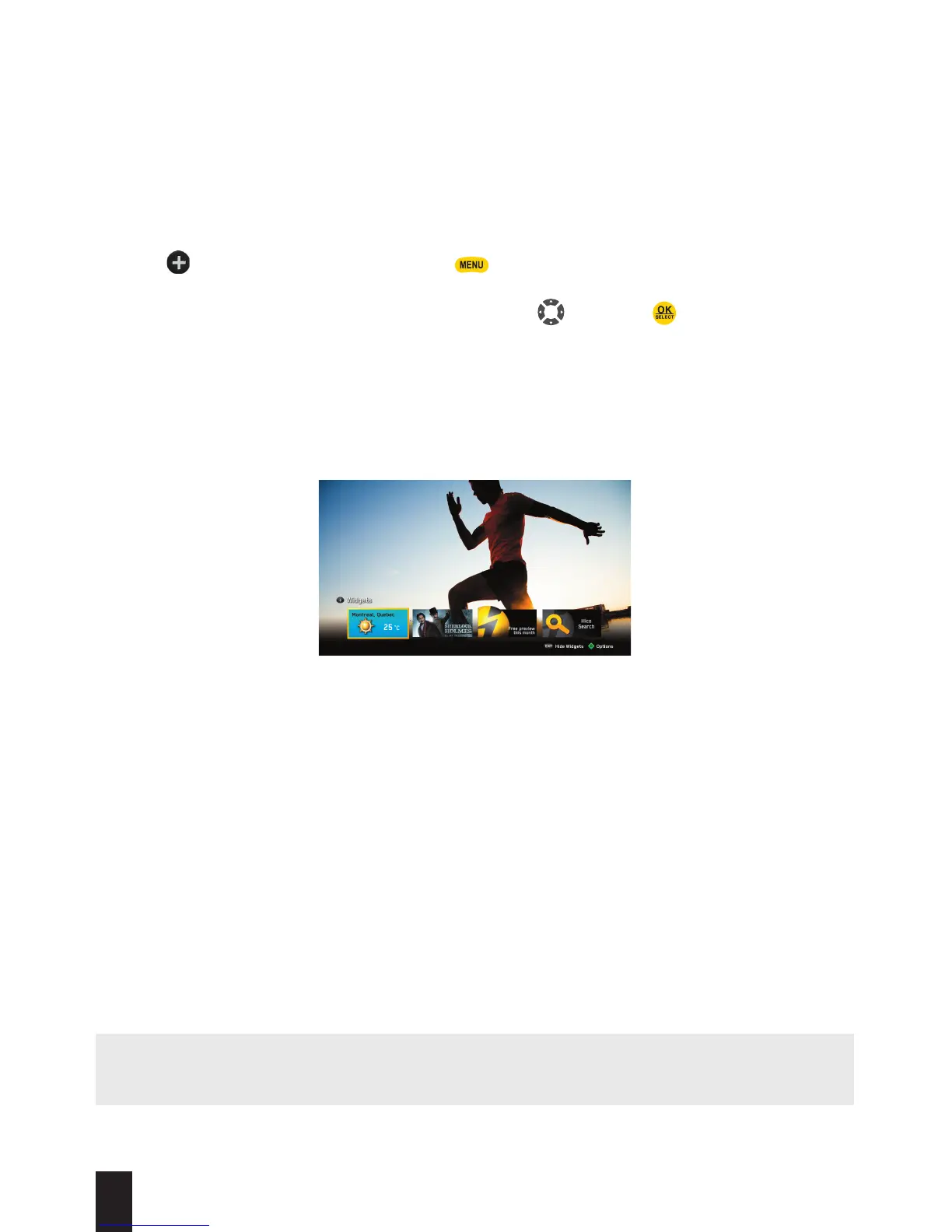
Widgets are handy mini-applications that offer quick access to information. For example, in the
main menu, you will see a weather tile. This tile (or widget) offers you quick access to weather
forecasts for your region.
How to access widgets :
1. Press on your remote control or press to display the main menu on-screen. You will
see a list of widgets at the bottom of the screen. You can also select Games and Applications
from the main menu. Select the widget you want using and press .
HOW WIDGETS ARE DISPLAYED
WHILE YOU WATCH TV
NOTE: To modify the widgets’ settings, like the weather or lottery widget, please access the
preferences for the desired widget.
3D
Videotron lets you view content in 3D.
Experience 3D on a 3D TV.
It is possible to view all 3D content offered by Videotron on a 3D TV using the glasses provided
by your TV’s manufacturer. For questions relating to use, please refer to the User Guide that
came with your TV. Go to channel 800 for more details on 3D programming. Go to channel 900
to see a list of on-demand 3D movies.


 To Next Page