39
For further information, visit videotron.com/terminal-support.
SHORTCUTS: You can suspend Parental Control and block or unblock a channel by pressing
during a broadcast, or via the Program Guide.
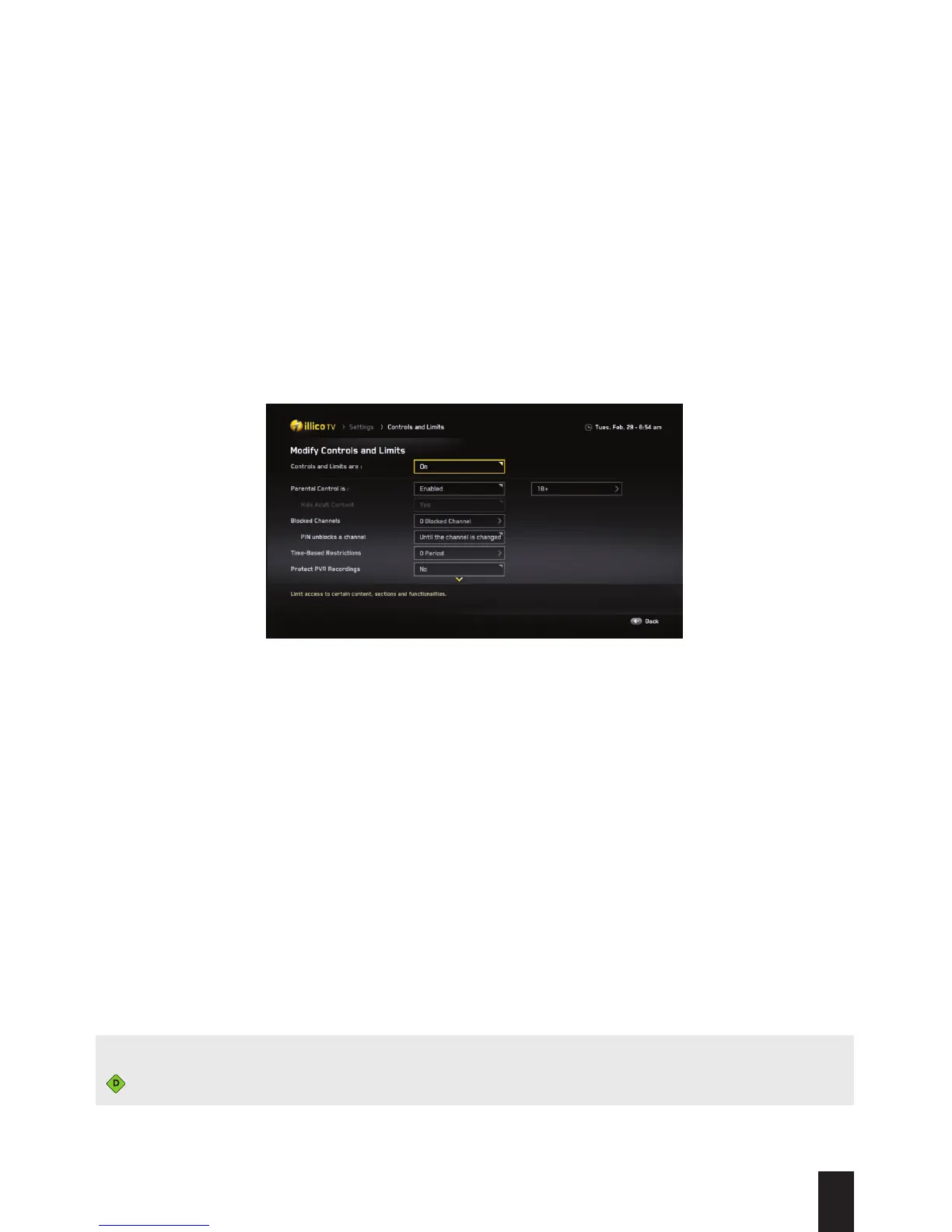
Manage Parental Control settings and Block a Channel
From the Modify Controls and Limits menu, you can also:
1. Hide adult content.
2. Select the channels you want to block by using the Restricted Channels feature.
3. Establish for how long the PIN will be able to unblock the channel.
4. Add viewing restrictions based on the time of day.
5. Protect the recordings on your HD PVR.
6. Protect your settings.


 To Next Page