03 Getting Started
Before using the User Manual
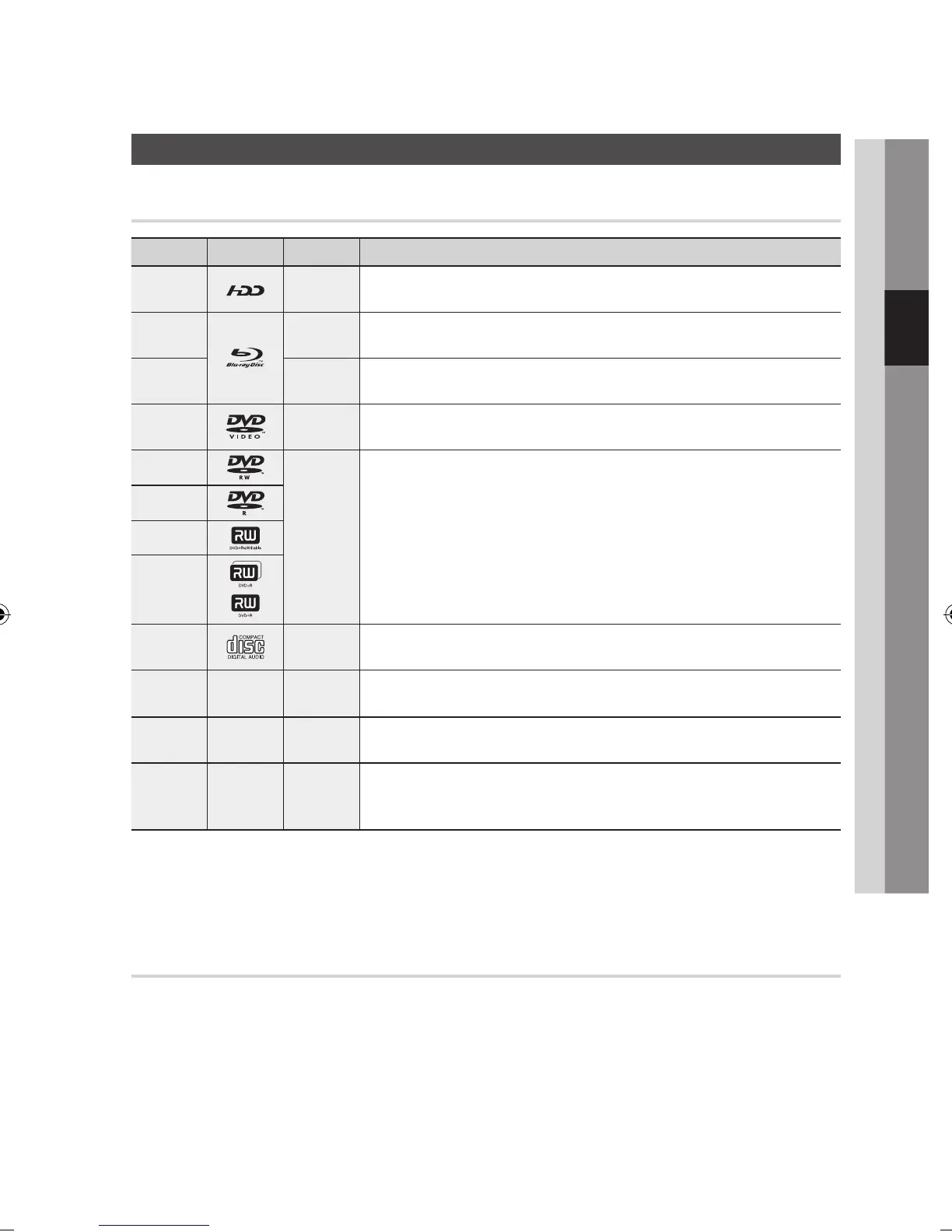
Disc Types and Contents that can be played.
Term Logo Icon Definition
HDD
T
This involves a function available on the HDD.
BD-ROM
h
This involves a function available on a BD-ROM.
BD-RE/-R
z
This involves a function available on a BD-RE/-R disc recorded in the BD-RE format.
DVD-VIDEO
Z
This involves a function available on a DVD-VIDEO.
DVD-RW(V)
y
This involves a function available on recorded DVD+RW or DVD-RW(V)/DVD-R/+R
discs that have been recorded and finalized.
DVD-R
DVD+RW
DVD+R
Audio CD
o
This involves a function available on an audio CD-RW/-R (CD-DA format).
MP3
WMA
-
w
This involves a function available on CD-RW/-R, DVD±RW/±R discs or HDD.
JPEG
-
G
This involves a function available on CD-RW/-R, DVD±RW/±R discs or HDD.
DivX
MKV
MP4
-
x
This involves a function available on CD-RW/-R, DVD±RW/±R discs or HDD.
NOTE
The product may not play certain CD-RW/-R and DVD-R due to the disc type or recording conditions.
If a DVD-RW/-R disc has not been recorded properly in DVD video format, it will not be playable.
Disc types that cannot be played
HD DVD
DVD-ROM/PD/MV-
Disc, etc
•
•
DVD-RAM
Super Audio CD
(except CD layer)
•
•
DVD-RW(VR mode)
CVD/CD-ROM/CDV/
CD-G/CD-I/LD
(CD-Gs play audio only,
not graphics.)
•
•
3.9 GB DVD-R Disc for
Authoring.
•
✎
▪
▪
Getting Started



 To Next Page