Press the ENTER button to select the country.
Enter the desired 4-digit password using the
number buttons.
Press the ►▲▼ buttons to select the desired
Country, then press the ENTER button.
Press the ENTER button again, then press
the RETURN button.
Press the ▲▼ buttons to select the Auto
Store or Manual Store, then press the
ENTER button.
Antenna-Cable
In Channel Settings menu, press the ▲▼
buttons to select the Antenna.
Press the ◄► buttons to select the Cable,
then press the ▼ button.
Press the ENTER button to select the country.
Enter the desired 4-digit password using the
number buttons.
Press the ►▲▼ buttons to select the desired
Country, then press the ENTER button.
Press the ENTER button again, then press
the RETURN button.
Press the ▲▼ buttons to select the Cable
Search Option, then press the ENTER
button.
Set the desired items.
Press the RETURN button.
Press the ▲▼ buttons to select the Auto
Store or Manual Store, then press the
ENTER button.
NOTE
Password
France only : Enter the desired 4-digit password
using the number buttons.
Other : Enter the desired 4-digit password using
the number buttons.
* Default password is set to 0000.
3.
4.
5.
6.
7.
1.
2.
3.
4.
5.
6.
7.
8.
9.
10.
✎
▪
-
-
Channel Manager
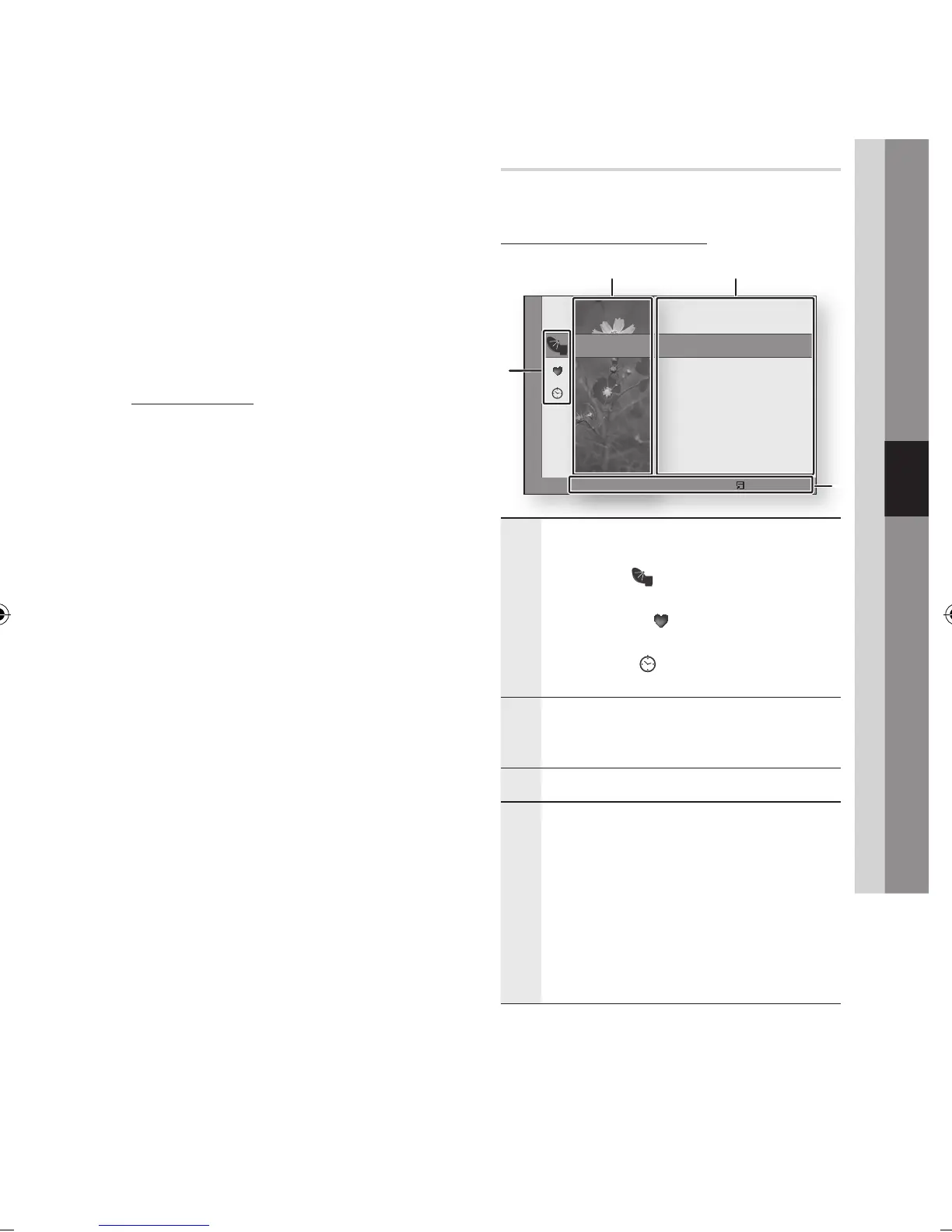
You can manage the stored channels.
Channel Manager Screen
1
Edited Channels : Press the ◄▲▼ buttons to
check edited channels.
Channels ( ) : Shows the channel list
according to channel type.
My Channels ( ) : Shows all favourite
channel.
Scheduled ( ) : Shows all currently reserved
channel.
•
•
•
2
Channel View : Press the ◄▲▼ buttons to select
the desired channel view. (All, TV, Radio, Data/
Other)
3
Shows the stored channels.
4
Navigation Help : Displays remote control buttons
available.
RED(A) : Selects Air or Cable.
YELLOW(C) : Selects the channel.
BLUE(D) : Sorts the list ordered by channel
name or channel number.
Page : Move to next or previous page.
Tools : Displays the Channel Manager option
menu.
•
•
•
•
•
16 MTV3
c
17 Nelonen
All 18 * SubTV
TV 19 YLE PEILI
Radio 20 YLEMONDO
Data/Other 31 BigBrother 24/7
Channels
Cable a Antenna Select d Sort ƒ Page Tools
1
2 3
4



 To Next Page