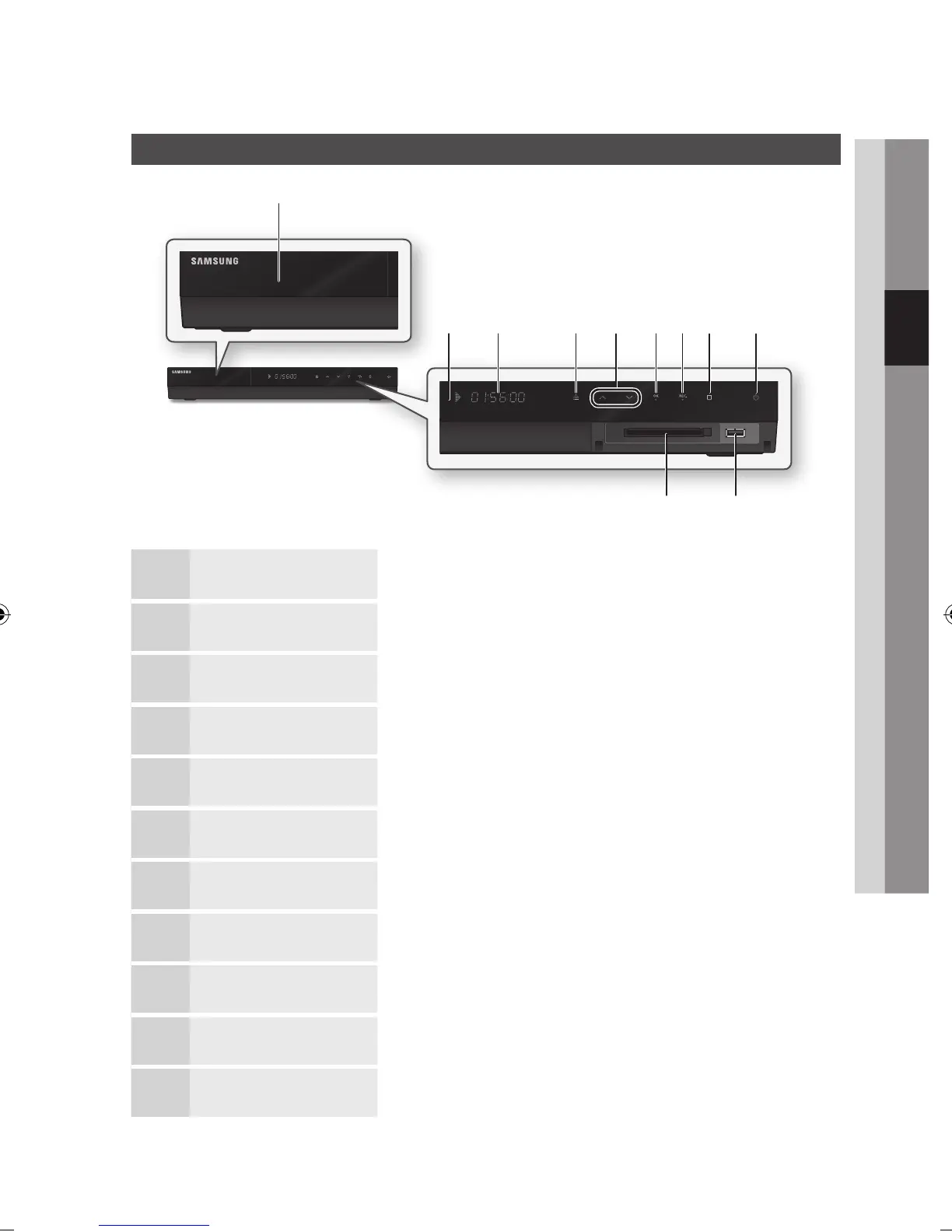
Front Panel
1
DISC TRAY Opens to accept a disc.
2
REMOTE CONTROL SENSOR Detects signals from the remote control.
3
DISPLAY Displays the playing status, time, etc.
4
OPEN/CLOSE BUTTON Opens and closes the disc tray.
5
CH (
,
/
.
) BUTTON Selects the desired channel.
6
OK BUTTON Selects the currently selected item or confirm the setting.
7
REC BUTTON Starts recording.
8
STOP BUTTON Stops playback or recording.
9
POWER BUTTON Turns the product on and off.
10
USB HOST It can be used for software upgrades and MP3/JPEG/DivX/MKV/MP4 playback.
11
COMMON INTERFACE SLOT To watch paid channels, insert the CI or CI+ CARD.
d gh
j
i
a
b c fe
k



 To Next Page