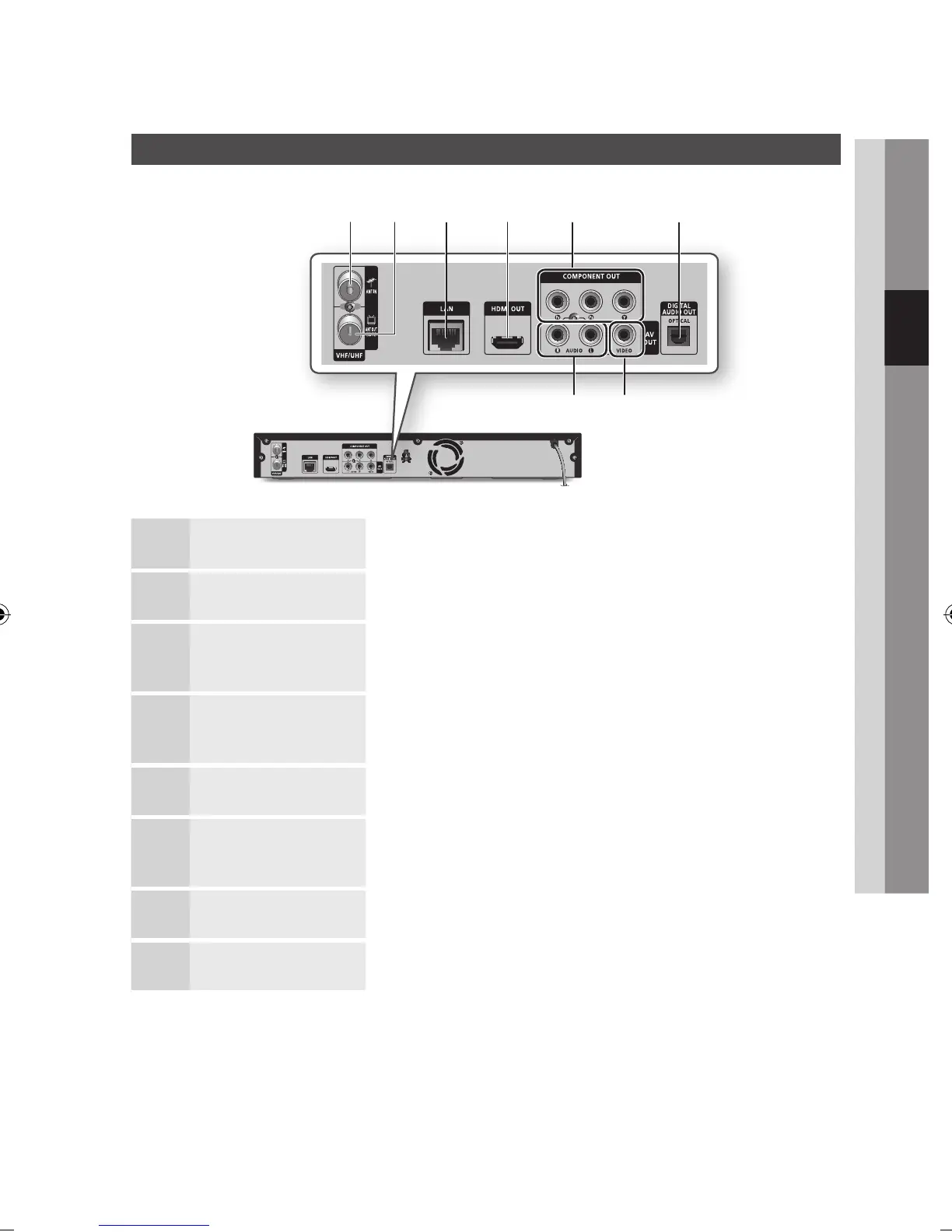
Rear Panel
1
ANT IN Connects RF cable from antenna.
2
ANT OUT (TO TV) Connects RF cable to TV antenna input.
3
LAN
Can be used for network based services (See pages 67~72), BD-LIVE and software
upgrades using a network connection.
4
HDMI OUT
Using an HDMI cable, connect this HDMI output terminal to the HDMI input terminal
on your TV for the best quality picture or to your Receiver for the best quality sound.
5
COMPONENT OUT Connects to equipment having component video input.
6
DIGITAL AUDIO OUT
(OPTICAL)
Connects to a Receiver.
7
VIDEO OUT Connects the input of external equipment using a video cable.
8
AUDIO OUT Connects to the audio input of external equipment using audio cables.
b
h
a c d e f
g



 To Next Page