Entering the menu from Timeshift and returning to
the programme switches to LIVE TV.
20GB in the HDD will be dedicated to the Timeshift
feature.
Playing the Recorded Title
Press the MENU button.
The home menu will be displayed.
Press the ◄► buttons to select the Recorded
TV, then press the ENTER button.
The Recorded TV List will be displayed.
Press the ▲▼◄► buttons to select the title
you want to play, then press the ENTER
button.
The selected title will be played back.
Edit the Recorded Title
In the Recorded TV screen, press the TOOLS
button.
Press the ▲▼ buttons to select the Edit, then
press the ENTER button.
▪
▪
1.
2.
3.
1.
2.
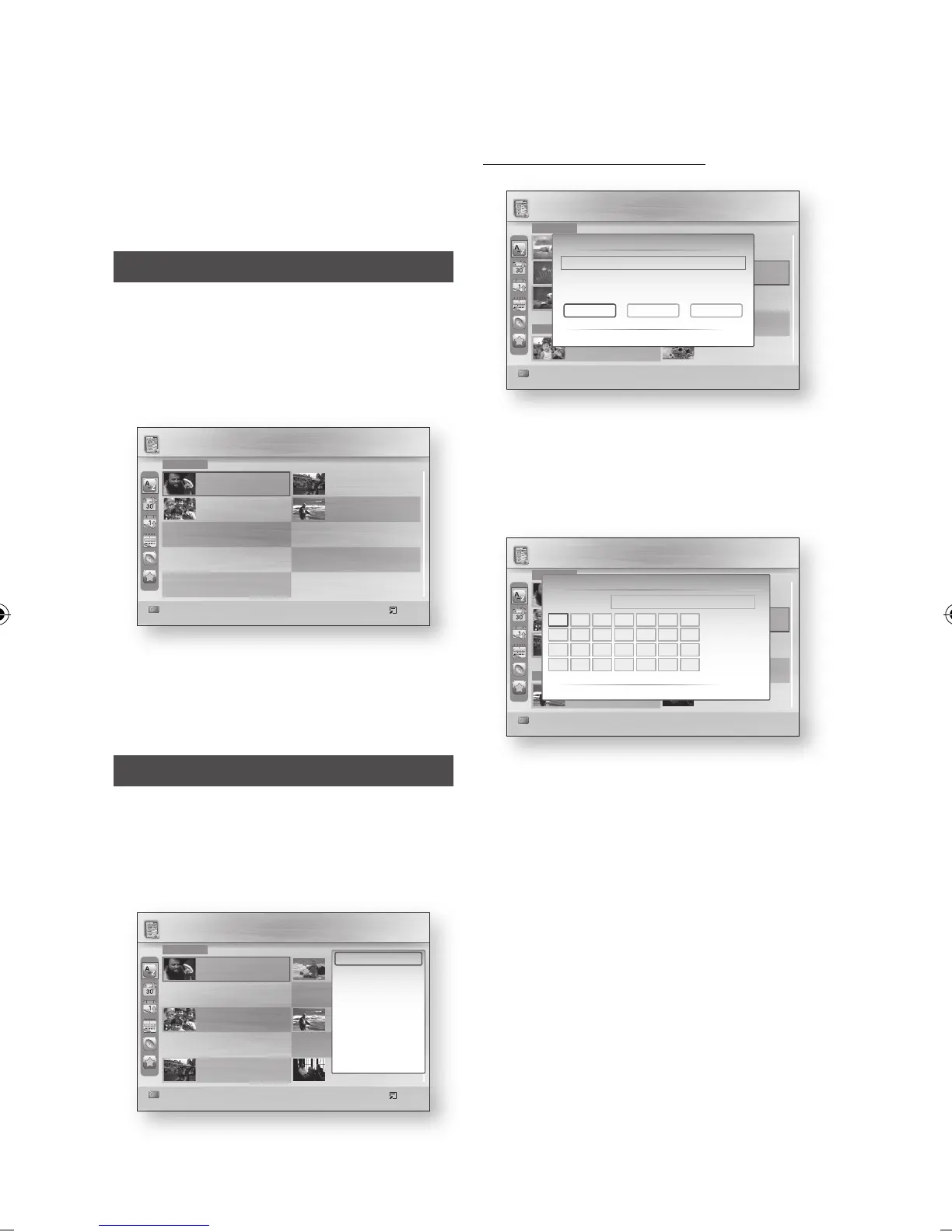
Renaming a Recorded Title
Press the ◄► buttons to select the Rename,
then press the ENTER button.
Select the desired characters using the
▲▼◄► buttons, then press the ENTER
button.
0~9 : Enters number.
RED(A) : Each time you press the ENTER
button, you change the kind of characters.
GREEN(B) : Deletes and moves the cursor
backwards by one position.
YELLOW(C) : Enters a blank and moves
the cursor one forward (to the right).
BLUE(D) : Registers the character inputs.
Press the BLUE(D) button to save.
The message “Save the new name?” will be
displayed.
Press the ENTER button to select OK.
1.
2.
•
•
•
•
•
3.
4.
b Preference Select d Sort Tools
XXX
00:00:12 12.Oct.2006
XXX
00:00:12 12.Oct.2006
1/1 Page
XXX
00:00:12 12.Oct.2006
XXX
00:00:12 12.Oct.2006
T (4)
Recorded TV / CNP News
HDD
b Preference Select d Sort / Tools
No Title.
00:00:12 12.Oct.2006
Ostosruutu
00:01:56 12.Oct.2006
Ostosruutu
00:01:56 12.Oct.2006
Teräsmieheni
00:00:12 12.Oct.2006
1/1 Page
No Title.
00:00:12 12.Oct.2006
Ostosruutu
00:01:56 12.Oct.2006
Ostosruutu
00:01:56 12.Oct.2006
Teräsmieheni
00:01:04 12.Oct.2006
B (6)
Recorded TV / CNP News
HDD
N (2)
Rename
m Move " Enter ' Return
CNP News
CNP News _
=
Number
a
Lower case
b
Delete
Blank
d
Done
A
H
O
V
UTSRQP
W X Y Z
GFEDCB
I J K L M N
b Preference Select d Sort / Tools
No Title.
00:00:12 12.Oct.2006
Ostosruutu
00:01:56 12.Oct.2006
Ostosruutu
00:01:56 12.Oct.2006
Teräsmieheni
00:00:12 12.Oct.2006
1/1 Page
No Title.
00:00:12 12.Oct.2006
Ostosruutu
00:01:56 12.Oct.2006
Ostosruutu
00:01:56 12.Oct.2006
Teräsmieheni
00:01:04 12.Oct.2006
B (6)
Recorded TV / CNP News
HDD
N (2)
Edit
< Move " Enter ' Return
CNP News
Select Edit Features
SplitRename
Partial Delete
b Preference Select d Sort Tools
No Title.
00:00:12 12.Oct.2006
Ostosruutu
00:01:56 12.Oct.2006
Teräsmieheni
00:00:12 12.Oct.2006
1/1 Page
Teräsmieheni
00:00:12 12.Oct.2006
Teräsmieheni
00:00:12 12.Oct.2006
T (4)
Recorded TV / CNP News
HDD
Play Current Group
Select Group
Lock/Unlock
Delete
Edit
Detailed Information
Device Information



 To Next Page