NOTE
You must obtain a “CI or CI+ CARD” from a local cable service provider.
When removing the “CI or CI+ CARD”, carefully pull it out with your hands since dropping the “CI or CI+ CARD” may
cause damage to it.
Insert the “CI or CI+ CARD ”in the direction marked on the card.
The location of the CI card slot may be different depending on the model.
“CI or CI+ CARD” is not supported in some countries and regions; check with your authorized dealer.
If you have any problems, please contact a service provider.
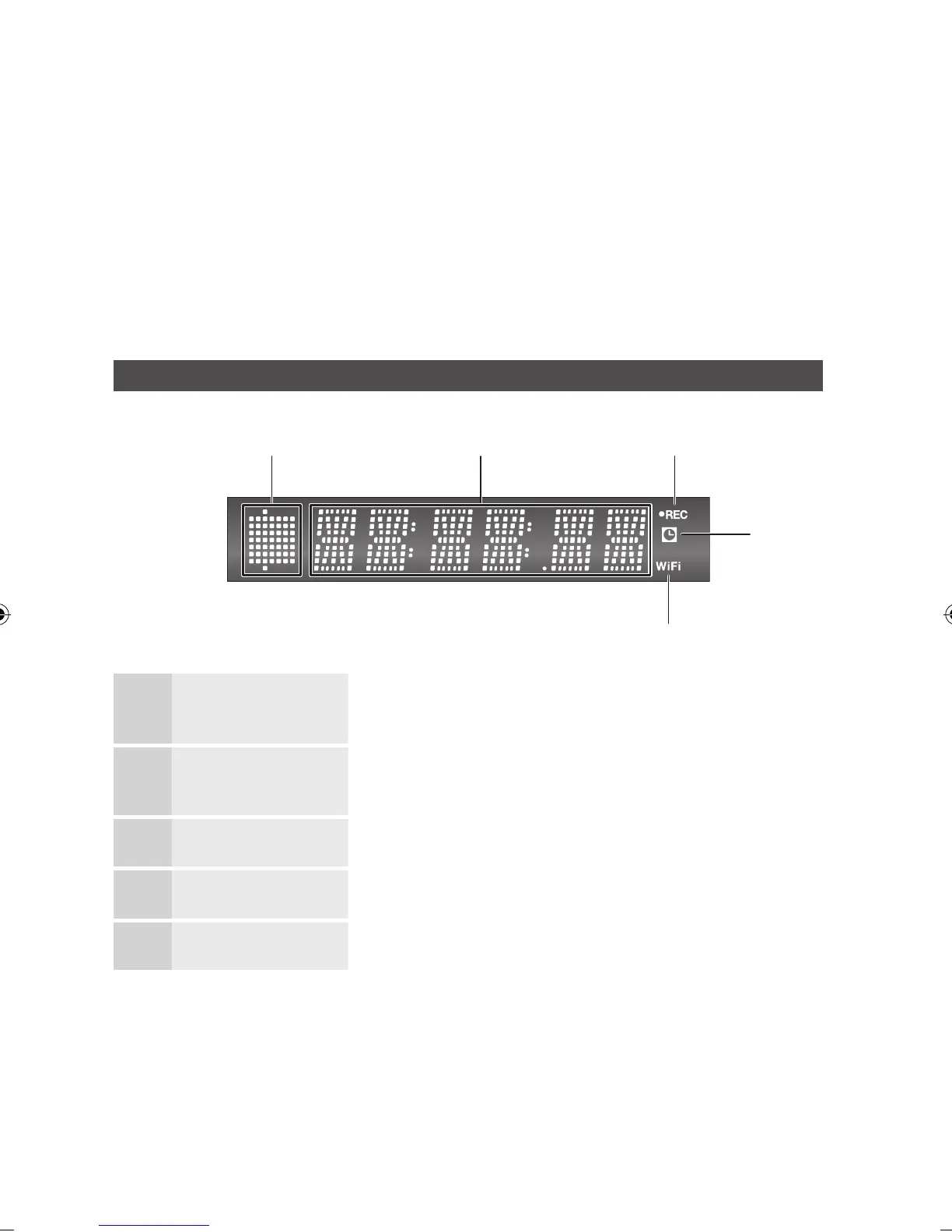
Front Panel Display
1
PLAYBACK-RELATED,
OPEN/CLOSE INDICATOR
Lights when playback-related and open/close buttons are selected.
2
CURRENT TIME AND
STATUS INDICATOR
Displays the play time and the current status.
3
REC INDICATOR Lights in the record mode.
4
TIMER INDICATOR Lights to indicate the timer record mode.
5
WIFI INDICATOR Lights when the wireless network is connected.
✎
▪
▪
▪
▪
▪
▪
a b
e
d
c



 To Next Page