03233A(E)-CHAPTER 3 10/30/03 4:04 PM Page 30
TV OPERATION
6
How to set the FV,D,L,S andV sub-ratings.
First, select one of these IV-Ratings: IV-Y7. IV-PG. IV-14 or TV-MA [See Step 4, on previous pageh
Next while the IV-Rat ng is selected, repea[edly press the LEFT/RIGHT<111_buttons. This will cycle through
the available suD-ranngs (FV.LS. Dor V/
A letter P'U" or "B") will be displayed for each sub-rating. While the "U" or "B" is selected press the
UP/DOWI_.AV buttons to change the sub-rating.
Pressthe LEFTIRIGHT41_ buttons to save the TV guidelines. A IV-Rating will be selected.
Toselect a different TV-Ranng press the UP/DOWNAV buttons and then repea[me process.
Note: The V-chip wi automaticall block certain categories that are "More restncuve".
Forexample, if you block "L" sub-rating in TV-PG then the "L" sub-ratings in IV-14 and TV-MA will automan-
cauy be blocked
7
Pressthe MENU button [o ctear artme screens, [Or proceed to the next sectton, aria se[ up additional restric-
tions based on the MPAA codesh
How to Set up Restrictions using the _4PAA Ratings: G, PG, PG-
13, R, N0=17, X
TheMPAAI'ating system uses the Motion Picture Association of America (MPAA)system, and
itS main application is for movies. (Eventually, movie vJdeocassettes and [-)V[-)s will be encod-
ed with MPAA_'atings.) When the \/-Chip lock is r)u, the TV will automatically block any pro-
g£aiyls that are coded with objectionable ratings (either MPAAor TV-Ratings).
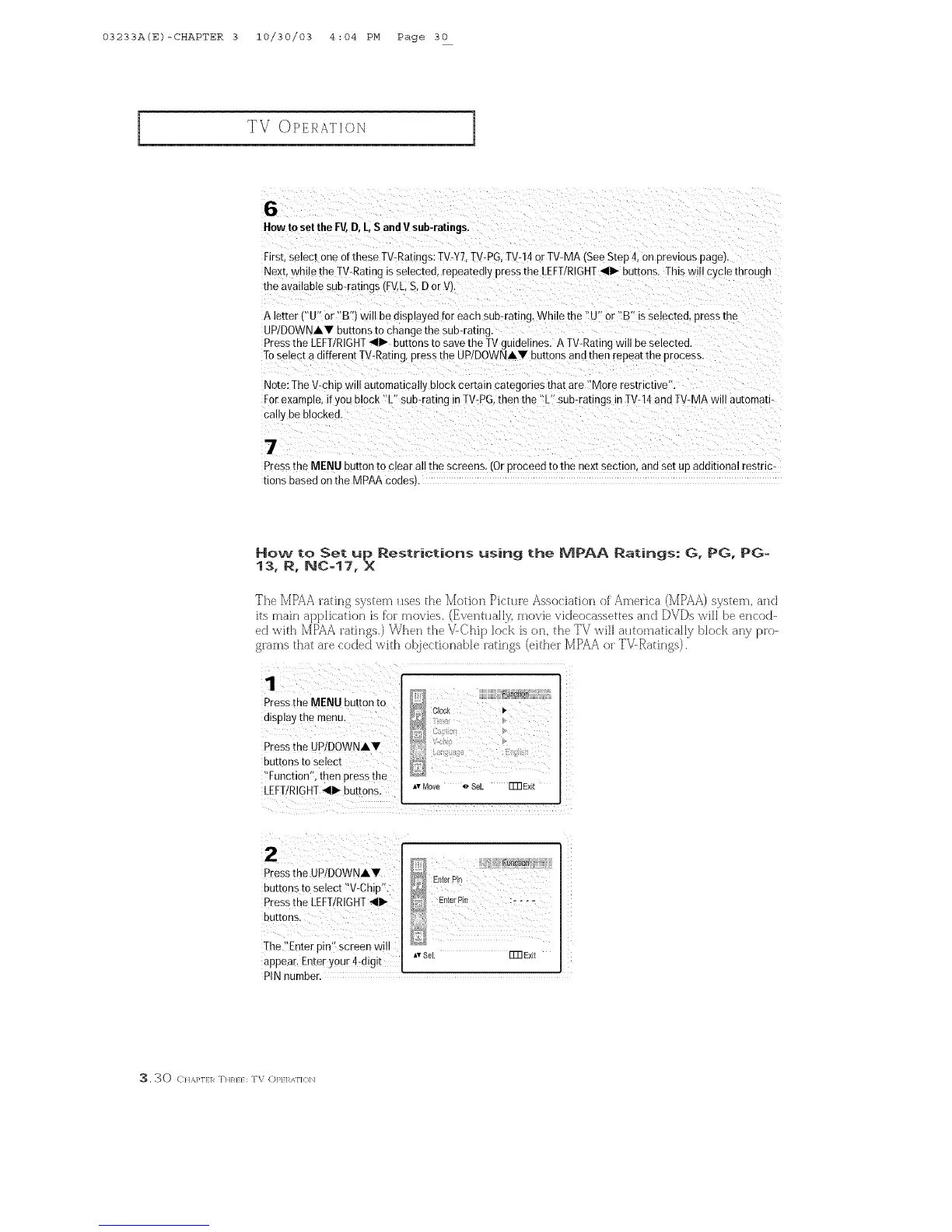
1
Press the MENU button to
display the menu,
Press the UP!DOWNAV
buttons to select
!'Function% then press the
LEFT/RIGHT<111_buttons;
_ Clock P,
&,;%
D
AvNove _ SoL ITR Exit
i
z
Press the UP/D0WNA.
buttons to Select !!v-chip'L
Pressthe LEFT/RIGHT_II1_
buttons,
Ihe :'Enterpin': Screen will
appear Enter your 4digit
....
EnterPin
Av SoL ITR Exit
PINnumbeL
3, 30 C /AP1E1R T]tREE: TV Ol_El_/\f]Ob]



 To Next Page