03233A(E)-CHAPTER 5 10/30/03 4:10 PM Page 7
VC]_ OPERATION
1
Recording TV Programs As You Watch
Recording
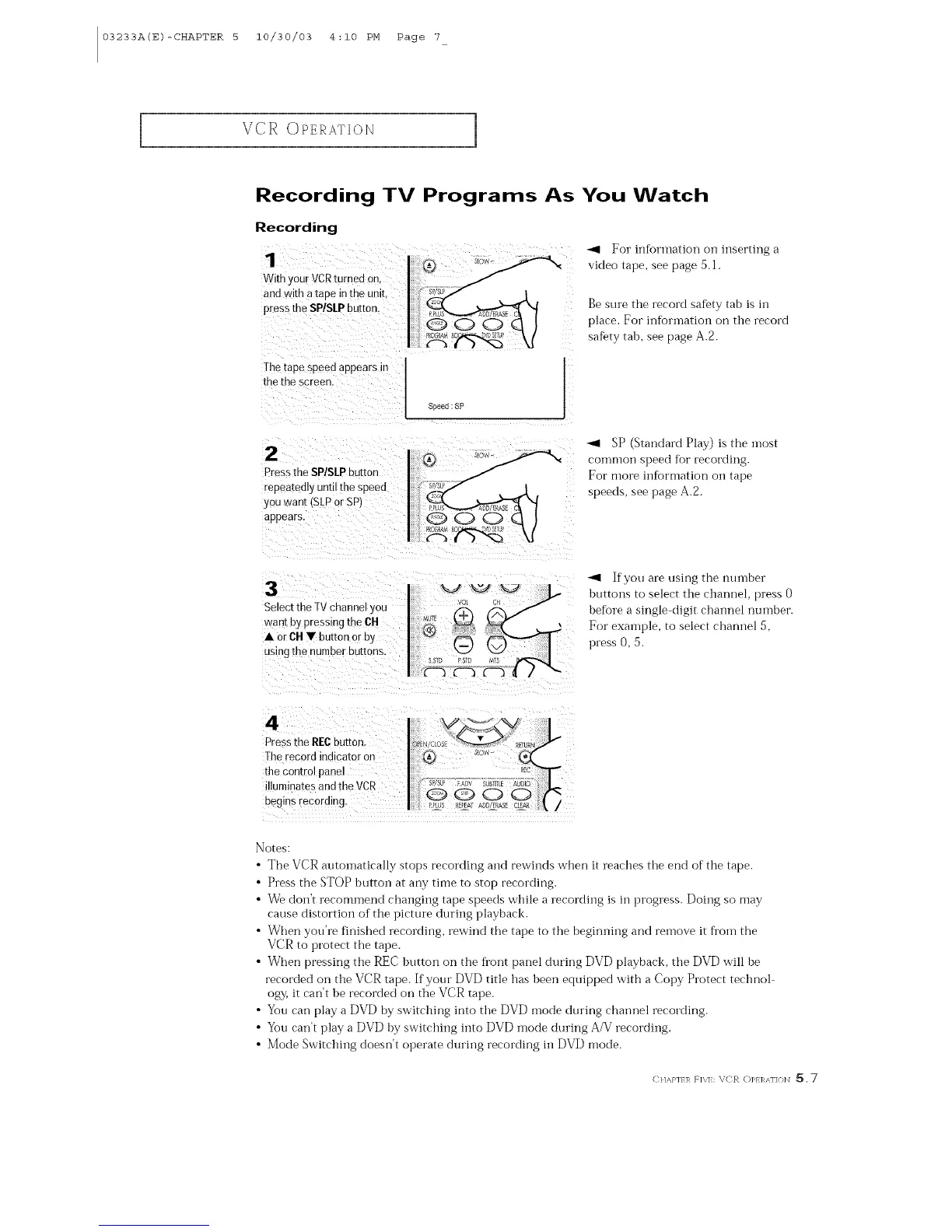
1
With your VCRturnea or
and wire a tape in the unit
press the SPtSLPbutton.
-< For infk)rmation Oil inserting a
video tape, see page 5. l.
Be sure the record safety tab is in
place. For infL)rmation on ttle record
safety tab, see page A.2.
The taDe sDeedappears in
the the screen.
Speed :SP
Pressthe SP/SLPbutton
repeatedly until the speeo
you want [SLPor SP/
appears.
SP (Standard Play) is the i]lost
coi]lnlon speed R)r recording.
For more information oil tape
speeds, see page A.2.
3
Select the TVcnanne you
want by pressing the CH
• orCH • button or Dy
Jsing the number buttons.
If you are using the number
buttons to select the channel, press 0
before a single-digit channel number.
For example, to select clmnnel 5,
press O, 5.
4
Pressme RFCbutton
Therecora indicator or
the control panel
illuminates and the VCR
Begns recording.
Notes:
• The VCR autoinatically stops recording and rewinds when it reaches the end of tlle tape.
• Press the STOP button at any time to stop recording.
• We don't recommend changing tape speeds while a recording is in progress. Doing so may
cause distortion of the picture during playback.
• When yon're finished recording, rewind the tape to the beginning and remove it fi'om the
VCR to protect the tape.
• When pressing ttle REC button on ttle fl'ont panel during DVD playback, tlle DVD w'ill be
recorded on the VCR tape. If your DVD title has been equipped w'ith a Copy Protect technol
ogy, it can't be recorded on the VCR tape.
• You can play a DVD by switching into the DVD mode during channel recording.
• You can't play a DVD by switching into DVD mode during A/V recording.
• Mode Switching doesn't operate during recording ill DVD mode.
C}/,s,}'l/l_ F]\lk \CR (])1>}1_,_\1"](}]_] _, 7



 To Next Page