03233A(E)-CHAPTER 5 10/30/03 4:10 PM Page 9
VC]_ OPERATION
1
Using Advanced Recording Features
Using One-Touch Recording
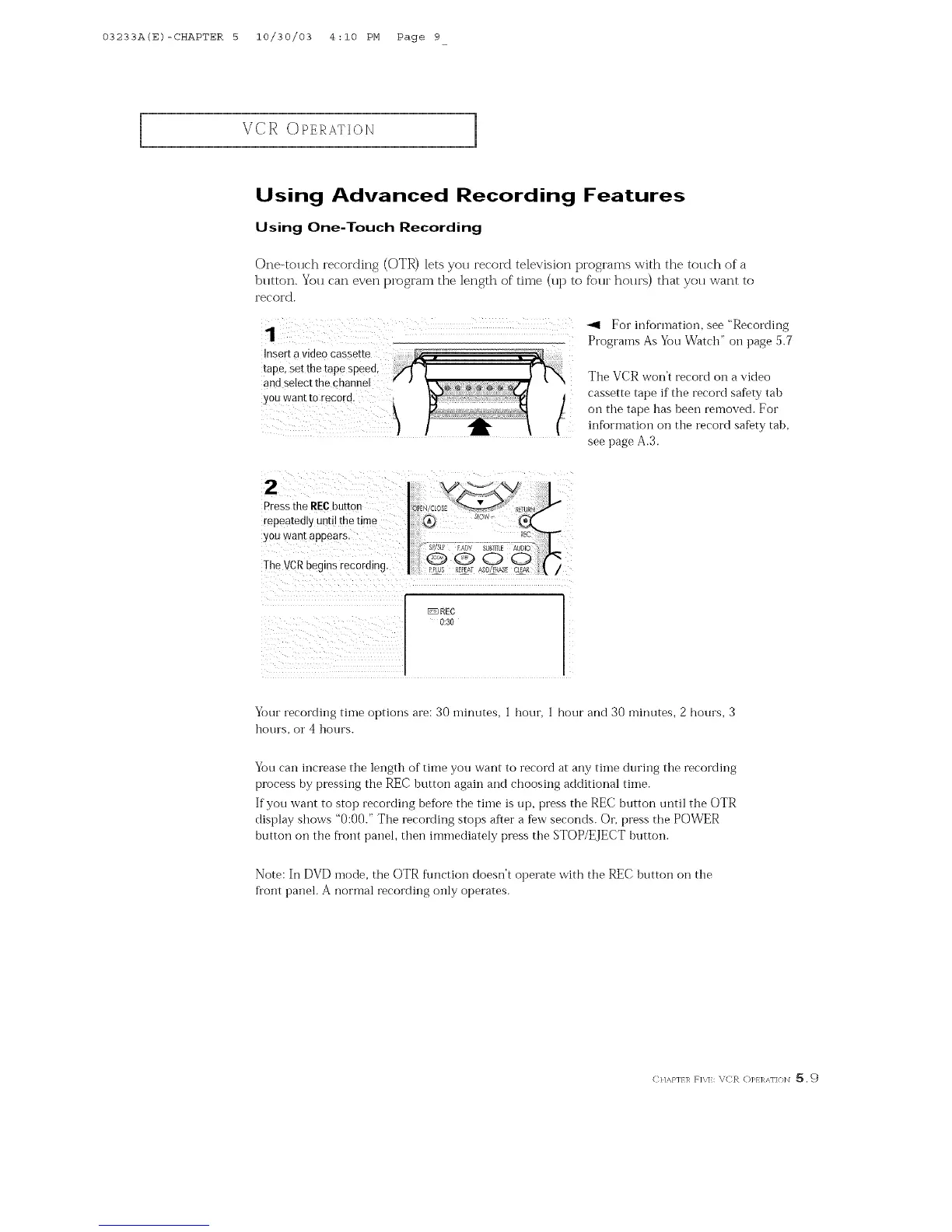
One-tollch recording (OTR) lets you record television programs with the tolmh of a
blltton. You can even program the length of time (up to fi_)ur hollrs) that yoll want to
i'ecoi'd.
1 <1 For information, see "Recording
Programs As You Watclf' on page 5.7
The VCR won't record oil a video
cassette tape if the record safety tab
oil the tape has been removed. For
infiJrmation on the record safety tab,
see page A.3.
2
Press the REC button
repeatedly until the time
you want appears.
The VCR oeg ns recording.
®
Your recording time options are: 30 minutes, ] hour, 1 hour and 30 minutes, 2 hours, 3
hours, or 4 hours.
You can increase the length of time you want to record at any time during the recording
process by pressing the REC button again and choosing additional time.
If you want to stop recording befi)re the time is up, press the REC button until the OTR
display show's "0:00." The recording stops after a few seconds. Or, press the POWER
button on the fYont panel, then immediately press the STOP/EJECT buttoi_.
Note: In I-)VI-) mode, the OTR ftlnctioi] doesn't operate w'ith the REC button on the
fl'ont panel. A normal recording only operates.
CI/,_J']/R Fig]:: \CR 0]_1 ]_AF](}I_I _. _)



 To Next Page