03233A(E)-CHAPTER 4 10/30/03 4:07 PM Page 13
DVD OPERATION
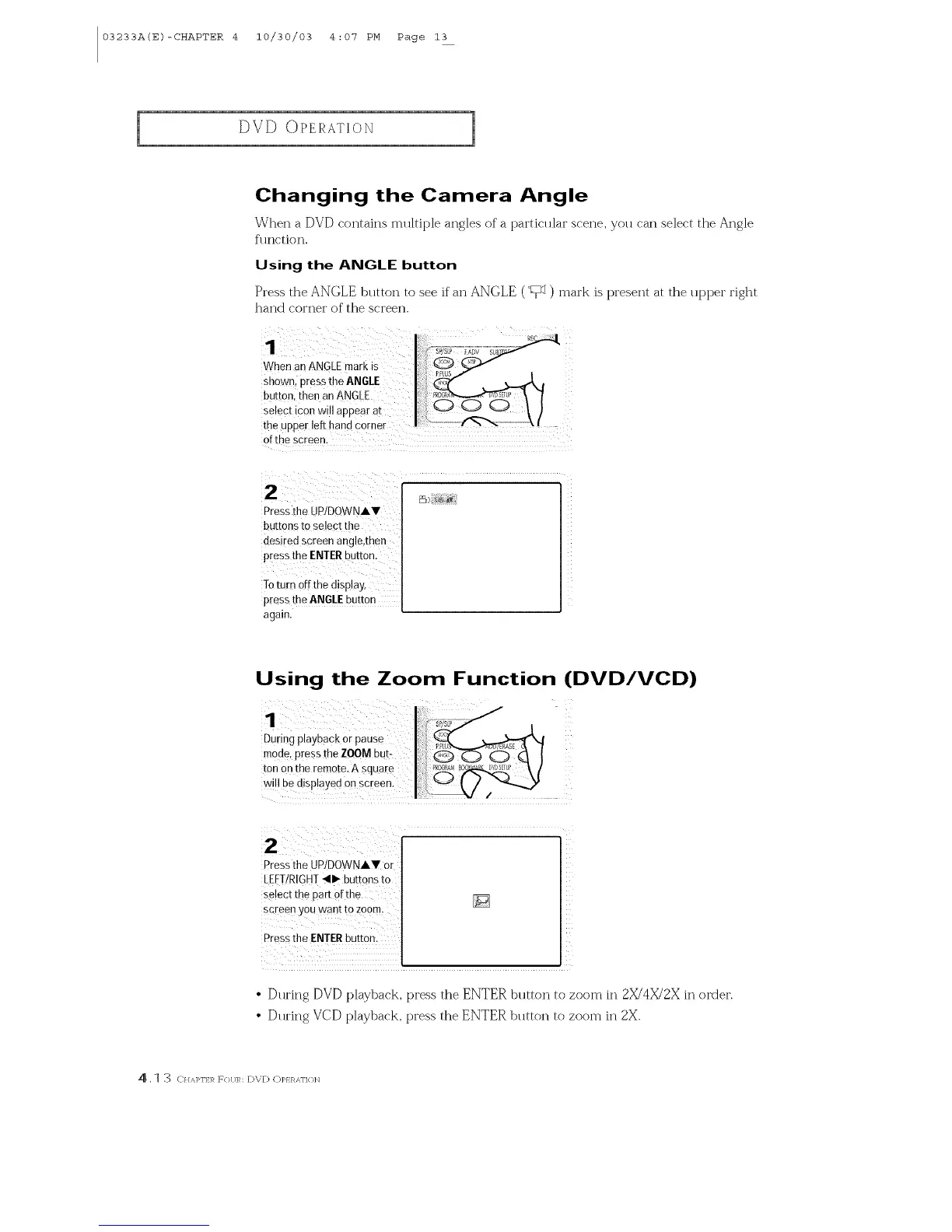
Changing the Camera Angle
When a DVD contains mllltiple angles of a particlllar scene, you can select the Angle
fl ruction.
Using the ANGLE button
Press the ANGLE button to see if"an ANGLE (I;_1) mark is present at the upper right
hand corner of the screen.
When an ANGLEmark is
snown, press the ANGLE
button, then an ANGLE
select icon will aooear at
the UDDerleft hand corner
of the screen
2
Pressthe UP/DOWNIV
buttons to select the
des red screen angle,then
press the ENIER button.
Toturn off the display
press the ANGLEbutton
again.
[_5) 1/8 a,_'
Using the Zoom Function (DVD/VCD)
Duriog playback or pause
mode, press the ZOOM but-
ton on the remote. A square
will be disp!ayed on screen.
2
Pressthe UP/DOWNIV Or
LEFT/RIGHT_11_butt0ns to
se!ect the part ofthe
screen you want to zoom.
Pressthe ENTERbutton.
• During DVD playback, press the ENTER button to zoom in 2X/4X/2X in order.
• During VCD playback, press the ENTER button to zoom in 2X.
4 . I ._ <///q>l']3,_ F(}[ JR: [)V[) C)P/ RAI']( }]q



 To Next Page