03233A(E)-CHAPTER 4 10/30/03 4:07 PM Page 6
DVD OPERATION
Repeat Play
Repeat the CUlTent track, chapter, title, a chosen section (A-B), or all of the disc.
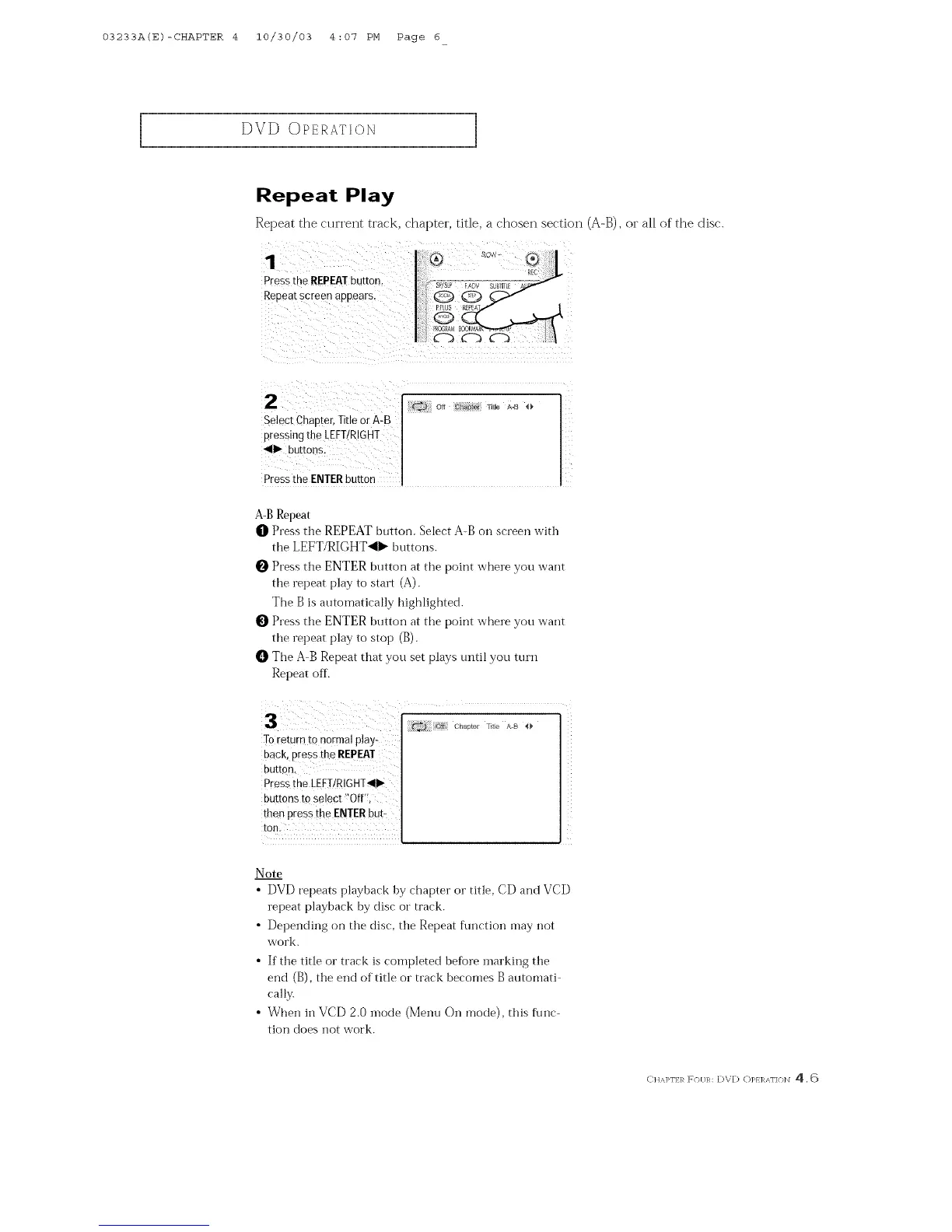
Pressthe REPEATbutton.
Repearscreen appears.
Select Chaorer Title or A-B
pressing the LEFT/RIGHT
411_ buttor s.
Pressthe ENTERbutton
A-B Repeat
O Press tile REPEAT button. Select A-B on screen with
the LEFT/RIGHT<I_ buttons.
O Press the ENTER button at the point where you want
the repeat play to start (A).
The B is automatically highlighted.
Press the ENTER button at the point where you want
the repeat play to stop (B).
O The A B Repeat that you set plays until you turn
Repeat off.
To return tOn0[mal play-
back, press the REPEAT
button.
Pressthe LEFI!RIGHT_II_
buttons to select _Off':,
then press the ENTERhUV
tOll.
Note
• DVD repeats playback by chapter or title, CD and VCD
repeat playback by disc or track.
• Depending on the disc, the Repeat fln_ction may not
work.
• If the title or track is completed before inarking the
end (B), the end of title or track becomes B automati
cally.
• When hi VCD 2.0 inode (Menu On mode), this func-
tion does not work.
C HAPI']:}_ F(}[/R: [)V[) ()p} ]_AI'I(}]_I 4.6



 To Next Page