03233A(E)-CHAPTER 4 10/30/03 4:07 PM Page 9
DVD OPERATION
Selecting the Audio Language
Using the AUDIO Button
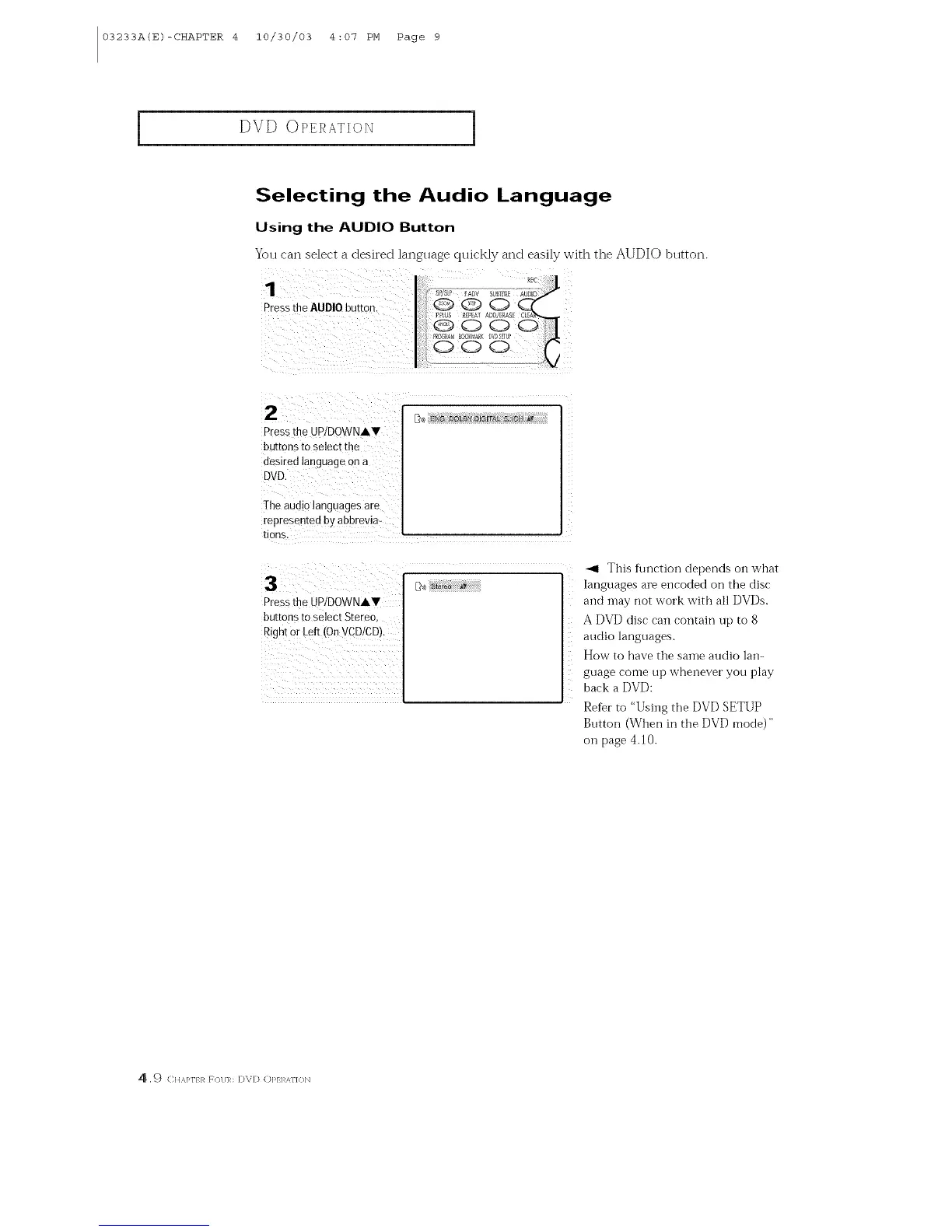
You can select a desired language quickly and easily with the AUDIO blltton.
Pressthe AUDIO button
2
Press[he UP/DOWNAV
buttons to select the
desired language on a
DVD,
The audio languages are
represented by abbrevia-
tions
D_)) ENG [1OLBYDIG[rA[ 5JGH /_Y
i
Pressthe UP/DOWNAV
buttons to select Stereo,
Right O[Left (OnVCD/CD).
_1 This fl|nction depends on what
languages are encoded on the disc
and [nay [lot work with all DVDs.
A DVD disc can contain up to 8
audio languages.
How to have the same audio lan-
guage come up whenever you play
back a DVD:
Refer to "Using the DVD SETUP
Button (When in the DVD mode)"
on page 4.10.
4 ,9 CIt x,]_l'} R F()I/R: D\D Ol_/I AI'I<H_



 To Next Page