03233A(E)-CHAPTER 4 10/30/03 4:07 PM Page 16
DVD OPERAT]ON
]
MP3 Play
When an MP3 Disc is inserted into the DVD player, the first song file of the first folder
plays.
MP3 Play Function
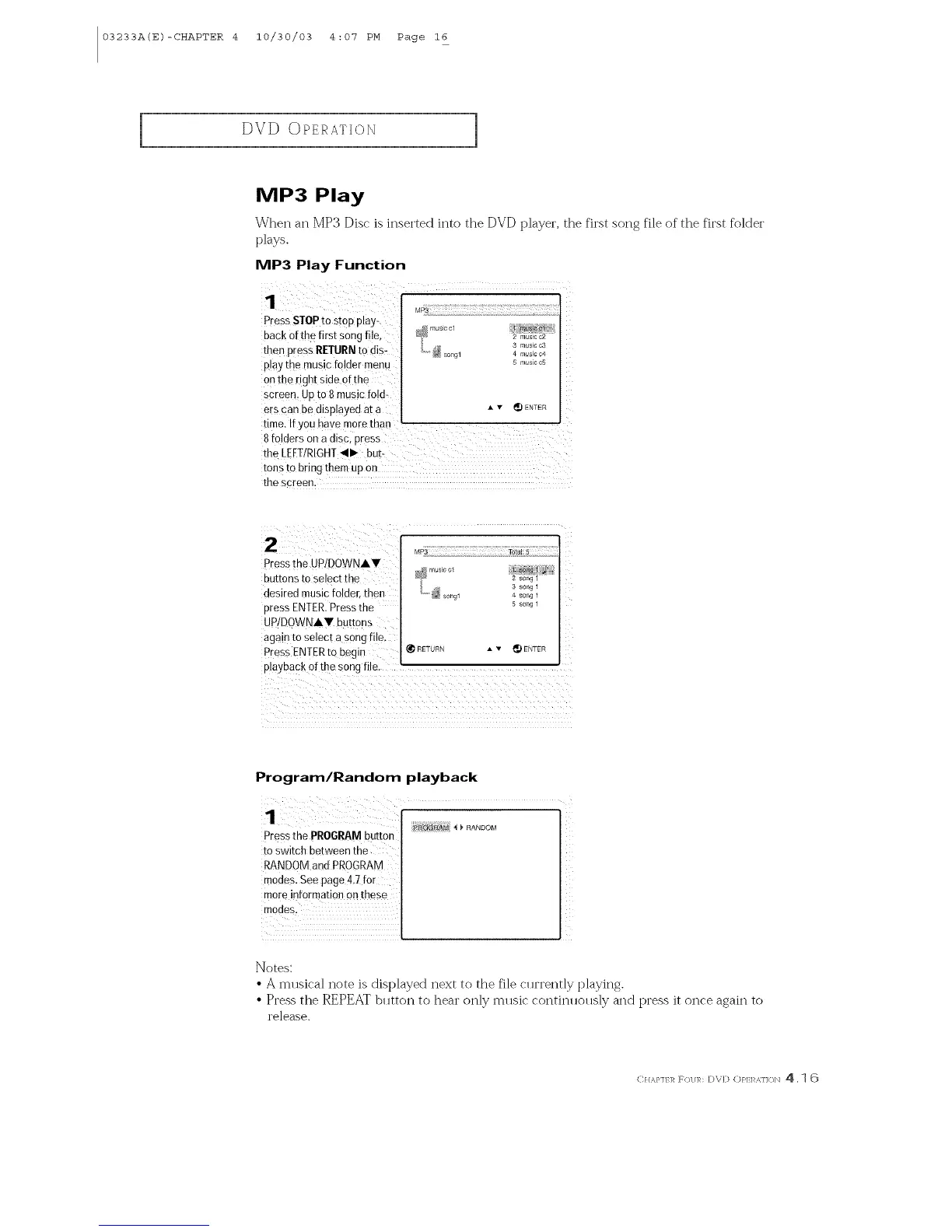
1
Press STOP to stop play-
back 0fth9 first Songfile,
then press RETURNto dis-
play the music folder menu
on the light side ofthe
screen Up to 8music to[d-
ers can be disp!ayed at a
2 music c2
3 music c3
4 music c4
5 music c5
• • _ ENTER
time. If YOUhave morethaw r
8 folders Ona discl press
the LEFTIRIGHT41--butt
tons to bring them up on
the screen.
2
Pressthe UPIDOWNAV
BUttonsto setecr [ne
desired music folder, thee
cress ENTER.Pressthe
UP/DOWNAT buttons
agam [o setec[ a song file.
Press ENTERto begin
playback of the song hie
MP3 Total; 5
musEc ol ! s_ofl _ ._
2 _ong 1
song 1
song1 _ song 1
5 son_"
_FTURN A v _ FNTEF
Program/Random playback
Pressthe PROGRAMbutton
to switch between the
RANDOM and PROGRAM
modes, See page 4,7 for
more information Onthese
modes.
,__nANDOM
<
i i
Notes:
• A mlBica] note is displayed next to the file cHrrently playJl]g.
• Press the R]_]-)EAT blltton to hear only mllsic continllollsly and press it once again to
re]ease.
C} m,i,n ]_ F_)l/],h D\;D (:)},l:l _,]]()lxl 4. 1 6



 To Next Page