03233A(E)-CHAPTER 4 10/30/03 4:07 PM Page 15
DVD OPERAT]ON
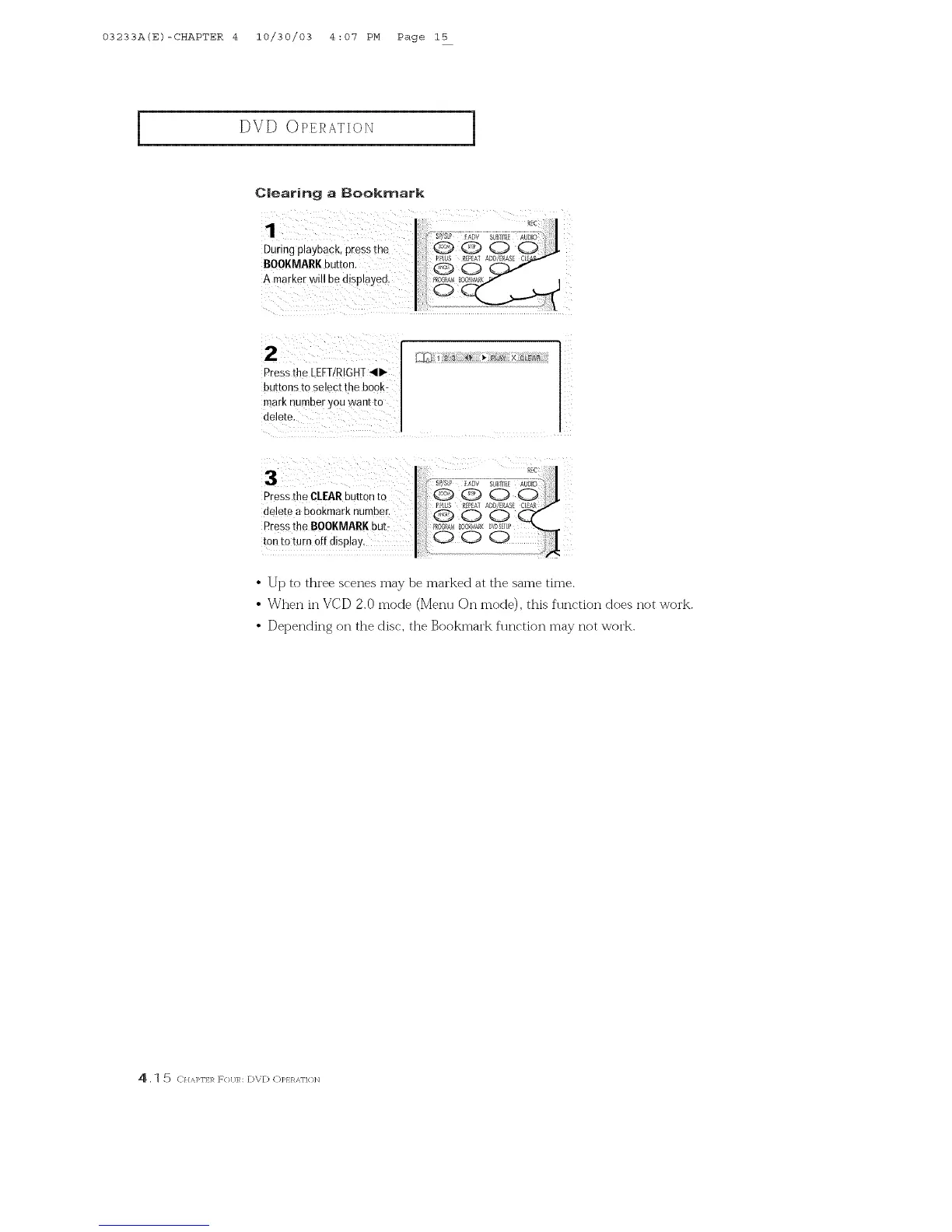
Clearing a Bookmark
1
During playback, press rne
BOOKMARKbu[ron.
A marker will be dlsplayeo
2
Press the [EFTIRIGHT _11_
buttons to select the book-
mark number _.ou waR[ [O
delete,
3
PresstheO[EARbu[mn[o Q Q _ I_
delete a bookmark number. _ _A_s_ a_A_
Pressthe BOOKMARK but- I _K
ton to turn off display,
• Up to three scenes may be marked at the same time
• When in VCD 2.0 mode (Menu On mode), this function does not work.
• Depending on the disc, the Bookmark function may not work.
4 . _ 5 C}/,'q>F] 1_ F{}[ JR: DVD C)]>} }qAF]{ }]q



 To Next Page