03233A(E)-CHAPTER 5 10/30/03 4:10 PH Page 1
VCR OPERATION
In this chapter, you will learn how to play a video cassette tape, how to use the time
counter and memory stop featul_s, and how to l_cord a program as you are watching TV
Inserting and Ejecting a Video Cassette
Tape
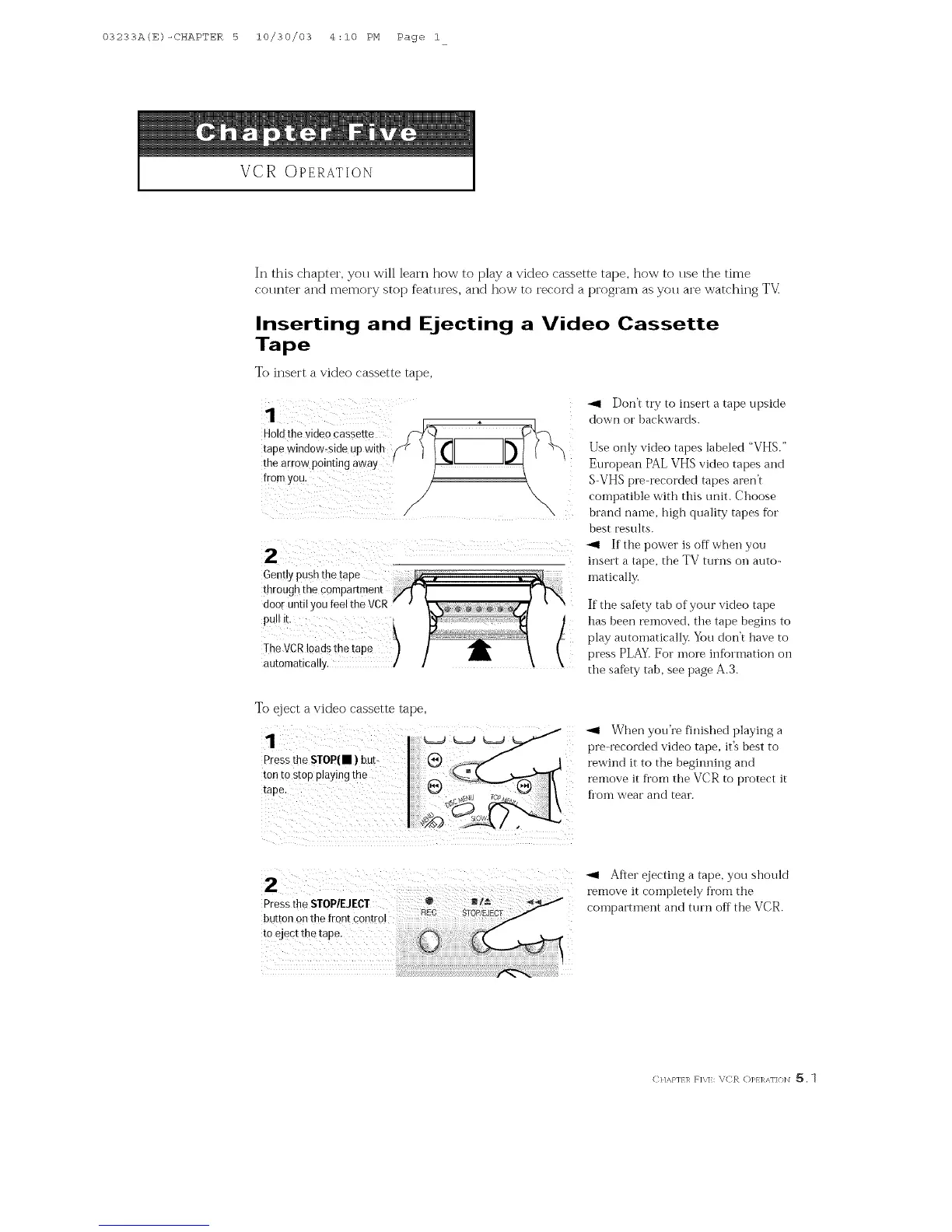
To insert a video cassette tape,
k
1
Hold thevideo cassette
tape window-side up with
the arrow pointing await
Don't try to insert a tape upskte
down or backwards.
Use only video tapes labeled "VHS."
European PAL VHS video tapes and
S-VHS pre-recorded tapes aren't
compatible with this unit. Choose
brand name, high quality tapes for
best results.
z :£?t:,C£;
matically.
If the safety tab of yolJr video tape
has been removed, the tape begins to
play automatically. You don't have to
press PLAY. For more infbrmatior_ on
the safety tab, see page A.3.
To eject a video cassette tape,
1 5 :
Press the STOP(• ) but-
tonto stop playing the
_1 When you're finished playing a
preqz_corded video tape, it's best to
l_wind it to the beginning and
remove it fi'om the VCR to protect it
h'om wear and tear.
2 : : £1 remove it"Aftercompletelyejectinga tape,fl.omtheYOUshould
Pressthe STOP/EJECT ..... compamnem and turn offthe VCR.
button on the front control
to eject thetape.
CHAPT I/ FI\E: VCR OPERKNON _[_. 1



 To Next Page