03233A(E)-CHAPTER 5 10/30/03 4:10 PM Page 19
VCR OPERAT]ON
Using Special Playback Features
':/our VCR provides you Aqth spe( iaJ f'eatu[es that aie avaihb]e when you aie phving a
tape. These f'eatu[es are FLame Advance, arid Slow Motion.
Frame Advance
Fiame Advance allo_s you to _,_atch a tape frame-by-flame.
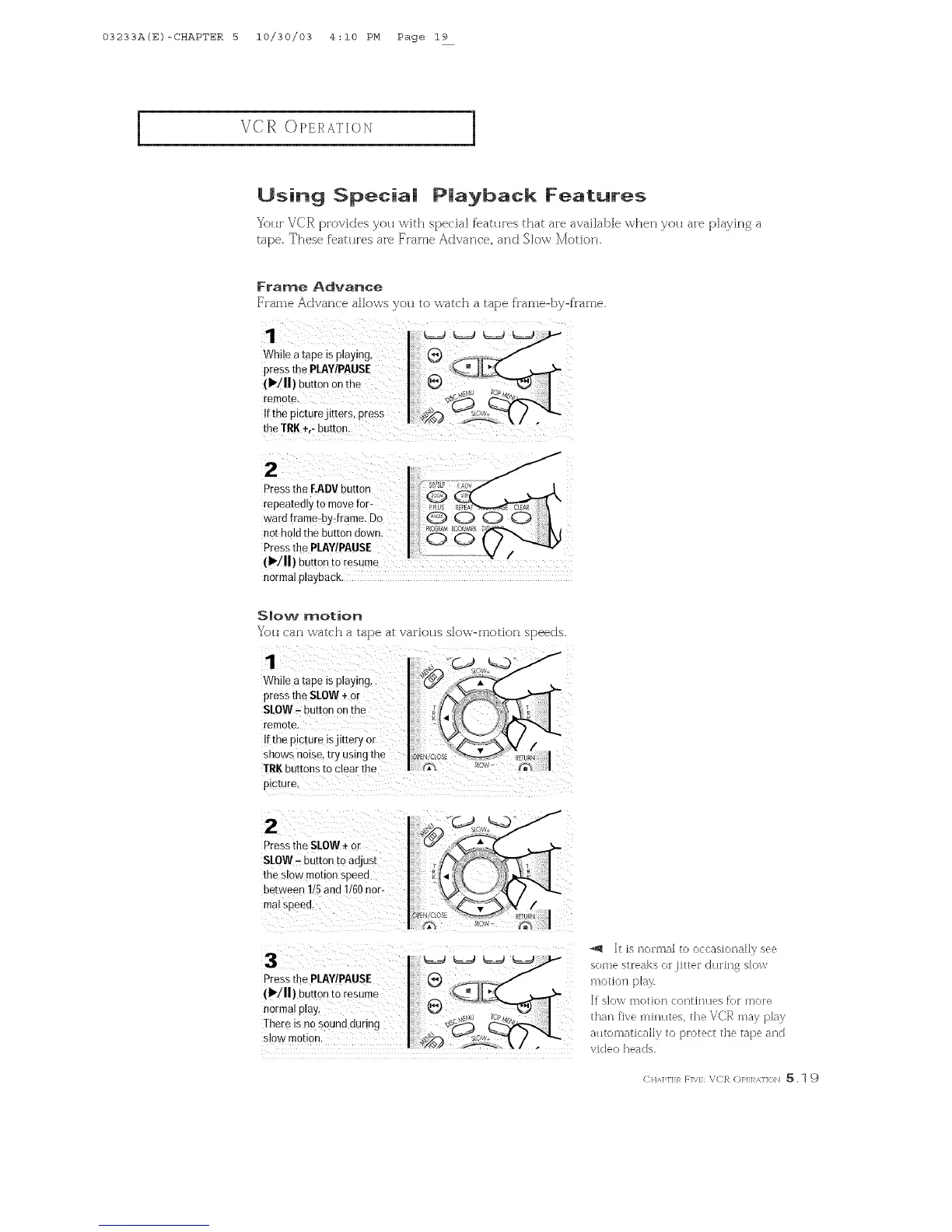
Wb,eatape_sp,ay_ng, f__/
press thePUnY!musE V_JCq
(1_111)button Onthe .......
remote, ¢_
Ifthepictumjitters press I_ "_'°#---F!,/ ."_
Press the F.ADVbutton
repeatedly to move [or_
ward frame-by-frame. Do
not holdthe button down.
Pressthe PLAY/PAUSE /
(I"/11) button to resume
normal playback.
Slow motion
You can watch a tape at various slow-motion speeds.
1
While a tape is playing,
press the SLOW +or
SLOW- button on the
remoze.
Itthe procureisjittery or
snows noise, try using the
IRK buttons to clear the
picture.
2
Pressthe SLOW÷ or
SlOW - button tc adjust
the slow mo_on sneeu
between 1/5 and 1/60 nor-
mal sDeea
Pressthe PLAY/PAUSE
(1_/11) nur_onto resume
norma, p_ay,
There _sno sound during
slow moeon
It is nonual to occasJcalal]y see
some streaks or jitter d/lring slow
motion p]ay.
If slow iHotion continues fk)F mo['e
than five [uillutes, the VCR may play
autoiuatJca]]y to ])Fotect the tape and
video heads.
(: HA])rI:/_ F]\/: VCR (:)/'1:1 _,]]<_]'_ 5,1 9



 To Next Page