03233A(E)-CHAPTER 4 10/30/03 4:07 PM Page 14
DVD OPERATION
]
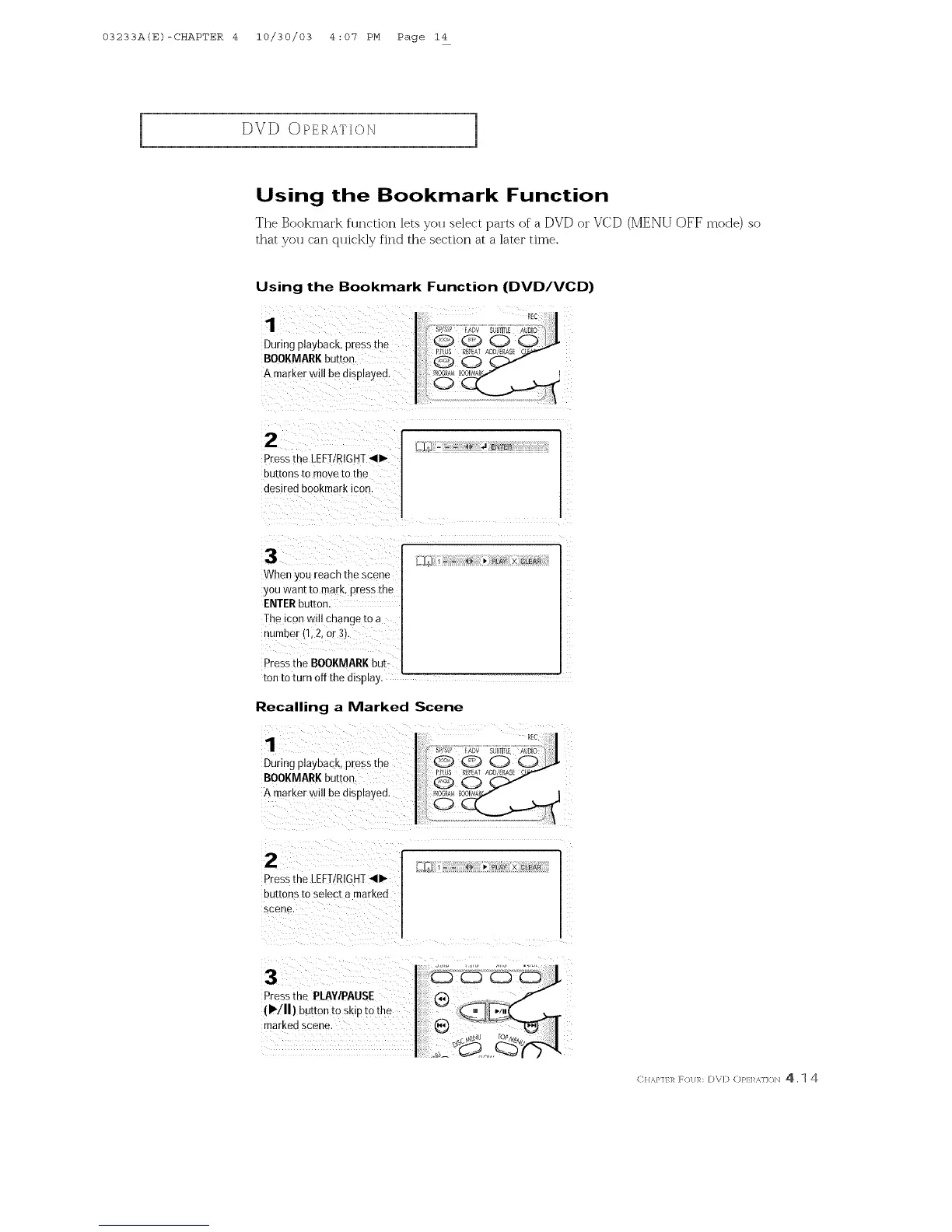
Using the Bookmark Function
Tile Bookmark function lets you select parts of a DVD or VCD (MENU OFF mode) so
that you can qlfickly find the section at a later time.
Using the Bookmark Function (DVD/VCD)
1
During playback, press the
BOOKMARKbutton.
A marker will be displayed.
When you reach the scene
you want to mark, press the
ENTERbutton.
The icon will change to a
number (1,2, or 3).
Y
Pressthe BOOKMARKbut-
ton to turn Offthe display.
Recalling a Marked Scene
1
During playback, press the
BOOKMARKbutton
A marker will be amplayed.
2
Pressthe LEFTIRIGHT_II_
buttonstoselec[amarked
scene
C} m.},]} ]_ R)l m: D\D (:)},LI _.]]()N 4. 1 4



 To Next Page