03233A(E)-CHAPTER 5 10/30/03 4:10 PM Page 6
VCR OPERATION
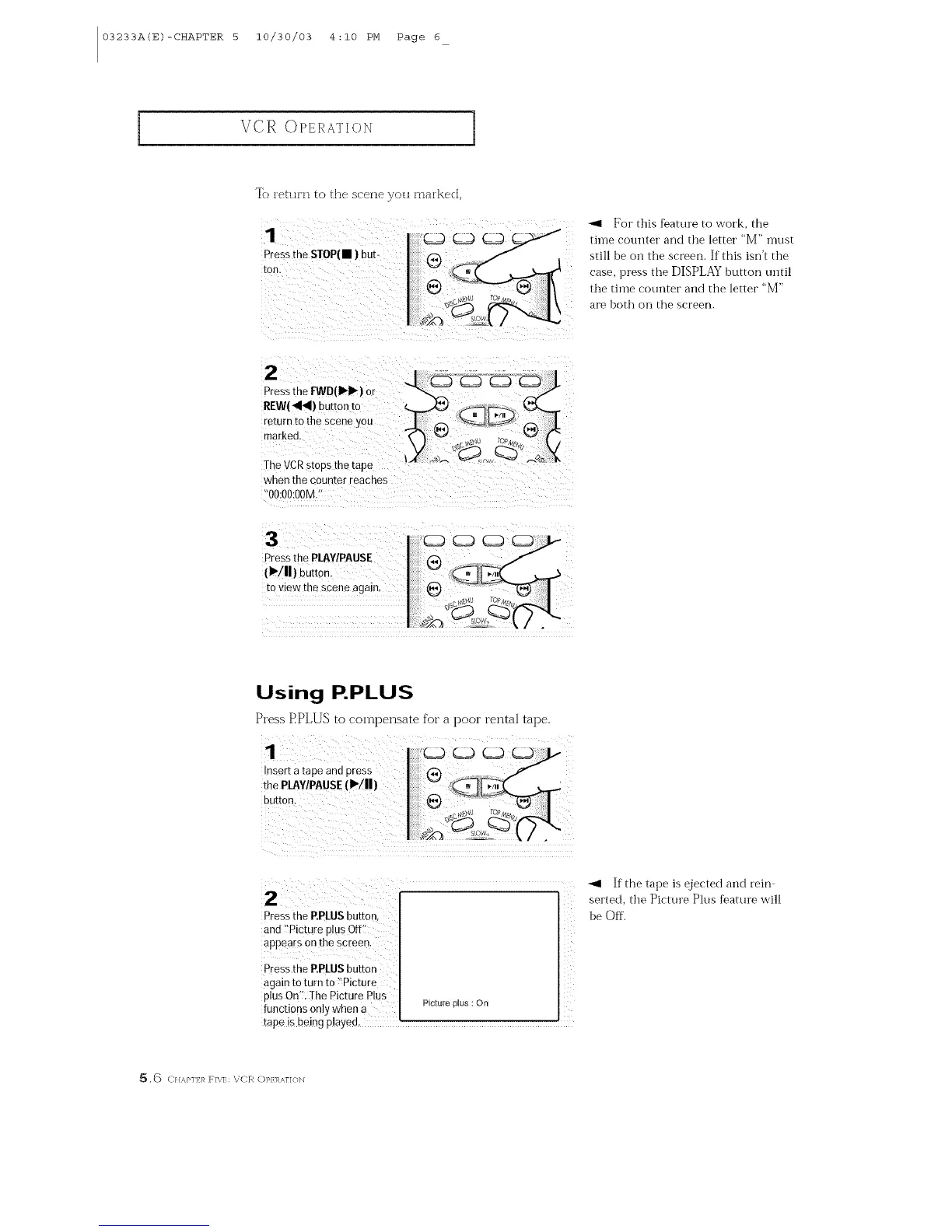
To tehil]l to the s(-etieyo/l fnalked,
1 cmcmcm
Pressthe STOP(m ) DUb-
[on,
_1 For this feature to work, the
time counter and the letter "M" must
still be oil the screen. If this isrft tile
case, press the DISPLAY button until
tile time counter and tile letter "M"
are both on the screen.
2
The VCRstops the tape
when the counter reacnes
O0:O0:OOM
3
Pressthe PlAY/PAUSE
(I'/11)buE0n.
to view the scene again,
Using P.PLUS
Press EPLUS to compensate for a poor rental tape.
the PLAWPAUSE(1_/11)
Press the P.PLUSbutton_
and ??Picture plus Off<
appears on the screen.
Press the EPLUS button
again to turn to !'Picture
plus On'!. Ihe Picture Plus
functi0ns only when a
Y
<<
Picture Nus : On
tape is being played.
If the tape is ejected and rein
serted, the Picture Plus feature will
be Off.
_[_ ,_) C//,_,/'I] I,_ F]\I: VCR (])P/I_AI'I(H_I



 To Next Page