03233A(E)-CHAPTER 5 10/30/03 4:10 PM Page 15
VCR OPERiTION
Using B|ock Repeat
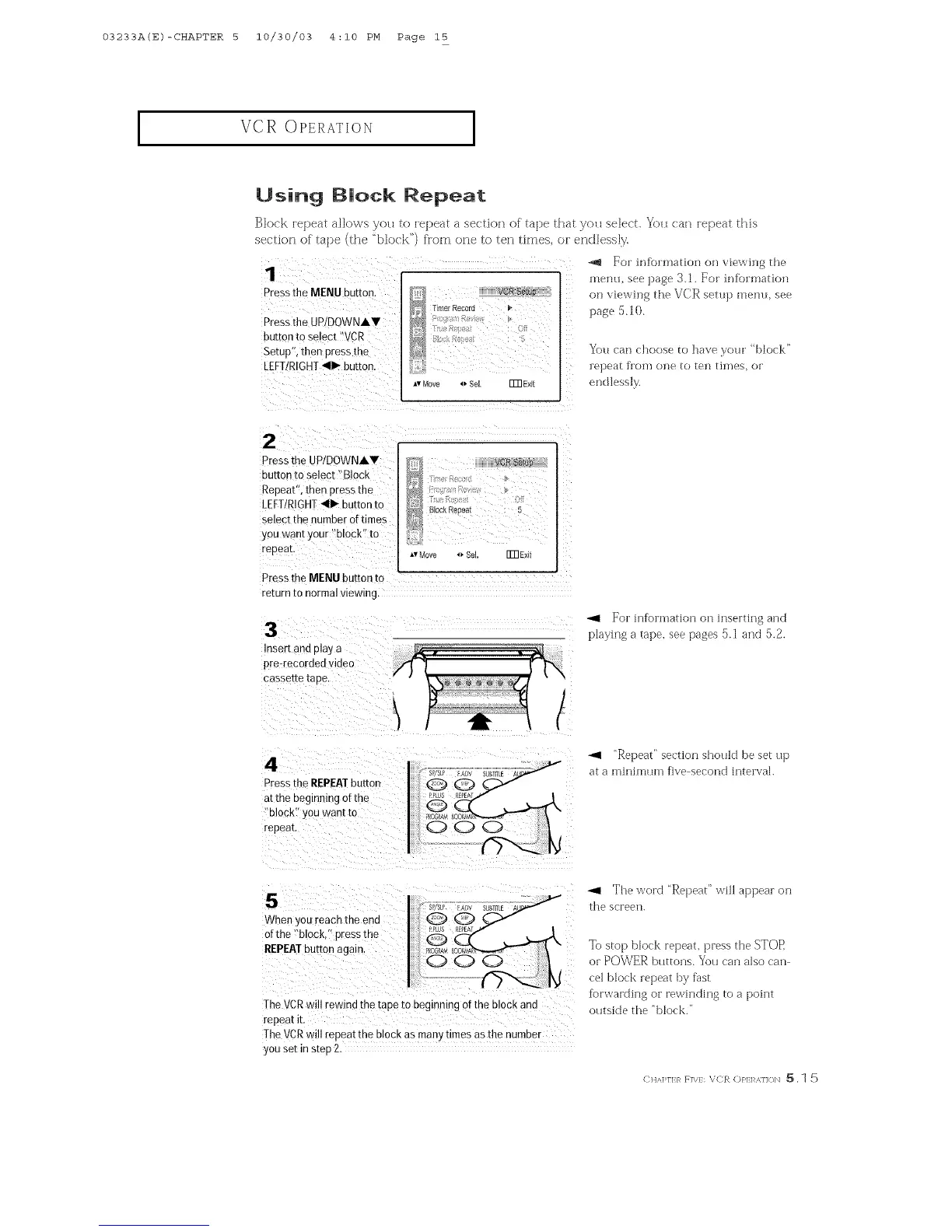
Block [el)eat allows you to ['el)eat a section of tape that you select. You <'at] _epeat this
section of' tape (the "block") flora one to ten times, or endbssly.
For irffbmnation on viewing the
menu, see ])age 3.1. For infbrnmtion
on viewing the VCR setup menu, see
page 5.10.
You can choose to have your "block"
repeatfromone totentimes,or
endless]><
press the UP/DOWNAV
button to select !:B!0ck
Repeat" the n press the
LEFTtRIGHT411_button to
select the number of times
yOUwant YoU[ !?blocki!to
Press the MENUbutton to
returnto normalviewing.
3
Insert ant play a
pre-recorded video
cassette taoe
-_1 For information on inserting and
playing a tape, see pages 5.1 and 5.2.
4
_ress the REPEATbutton
a_the beginning ot the
"block" you want to
repeat,
_,4 "Repeat" section shotfld be set up
at a minimtan five second interval.
5
When you reach the end
of the "block press the
REPEATbutton again.
The VCRwill rewind the tape ro negmmng of the block and
repeat it,
The VCRwill repeat the block as man) hinesas the number
you set in steF2
The word "Repeat" will appear on
the screen.
To stop block repeat, press the STOR
or POWER buttons. You can also can
cel block repeat by fast
fbrwarding or rewinding to a point
outside the "block."
CHA>rI:}_ F]W: VCR ()}'1:1 _,]]<_N _. 1 5



 To Next Page