MAINTENANCE
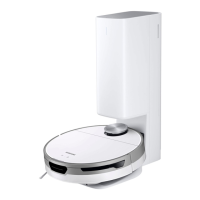
Cleaning the Jet Bot
Before maintenance work, you should turn off the power switch at the side of the Jet Bot.
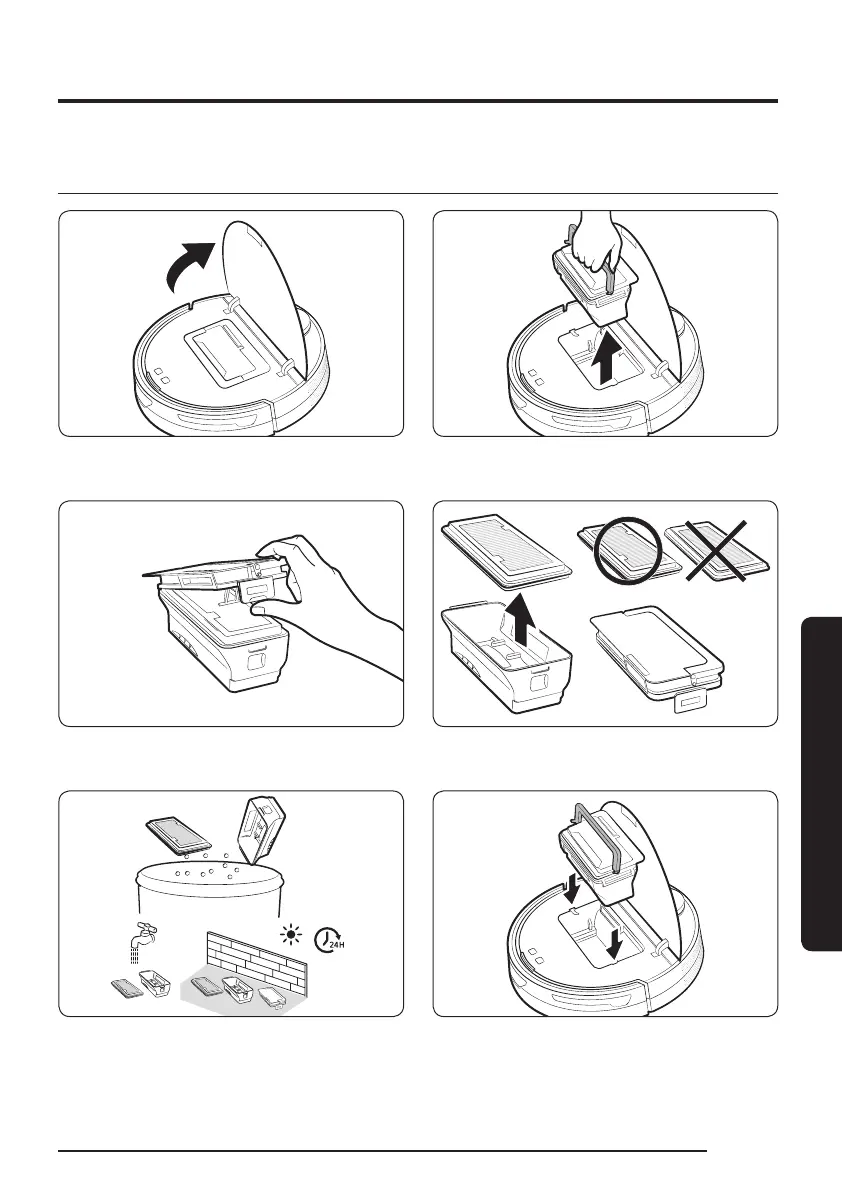
Emptying and cleaning the Dustbin
1 Grasp the Jet Bot’s cover at the groove and
lift it up.
2 Hold the Dustbin handle and lift the
Dustbin up.
3 Unlock the transparent clip at the side of
the Dustbin.
4 Detach the lter from the Dustbin.
5 Remove the dust on the lter and the
Dustbin, clean them with water, and dry
completely in the shade.
6 Attach the lter to the Dustbin and
insert the Dustbin into the Jet Bot. When
inserting the Dustbin, grasp the handle and
put the Dustbin into both grooves.
MAINTENANCE
23
1_VR8500_EN_00858C-02_SW.indd 23 2022-10-13 오후 6:06:17









 To Next Page