INSTALLATION
INSTALLATION
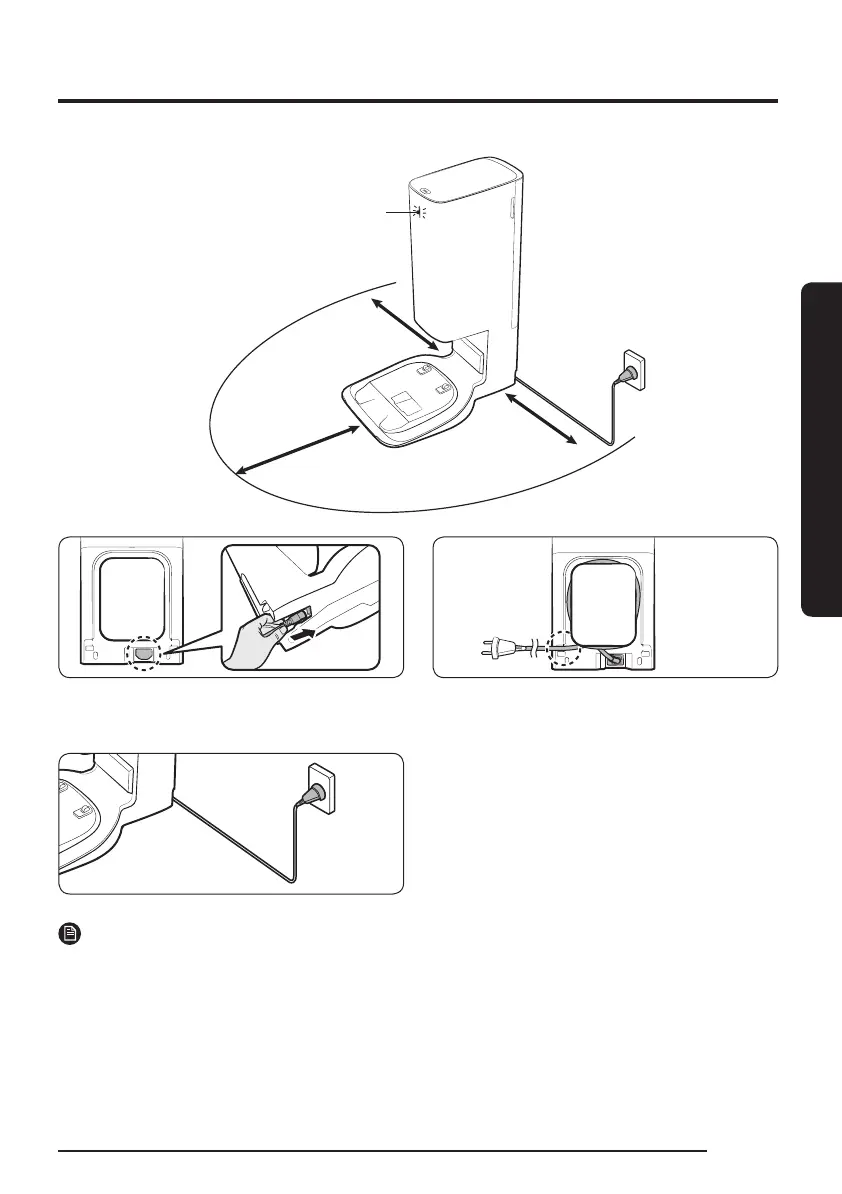
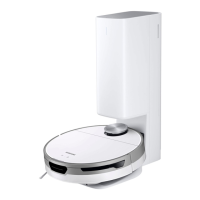
Installing a Clean Station
Approximately
0.5 m
Approximately
0.5 m
Status Indicator
Approximately
1m
1 Connect the provided power cord to the
bottom of the Clean Station.
2 Position the power cord into the xing
groove at the rear of the Clean Station.
3 Place the Clean Station on an even oor
and near an electrical outlet and plug it in.
When the Clean Station is plugged in, the
Status Indicator at the top of the Clean
Station turns white for a short time.
NOTE
• Install the Clean Station in a place where the oor and wall are level.
• If the power cord is too long for the installation environment, coil the power cord around the
cable management post, then put it in the xing groove at the rear of the Clean Station.
• If you reinstall the Clean Station to a position 1 m or more from the previous installed place,
recreate the map using the SmartThings App. (If you use the existing map, some places may
not be cleaned.)
13
1_VR8500_EN_00858C-02_SW.indd 13 2022-10-13 오후 6:06:09









 To Next Page