MAINTENANCE
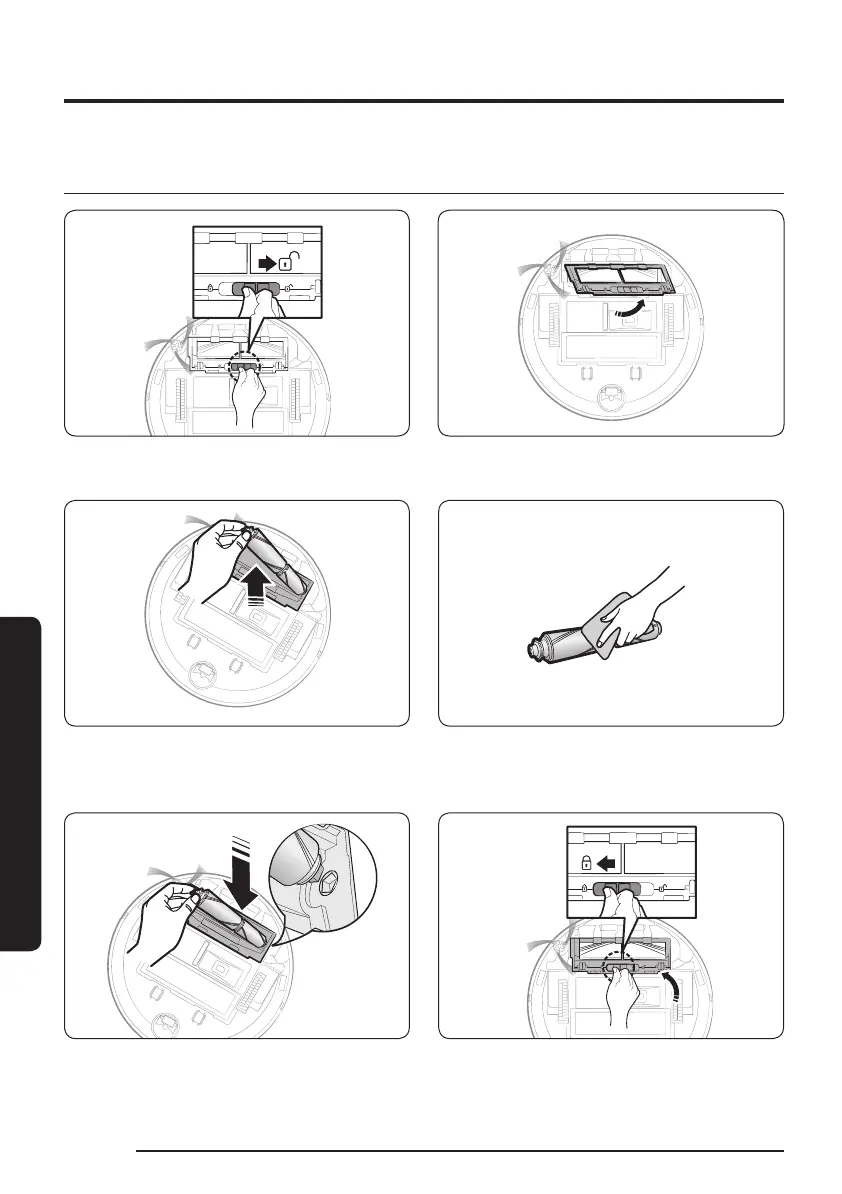
Cleaning the brush
1 Push the Brush Cover Lock to the right to
unlock.
2 Detach the brush cover.
3 Lift up the left side of the brush rst and
then pull the brush from the groove on the
right.
4 Clean the brush.
5 Attach the brush. 6 Attach the brush cover.
24
1_VR8500_EN_00858C-02_SW.indd 24 2022-10-13 오후 6:06:19









 To Next Page