English-22
Editing the Channels
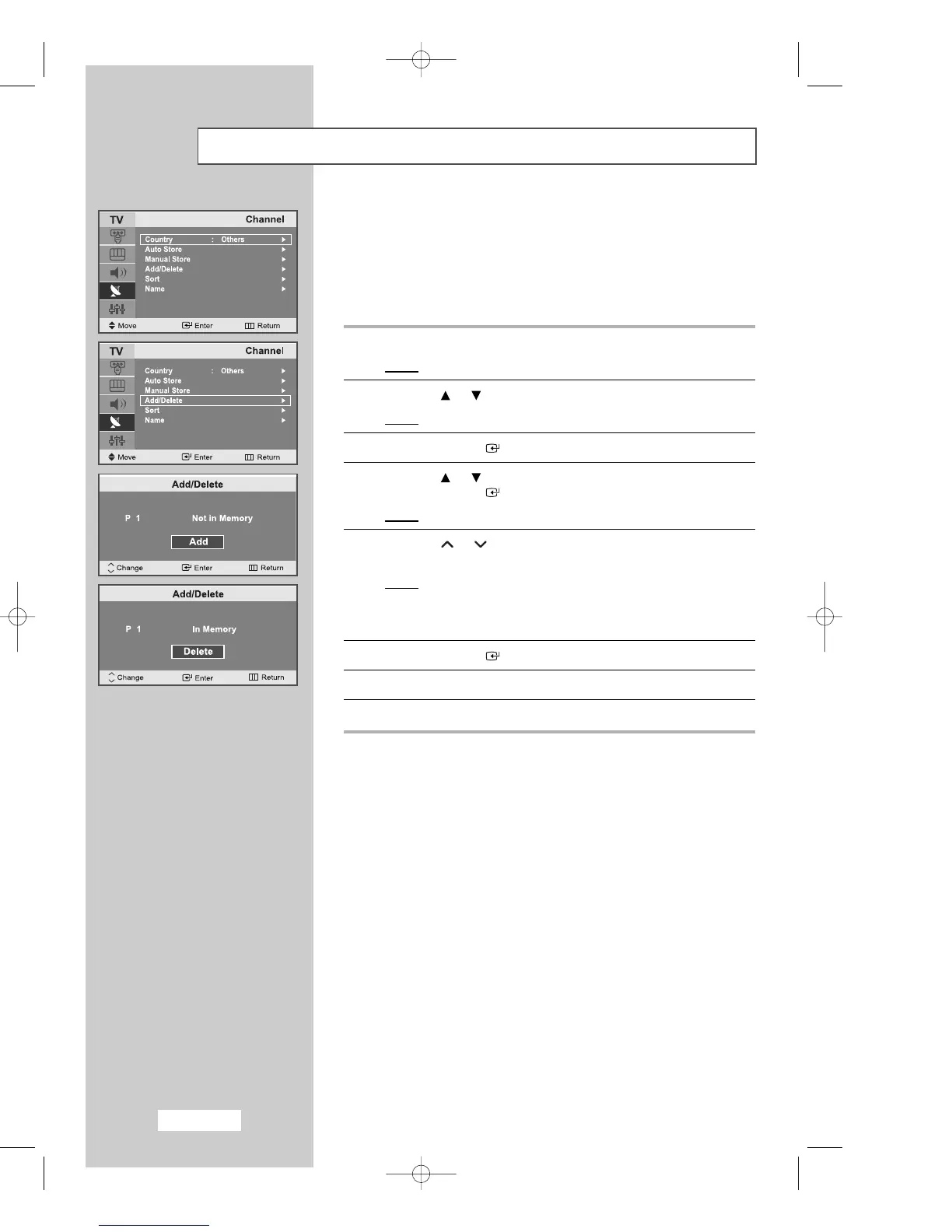
You can exclude any channels of your choice from the channels you
have scanned. When you scan through the stored channels, those you
have chosen to skip are not displayed.
All channels that you do not specifically choose to skip are displayed
during scanning.
1
Press the
MENU
button.
Result
: The main menu is displayed.
2
Press the or button to select the
Channel
.
Result
:
The options available in the
Channel
group are displayed.
3
Press the
ENTER
button.
4
Press the or button to select
Add/Delete
.
Press the
ENTER
button.
Result
: The state of the current channel is displayed.
5
Press the or button to select the channel that you wish to
Add
or
Delete
.
Result
: If the channel that you wish to edit is not in memory,
Add is selected and displayed.
Otherwise, if the channel that you wish to edit is in memory,
Delete is selected and displayed.
6
Press the
ENTER
button to
Add
or
Delete
the channel.
7
Repeat Step
5
for each channel to be added or erased.
8
Press the
EXIT button to exit
.
P
P
02-BN68-00633D-00Eng.qxd 4/15/04 9:40 PM Page 22



 To Next Page