English-16
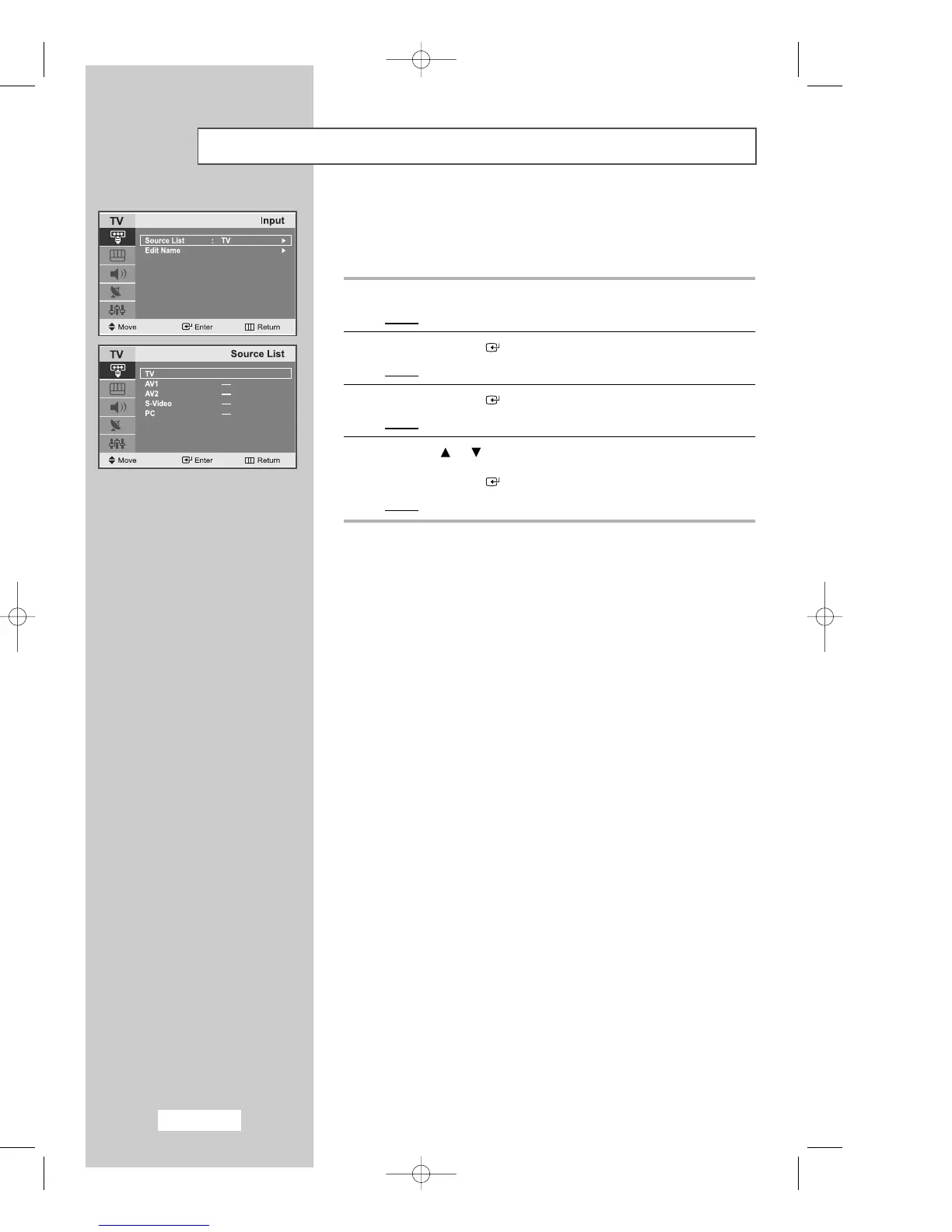
Selecting TV Mode or an Input Source
You can choose TV mode or change to an input source connected to
the TV set. Use this button to choose an input source that you would
like to watch.
1
Press the
MENU
button.
Result
: The main menu is displayed.
2
Press the
ENTER
button to select the
Input
.
Result
:
The options available in the
Input
group are displayed.
3
Press the
ENTER
button.
Result
: The
Source List
is selected.
4
Press the or button to move to the input source that
you wish to choose.
Press the
ENTER
button.
Result
: The input source changes to the one you have chosen.
02-BN68-00633C-00Eng.qxd 4/18/04 7:35 AM Page 16



 To Next Page