English-31
Switching Off Automatically
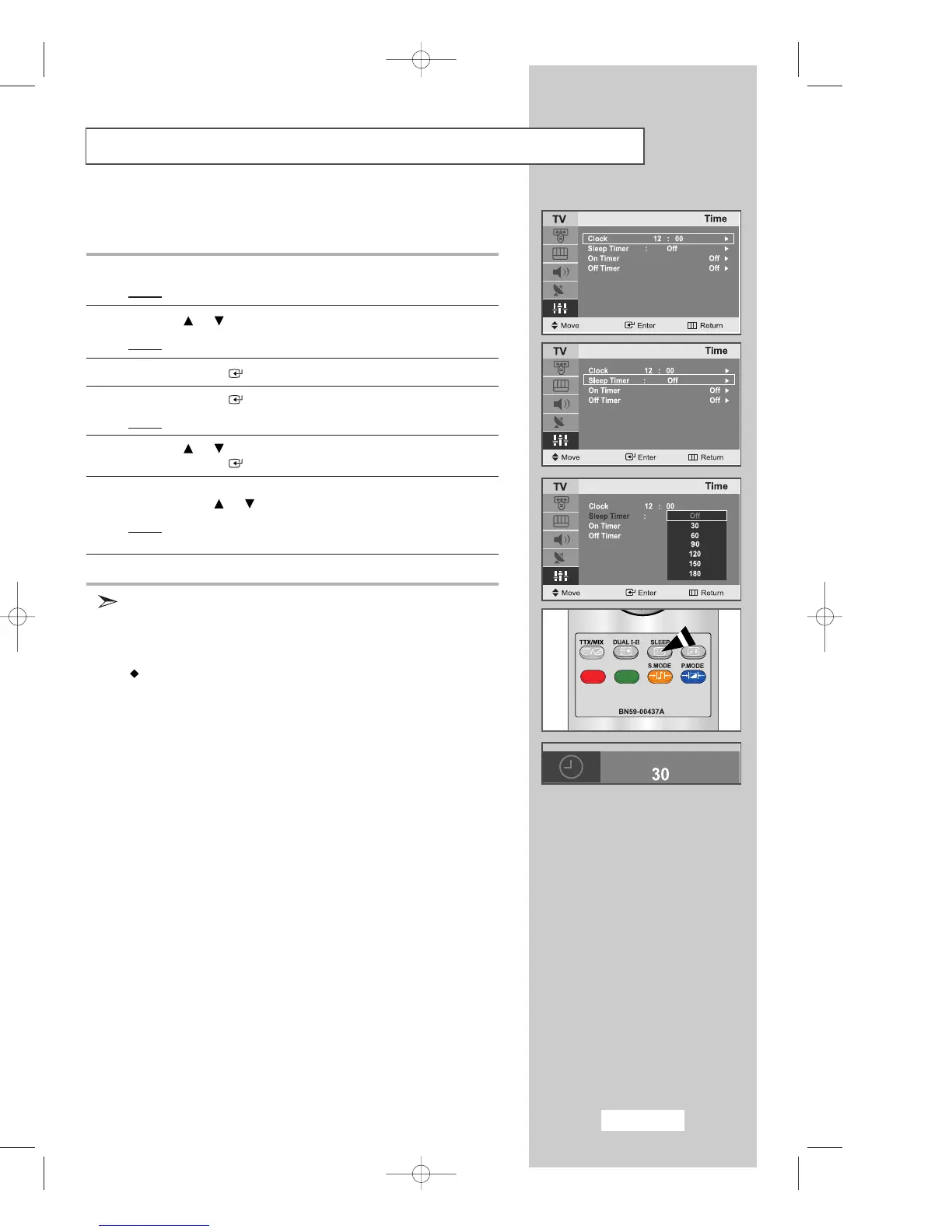
You can select a time period of between Off and 180 minutes after which
your set automatically switches off.
1 Press the
MENU
button.
Result
: The main menu is displayed.
2 Press the or button to select
Setup
.
Result
:
The options available in the
Setup
group are displayed.
3 Press the
ENTER
button.
4 Press the
ENTER
button.
Result
:
The preset Clock is selected.
5 Press the or button to select
the Sleep Timer
.
Press the
ENTER
button.
6 Select the number of minutes after which your set switches
On
by pressing the or button repeatedly.
Result
:
The preset time intervals:
Off, 30, 60, 90, 120, 150, 180 minutes.
7
Press the
EXIT button to exit
.
You can also select this feature by simply pressing the "
SLEEP
"
button.
If the sleep timer is already set, the screen displays the remaining
time and then your set will be switched
Off
.
If the sleep timer is not yet set,
Off
is displayed.
Off •
30
•
60
•
90
•
120
•
150
•
180
•
Off
03-BN68-00633C-00Eng.qxd 4/18/04 7:35 AM Page 31



 To Next Page