English-45
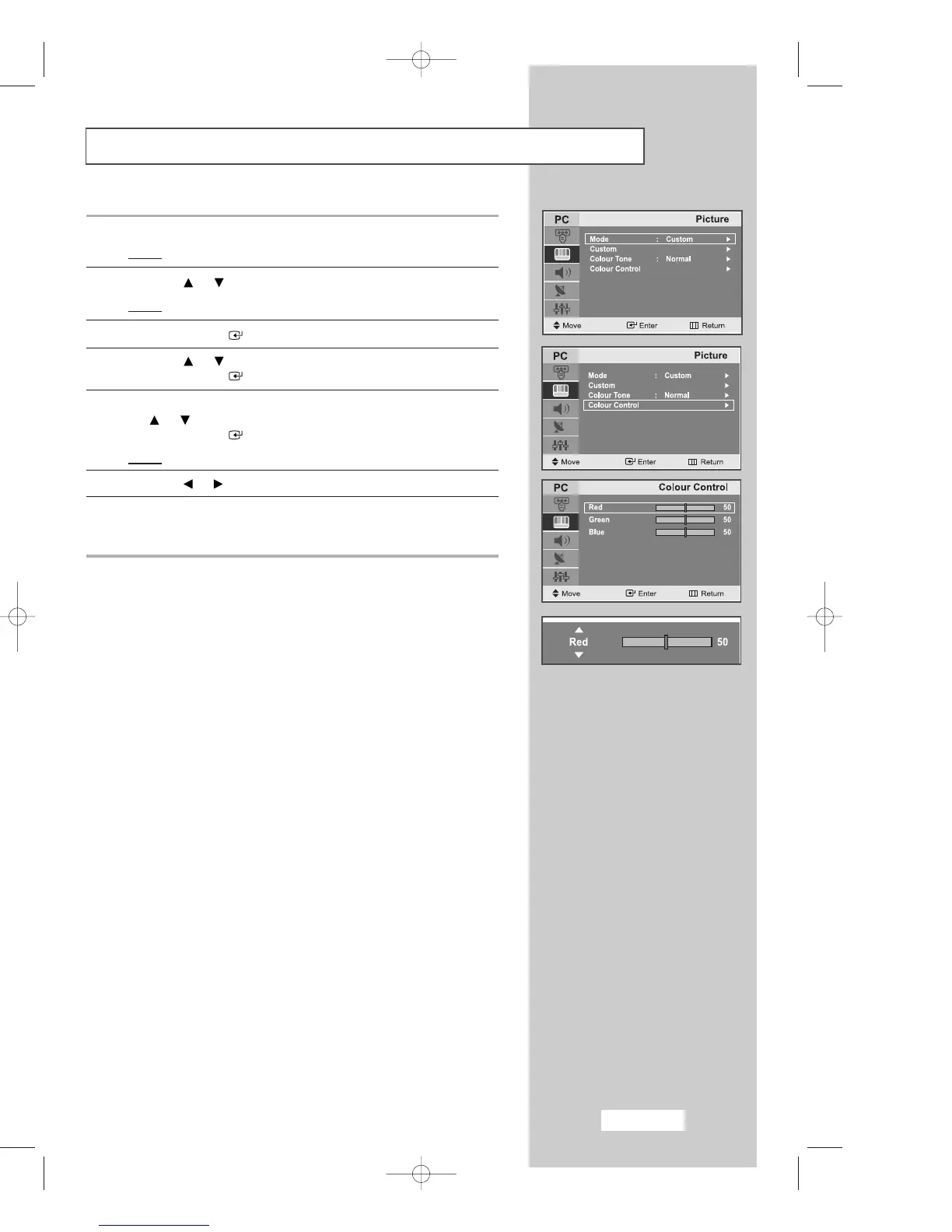
Customizing the Colour
1 Press the
MENU
button.
Result
: The main menu is displayed.
2 Press the or button to select the
Picture
.
Result
:
The options available in the
Picture
group are displayed.
3 Press the
ENTER
button.
4 Press the or button to select the
Colour Control
.
Press the
ENTER
button.
5 Select the option (
Red, Green, Blue
) to be adjusted by pressing
the or button.
Press the
ENTER
button.
Result
: The horizontal bar is displayed.
6 Press the or button to reach the required setting.
7 When you are satisfied with the setting, press the
MENU
button
to return to the previous menu or press the
EXIT
button to return to
normal viewing.
04-BN68-00633C-00Eng.qxd 4/18/04 9:04 PM Page 45



 To Next Page