English-30
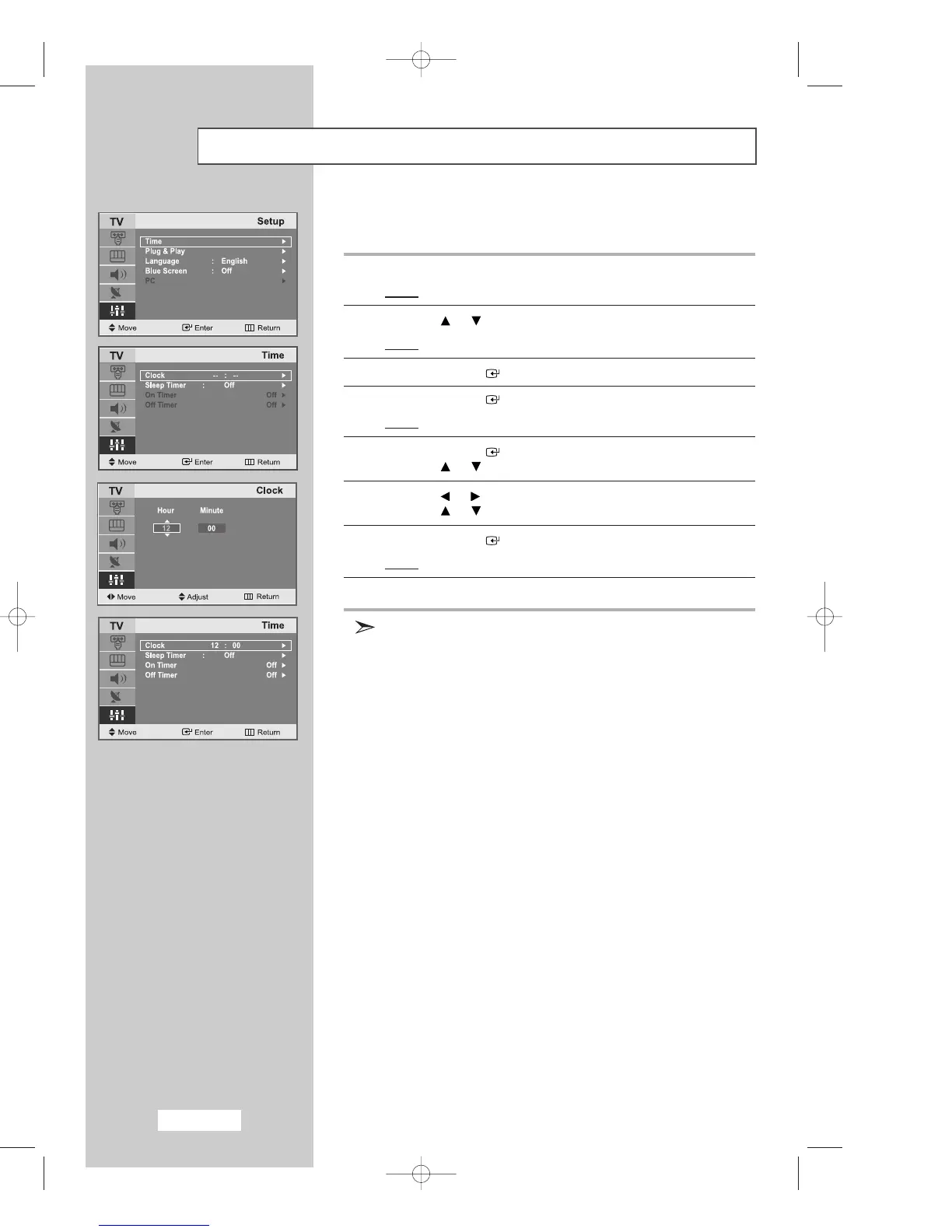
Setting the Clock
1
Press the
MENU
button.
Result
: The main menu is displayed.
2
Press the or button to select
Setup
.
Result
:
The options available in the
Setup
group are displayed.
3
Press the
ENTER
button.
4
Press the
ENTER
button.
Result
: The
Clock
is selected.
5
Press the
ENTER
button.
Press the or button to set the
Hour
.
6
Press the or button to move to
Minute
.
Press the or button to set the minutes.
7
Press the
ENTER
button.
Result
: The clock is set.
8
Press the
EXIT button to exit
.
You can also set the time using the numeric buttons on the remote.
03-BN68-00633C-00Eng.qxd 4/18/04 7:35 AM Page 30



 To Next Page