English-37
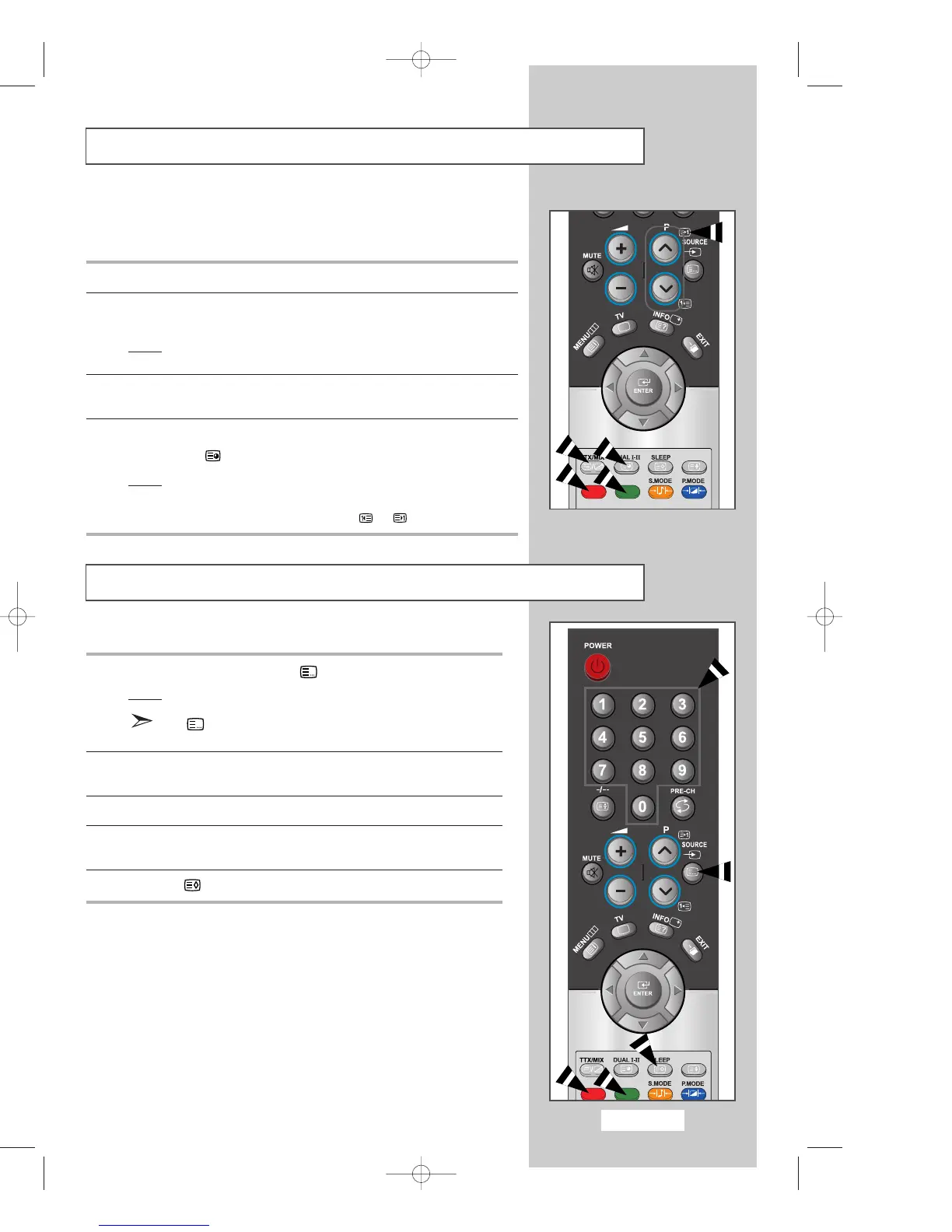
Using FLOF to Select a Page
The various topics included in the teletext pages are colour-coded, and
can be selected by pressing the coloured buttons on the remote control.
1
Display the teletext contents page by pressing the
TTX/MIX
button.
2
Press the coloured button corresponding to the topic that you wish
to select; the available topics are given on the status line.
Result
: The page is displayed with other coloured information
that can be selected in the same way.
3
To display the previous or next page, press the corresponding
coloured button.
4
To display the subpage, see the following steps.
◆
Press the (subpage) button.
Result
: The available subpages appear.
◆
Select the required subpage.
Subpages can be scrolled by using the or button.
Storing Teletext Pages
You can store up to four teletext pages to display them later at leisure.
1
Select the LIST mode using the (LIST/FLOF) button.
Result
: Four 3-digit numbers are displayed in different colours.
The (LIST/FLOF) button is used to switch between
the LIST and FLOF modes.
2
Press the coloured button corresponding to the page that will be
replaced.
3
Enter the new page number using the numeric buttons.
4
Repeat steps 2 and 3 for each page to be stored, using a different
coloured button each time.
5
Press the (store) button until the corresponding blocks blink.
03-BN68-00633F-03Eng.qxd 6/12/04 6:23 PM Page 37



 To Next Page