English-33
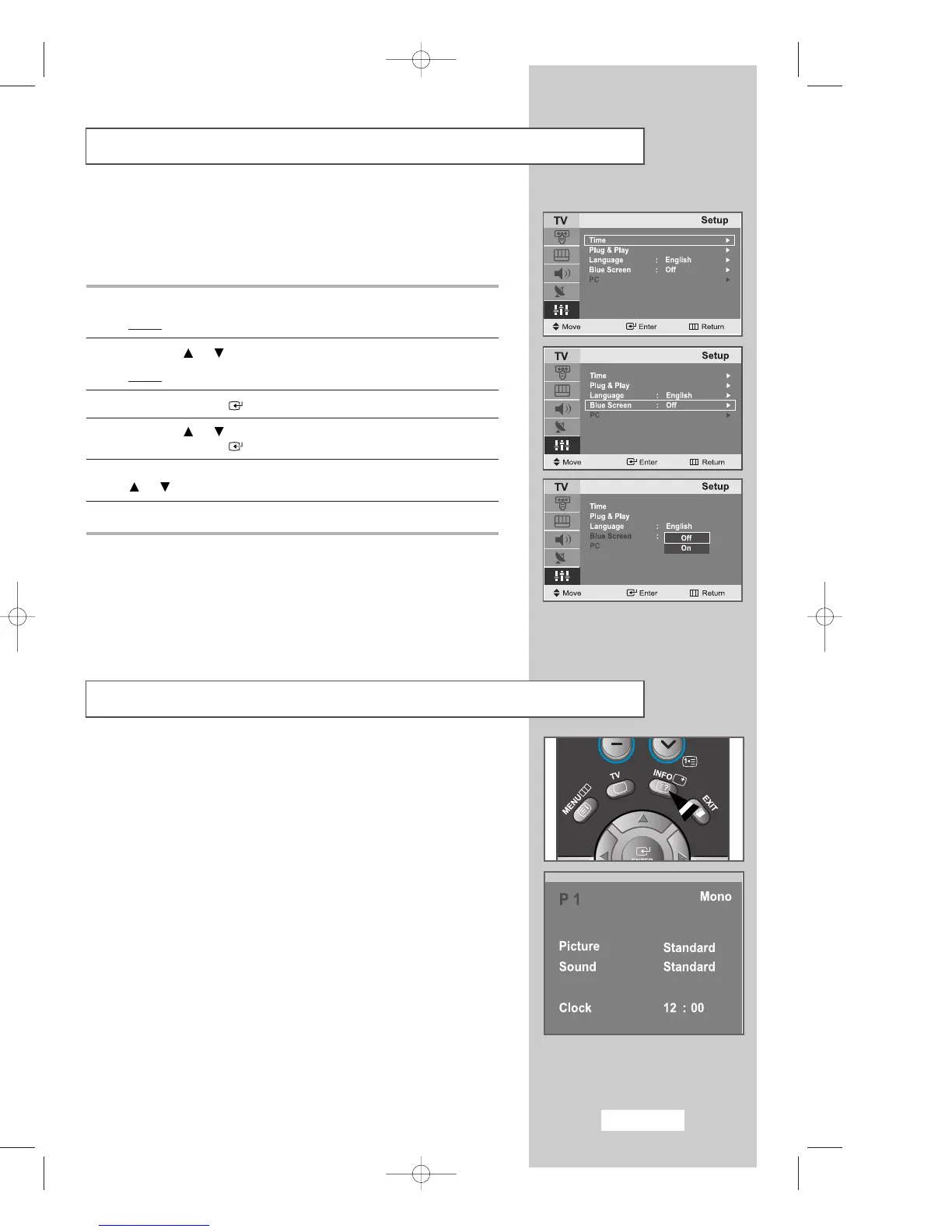
Setting the Blue Screen Mode
Displaying Information
If no signal is being received or the signal is very weak, a blue screen
automatically replaces the noisy picture background.
If you wish to continue viewing the poor picture, you must set the
"
Blue Screen
" mode to "
Off
".
1
Press the
MENU
button.
Result
: The main menu is displayed.
2
Press the or button to select
Setup
.
Result
:
The options available in the
Setup
group are displayed.
3
Press the
ENTER
button.
4
Press the or button to select
Blue Screen
.
Press the
ENTER
button.
5
Select the required option (
On
or
Off
) by pressing the
or button.
6
Press the
EXIT
button to return to normal viewing.
You can view the setting status of the selected source by pressing the
"
INFO
" button on the remote control.
The information displayed varies according to the selected source.
03-BN68-00633C-00Eng.qxd 4/18/04 7:36 AM Page 33



 To Next Page