English-25
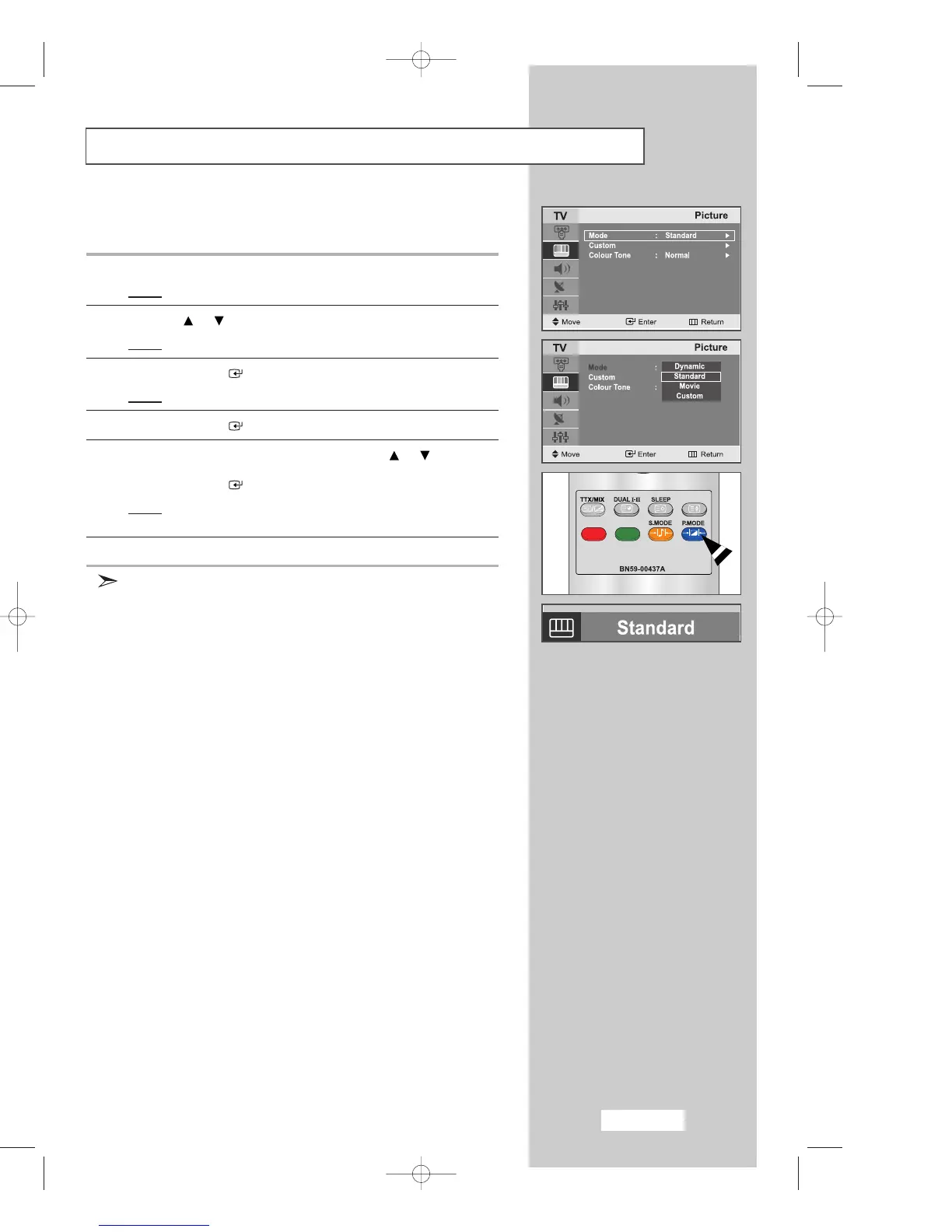
Changing the Picture Standard
You can select the type of picture which best corresponds to your
viewing requirements.
1 Press the
MENU
button.
Result
: The main menu is displayed.
2 Press the or button to select the
Picture
.
Result
:
The options available in the
Picture
group are displayed.
3 Press the
ENTER
button.
Result
: The
Mode
is selected.
4 Press the
ENTER
button.
5 Select the required picture effect by pressing the or button
repeatedly.
Press the
ENTER
button.
Result
: The following picture effects are available:
Dynamic - Standard - Movie - Custom
6
Press the
EXIT button to exit
.
You can also set these options simply by pressing the
P.MODE
(Picture Mode) button.
02-BN68-00633F-03Eng.qxd 6/12/04 6:18 PM Page 25



 To Next Page