English-44
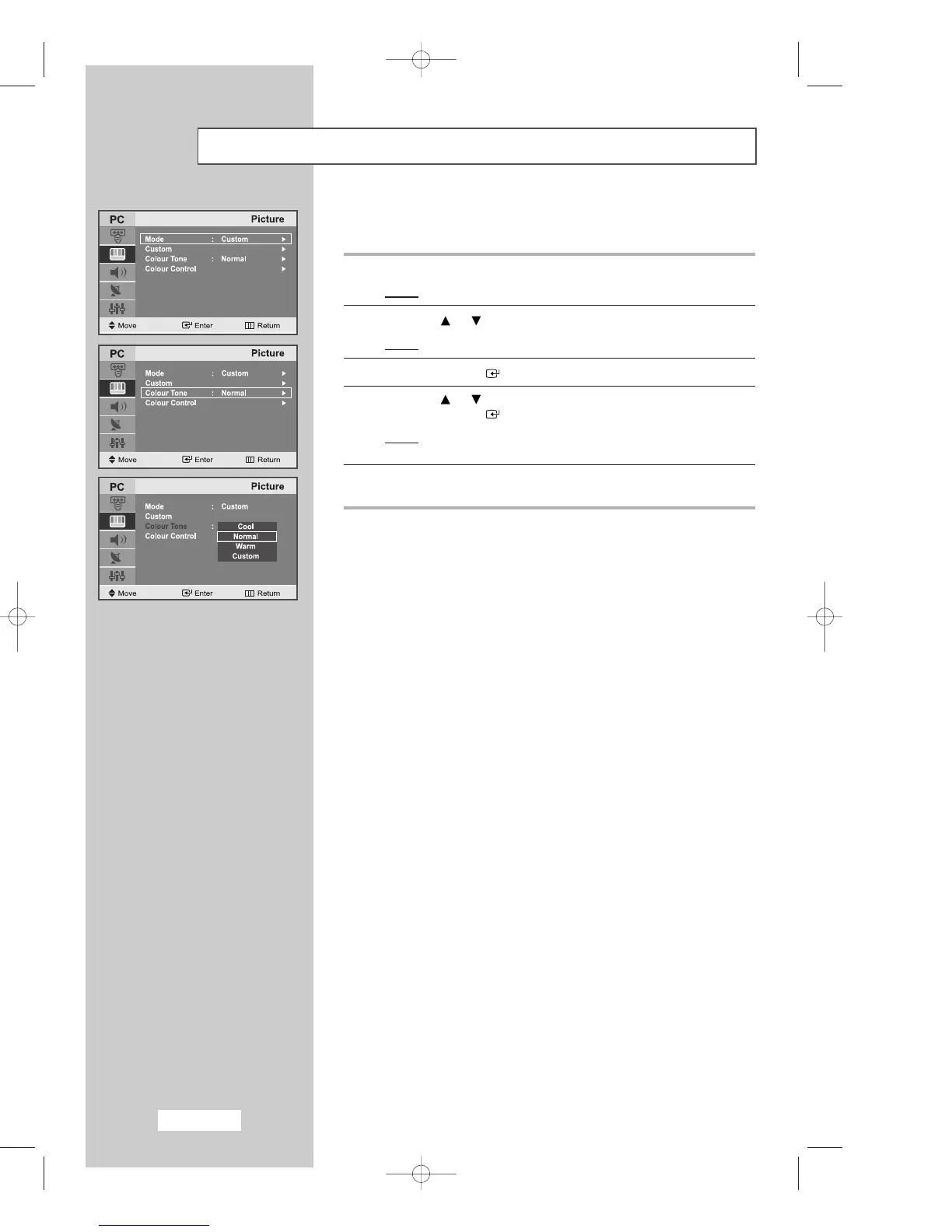
Adjusting the Screen Background Colour
You can change the screen background colour according to your
preference.
1
Press the
MENU
button.
Result
: The main menu is displayed.
2
Press the or button to select the
Picture
.
Result
:
The options available in the
Picture
group are displayed.
3
Press the
ENTER
button.
4
Press the or button to select the
Colour Tone
.
Press the
ENTER
button.
Result
: The following options are available:
Cool - Normal - Warm - Custom
5
When you are satisfied with your choice, press the
EXIT
button
to return to normal viewing.



 To Next Page