Getting started
13
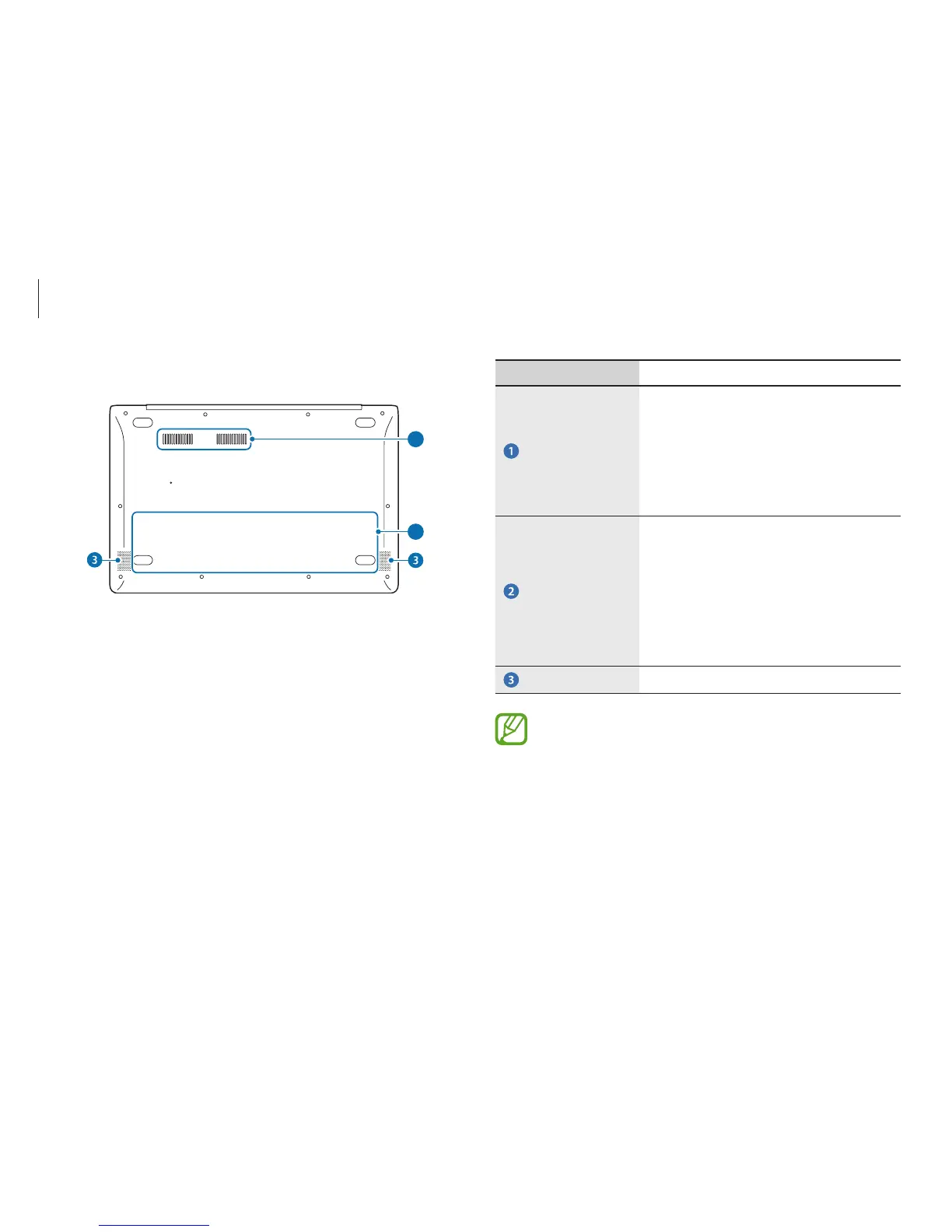
Number/Name Description
Fan vents
•
The internal heat of the computer is
emitted through these holes.
•
If the vents are blocked the
computer may overheat. Avoid
blocking the vents as this may be
dangerous.
Internal battery
•
Provides power to the computer
when not connected to an AC
adapter.
•
To remove or replace the internal
battery, take it to the Samsung
Service Center. You will be charged
for this service.
Speaker
•
Emits sound from the computer.
After replacing the bottom of the computer, the model
name, serial number and some logos on will no longer
be present. For more information, contact the Samsung
Service Center to request assistance.
Bottom view
1
2












 To Next Page