Basics
44
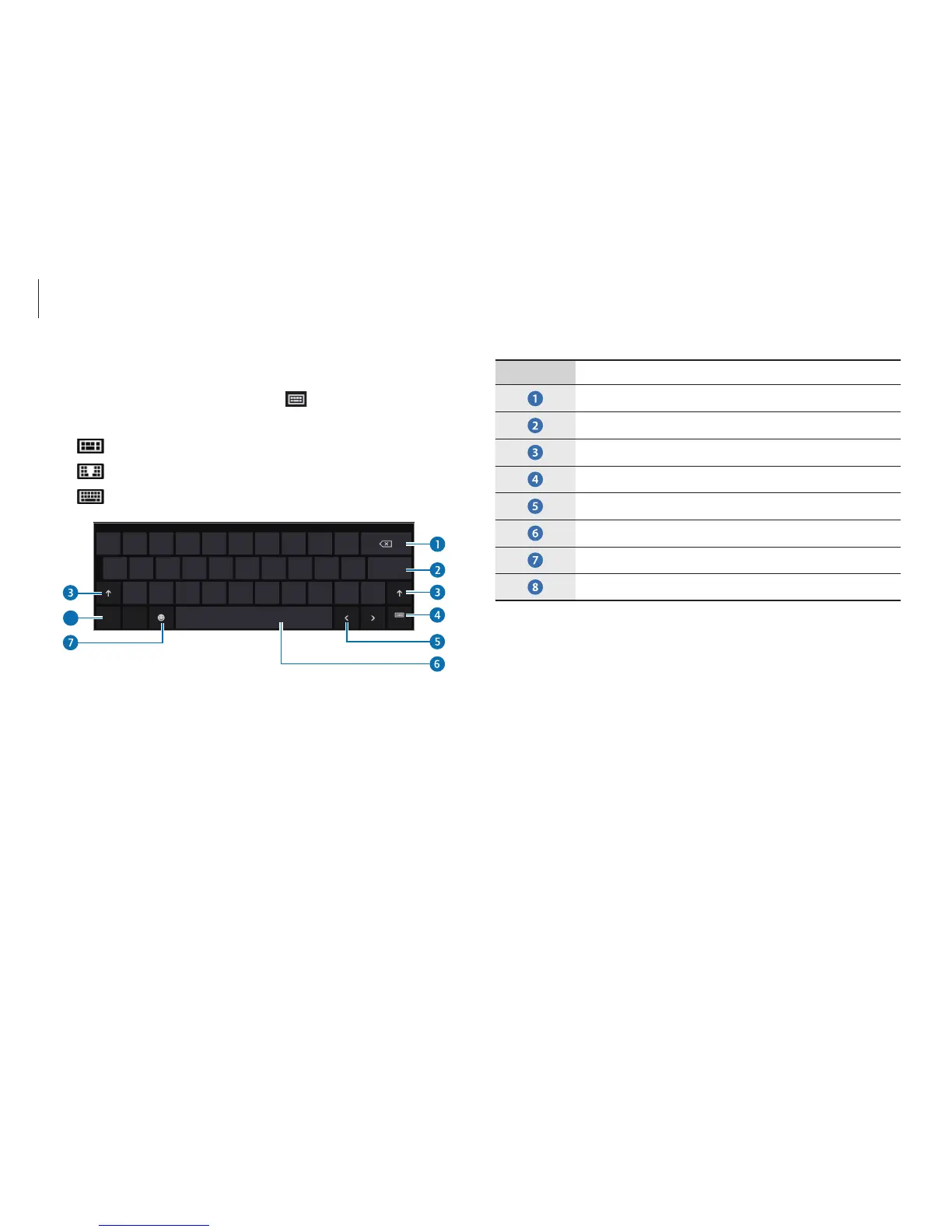
Number Description
•
Delete a preceding character.
•
Break to the next line.
•
Enter uppercase. For all caps, press and hold it.
•
Change the keyboard layout.
•
Move the cursor.
•
Enter a space.
•
Enter emoticons.
•
Enter numerals and punctuation marks.
Changing the keyboard layout
To change the keyboard layout, touch and select one of the
following:
•
: Simplified Qwerty keyboard.
•
: Split Qwerty keyboard for entering text with two hands.
•
: Standard Qwerty keyboard.
8












 To Next Page